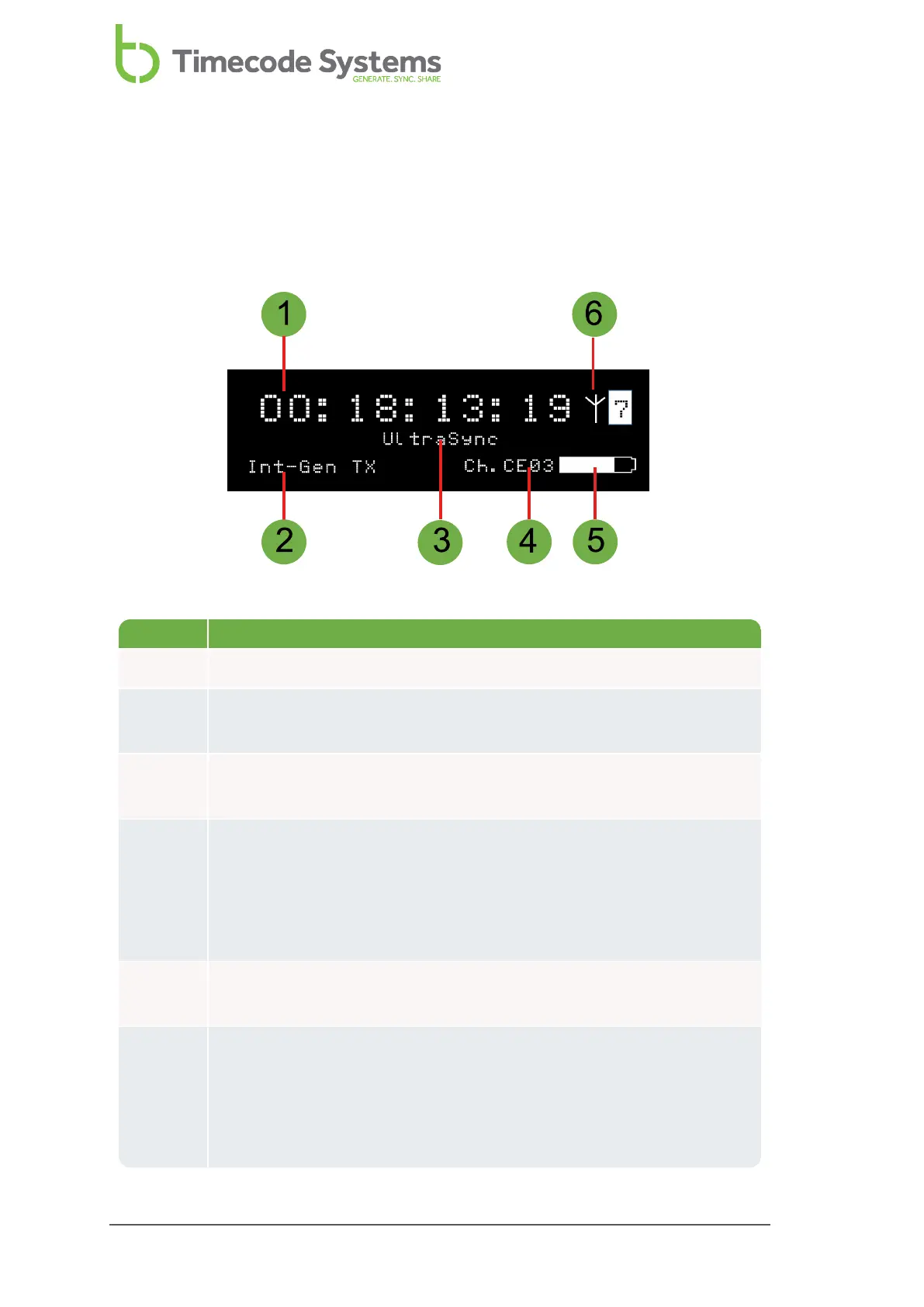
Key Description
1 The timecode that is being used by the UltraSync ONE.
2 The mode of the UltraSync ONE unit (see Networks and Modes on page
23).
3 Device name. You can use the BLINK Hub application to change the
name.
4 The country/area and RF channel that is used by the UltraSync ONE.
Ch. is for channel, and the first two letters after Ch. indicate the
country /area (CE for Europe, JP for Asia, FC for USA, Canada,
Australia, and New Zealand). The two numbers indicate the RF
channel.
5 A battery icon that shows an estimate of the remaining battery
power, based on the settings that are currently in use.
6 Signal strength and communications indicators. An antenna icon
flashes in the top-right corner when the slave and master are
communicating. The number shown to the right of the antenna icon
shows the signal strength (0-7 where 7 is the maximum signal
strength).



 To Next Page