16
AC power cord receptacle.
5) Fuse Holder
Fuse holder for TH2816B line fuse, 220Vac, 1A.
6) Name Plate
Name Plate is used to provide the information of date, model, lot number and
manufacturer etc.
3.3 Display Area Definition
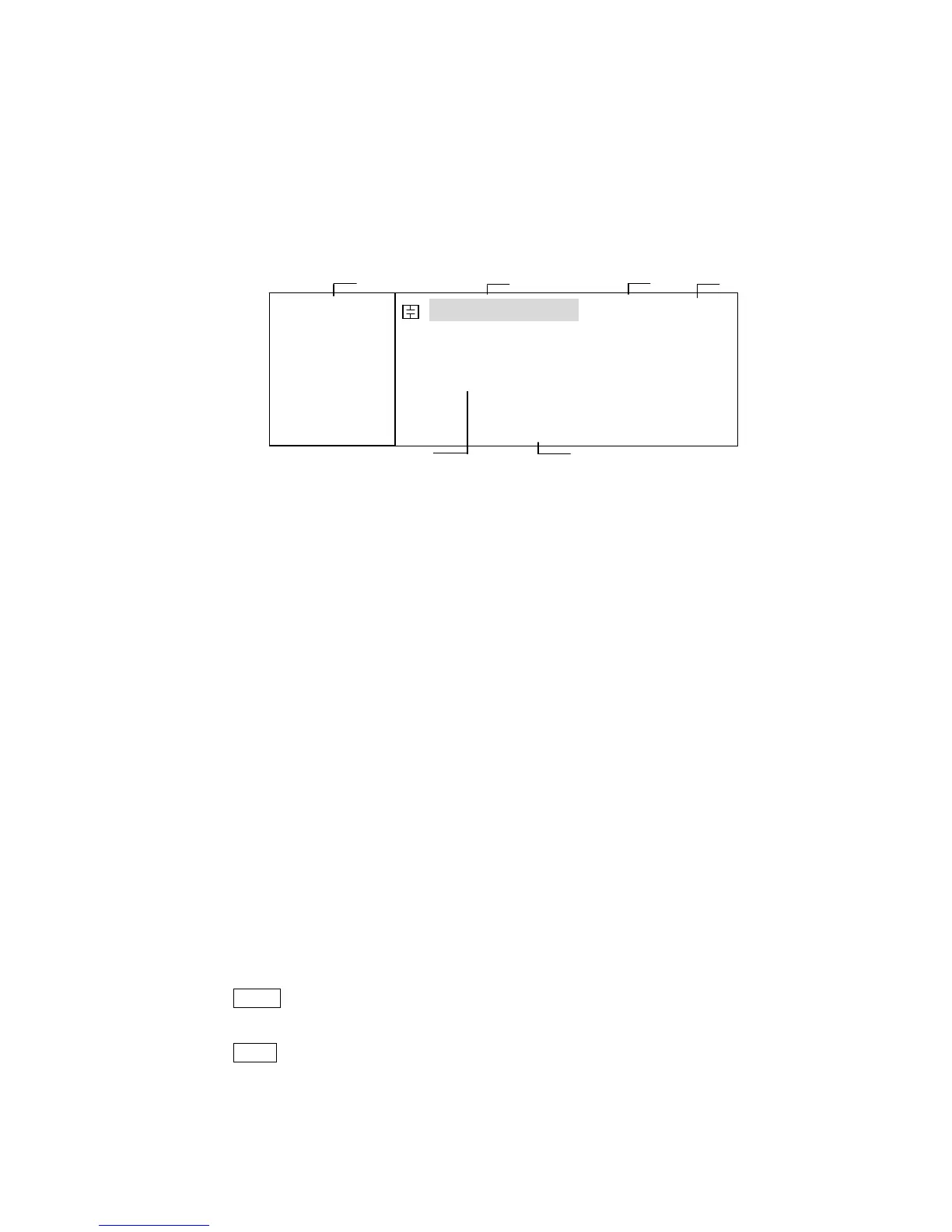
The display area on the LCD is divided into the areas show in Figure 3-3.
Figure 3-3. Display Area Definition
1) Display Page Area
This is the display page area. This area identifies the current display page.
2) Measurement Conditions area
This area is where measurement conditions are displayed.
3) File Menu Field
When the cursor is set on the File field, common file functions which are not
displayed on the display pages (for example, LOAD/Save function) are made
available.
4) Tools Menu Field
Some special controls which cannot be set on a display page's fields are made
available.
5) Measurement Date Area
This area is where measurement results are displayed.
6) Softkey Area
The bottom line is reserved for softkey labels. The softkeys displayed correspond
to the field at the cursor's position on the LCD.
3.4 MENU keys and Display Page
TH2816B has total file display pages:
MeasDisplay
BinNo. Disp
MeasSetup
LimitSetup
SystemConfig
TH2816B has three MENU keys which are used to switch the LCD display page.
1) HOME MENU key
This MENU key always switch to MeasDisplay page.
2) PREV MENU key
This MENU key can switch to the previous page sequentially.
FUN: Cp-D
F:1.00000k
LEV:1.000V
RANGE: AUTO
SPEED: SLOW
SHORT: OFF
OPEN : ON
< MeasDisplay> File Tools
Cp :217.324nF
D :0.00012
SYST LIMIT SETUP BinNo LC



 To Next Page