Installing Software
P/N 7010-0526
2-5
Computer requirements for BTCONF are: Windows® 98 or newer
and an RS-232C port or Bluetooth wireless technology. Use
BTCONF version 1.1 or newer to correctly configure the receiver.
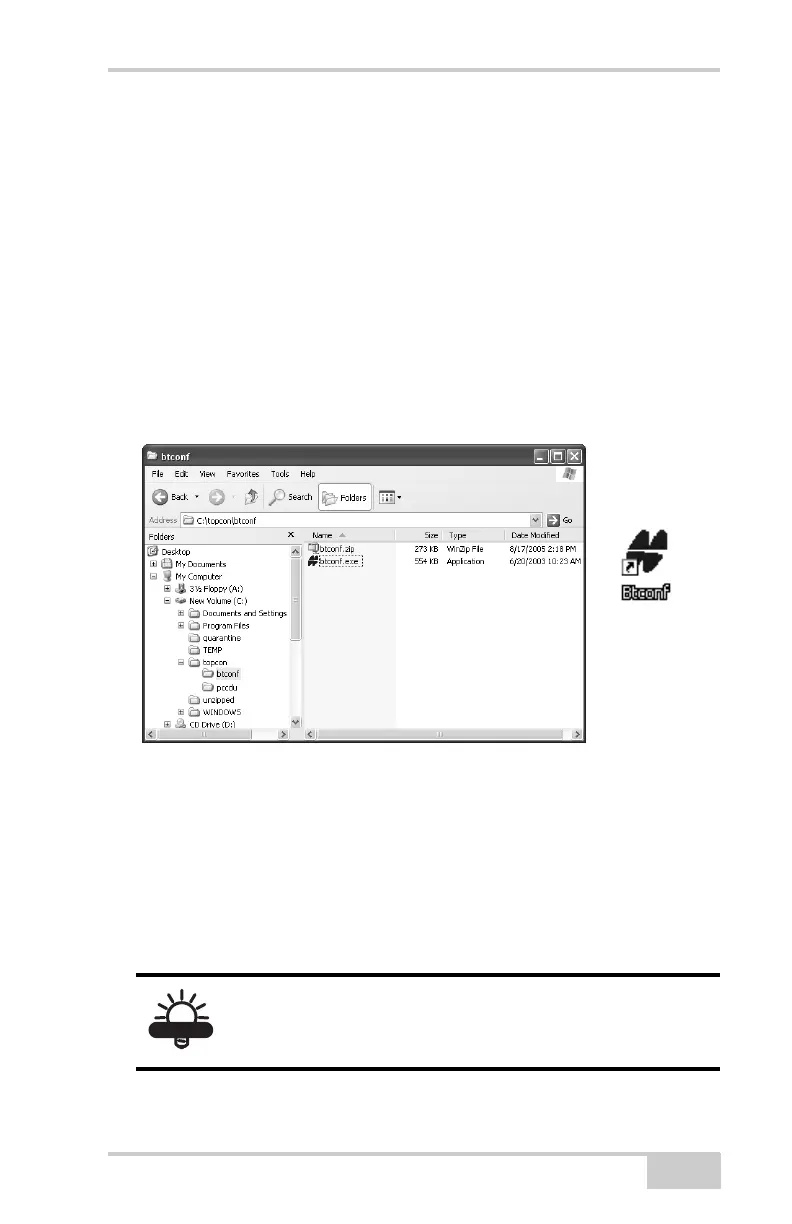
1. Create a BTCONF folder on your hard drive and place the
compressed BTCONF zip file (retrieved from either the website
or the GPS+ CD) in this folder.
2. Navigate to the BTCONF folder and double-click the BTCONF
zip file.
3. Extract the btconf.exe to the BTCONF folder.
4. Create a shortcut on the computer’s desktop for quick access to
BTCONF (Figure 2-3).
Figure 2-3. Extract Program and Create Shortcut
To uninstall BTCONF, navigate to the location of the *.exe file. Select
the file and press Delete.
Each time you run BTCONF and configure the Bluetooth module,
BTCONF saves the settings in a file (btconf.ini). BTCONF
automatically updates the file each time you make changes to the
Bluetooth module’s settings.
TIP
To maintain unique Bluetooth module settings for
different purposes, keep copies of BTCONF in
separate folders.



 To Next Page