Bluetooth Module Configuration
P/N 7010-0526
2-17
Bluetooth Module
Configuration
Use BTCONF, Topcon’s Bluetooth module’s configuration program,
and your computer to:
• access the Bluetooth wireless technology module
• configure the Bluetooth module
• check or change the module’s configuration
To access the Bluetooth wireless technology module, first download
and install BTCONF, then connect your computer and the receiver
and run the configuration program. See “Installing BTCONF” on
page 2-4 for details.
Once you have BTCONF available, follow these steps to configure
the Bluetooth module.
1. Using the RS232 cable, connect the serial port of your computer
(usually COM1) to the receiver’s serial port. If needed, turn on
the receiver and computer.
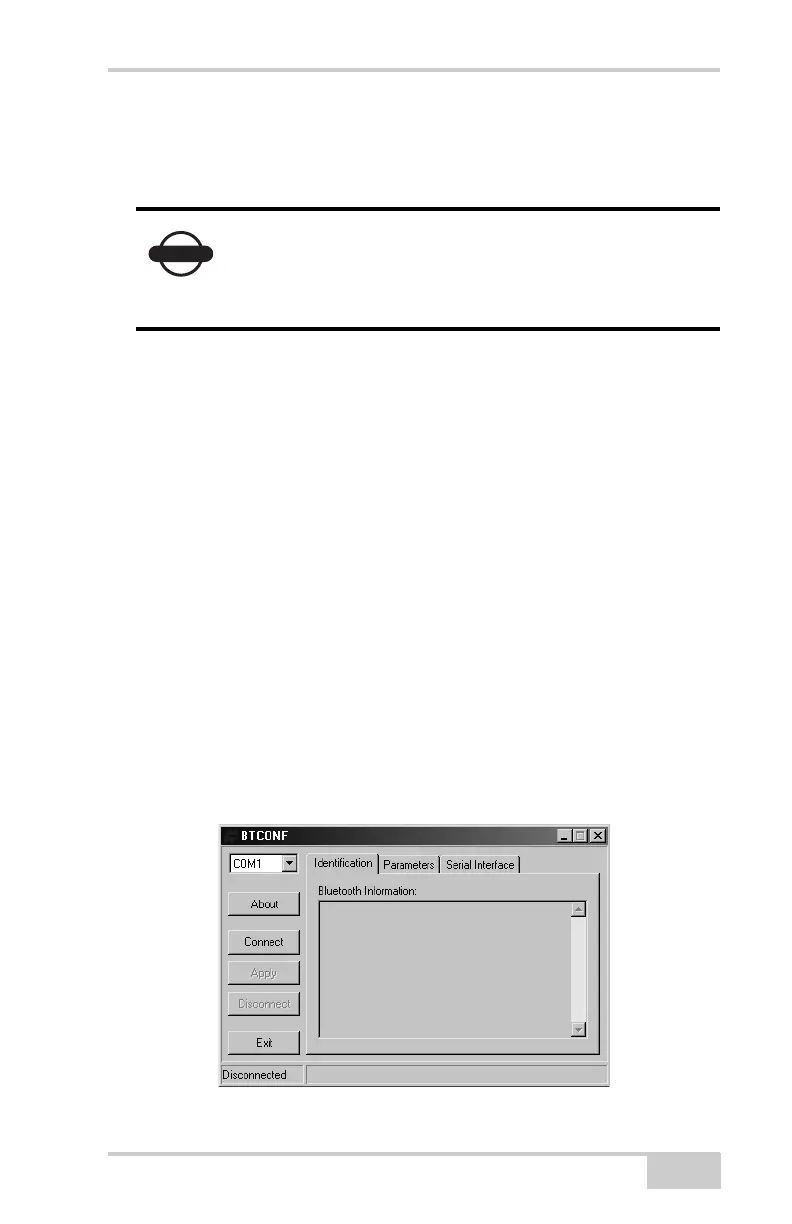
2. Run the Bluetooth module configuration program (Figure 2-12).
For BTCONF version and copyright information, click About.
Figure 2-12. Bluetooth Module Configuration Main Screen
NOTICE
Your receiver may not be configured with a
Bluetooth wireless technology module. Continue
with other receiver configuration activities in
Chapter 3.



 To Next Page