Pre-survey Preparation
HiPer+ Operator’s Manual
2-12
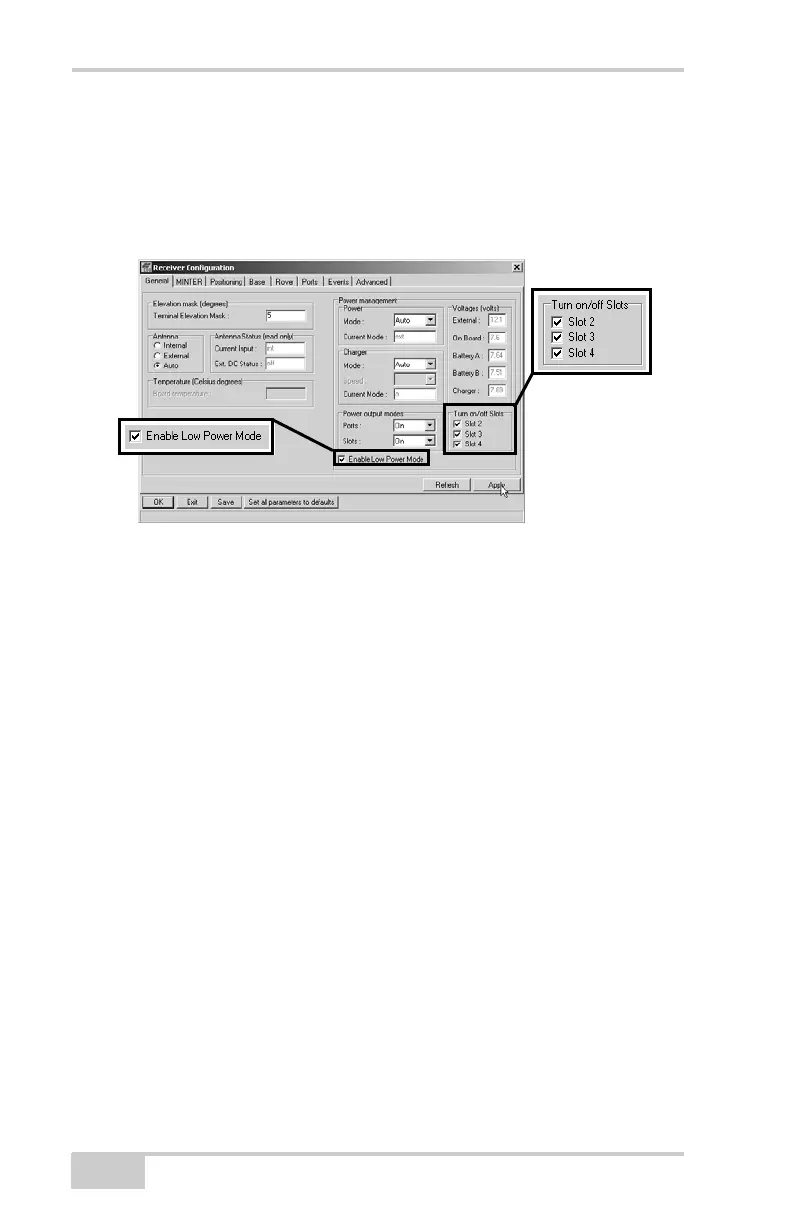
8. Select and check each of the Turn on/off Slots check boxes to
enable the corresponding internal slots (Figure 2-10).
9. Select and check the Enable Low Power Mode check box to put
the receiver’s processor into low power consumption mode
(Figure 2-10).
Figure 2-10. Enable and Apply Power Settings
10. Click Apply.
Powering the Receiver with an
External Battery
The receiver can use an external power source if the internal batteries
have become discharged, or as a supplemental power source. External
batteries allow you to continue using the receiver in case the internal
batteries become discharged.
To check the status of the internal batteries, view the BATT LED
or check the status using available Topcon software.
• Check the BATT LEDs for battery status.
– A green light indicates greater than 85% charge.
– An orange light indicates an intermediate charge.
– A red light indicates less than 15% charge.
• Do one of the following using PC-CDU:
– Click ConfigurationReceiver to view battery voltages on
the Receiver Configuration screen.



 To Next Page