Powering the Receiver with an External Battery
P/N 7010-0526
2-13
– Click HelpAbout to view battery voltages on the About
PC-CDU screen.
A single external 12 V, 2.3 A*h battery should run the HiPer+ for
about 7 hours and the HiPer+ and modem for no less than 5 hours.
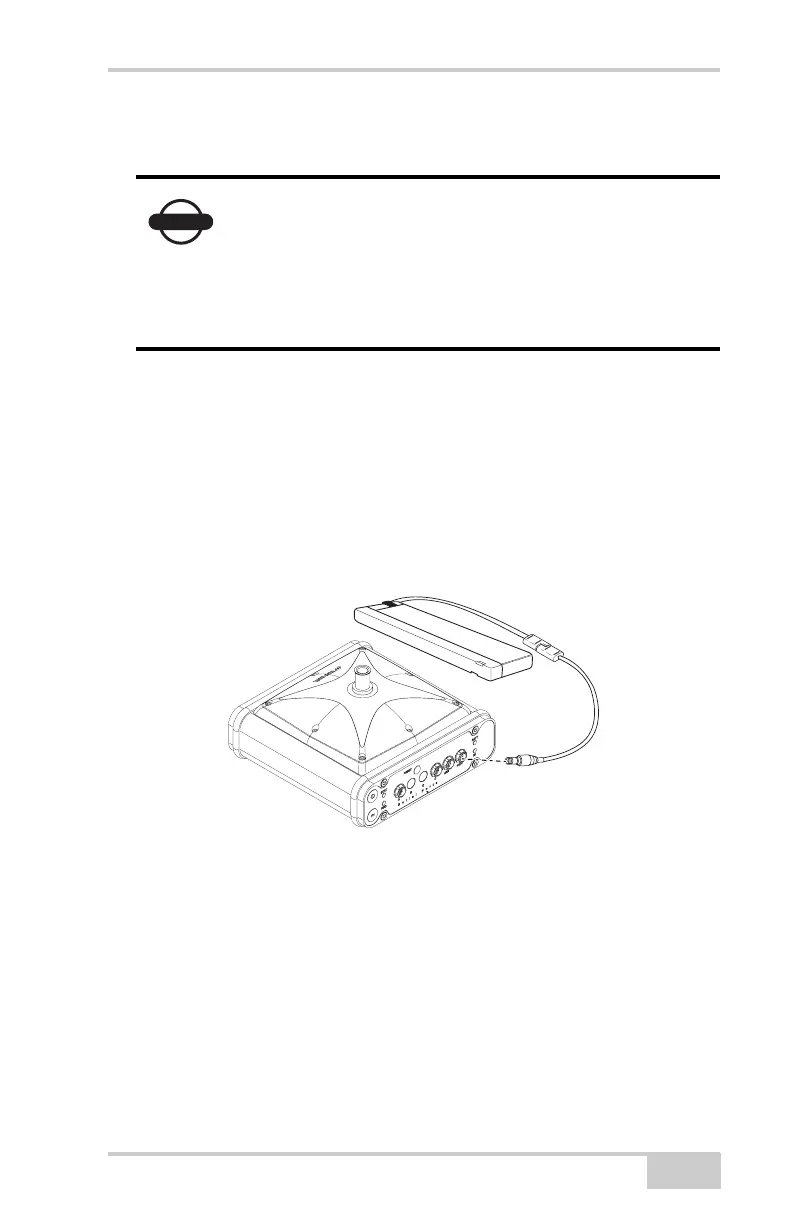
To connect the receiver to an external battery, use the receiver
power cable and the accessory battery (Figure 2-11).
1. Connect the two cables using the SAE connectors.
2. Plug the power cable into the receiver’s power port.
3. Attach the battery clip to the battery.
Figure 2-11. External Battery Connected to Receiver
To connect the receiver to an auxiliary battery, use an SAE
extension cable and the alligator clips cable:
1. Connect the alligator clips cable to a 12-volt battery and to the
SAE-to-SAE extension cable.
2. Connect the SAE-to-SAE extension cable to the receiver power
cable.
3. Plug the receiver power cable into the receiver’s power port.
NOTICE
When powering the receiver using external
batteries, set the charger mode to Off. Otherwise,
the external batteries will also charge the internal
batteries, causing operation time to decrease. See
“Power Management” on page 2-9 for more
information on setting the charger mode.



 To Next Page