Loading New Firmware
P/N 7010-0736
5-17
9. Click FileExit.
10. Clear the receiver’s NVRAM (see “Clearing the NVRAM” on
page 5-9) and update the almanac (see “Collecting Almanacs and
Ephemerides” on page 2-21) after loading new firmware.
Loading Bluetooth Module Firmware
For receiver’s that contain a Bluetooth module, firmware is released
as a compressed file that you download and decompress. This file
contains the following two files:
• btloader.ldr – the Bluetooth module RAM file
• btmain.ldp – the Bluetooth module Flash file
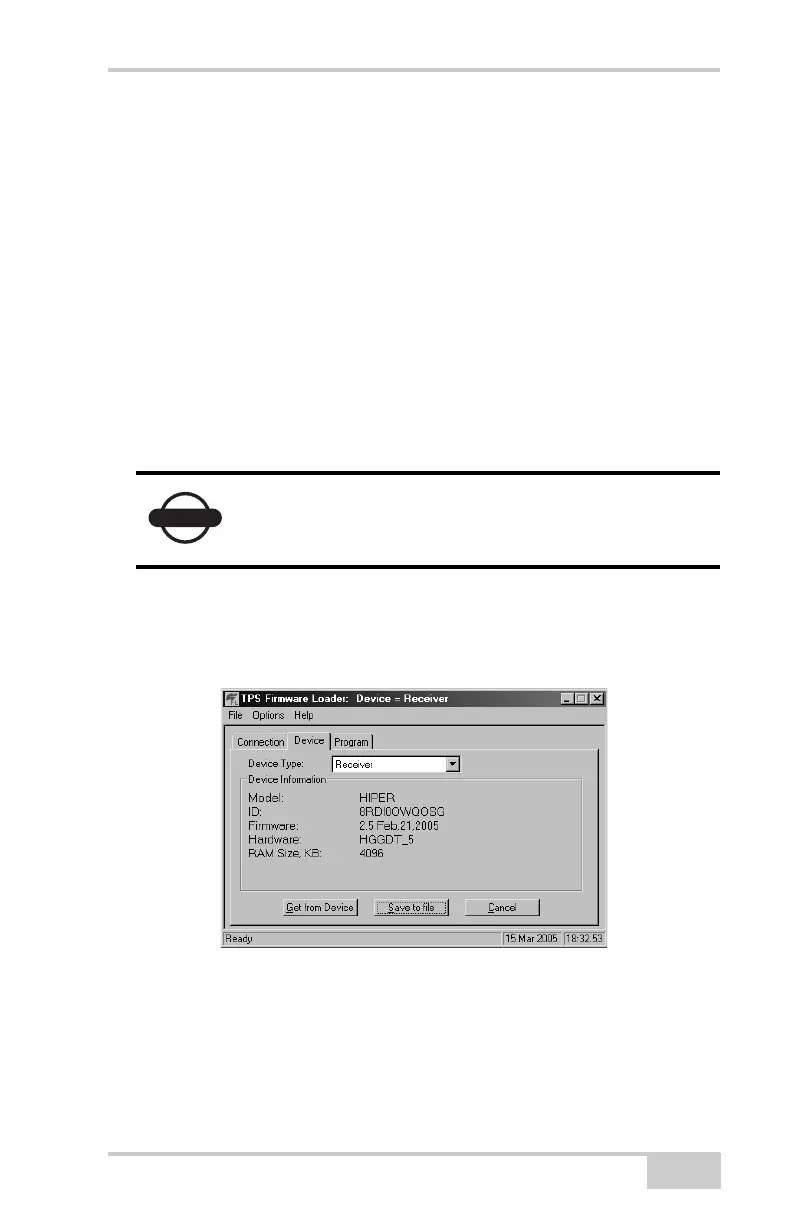
1. In FLoader, click the Device tab and set the Device Type as
“Receiver”. Then click Get from Device for device information
(Figure 5-15).
Figure 5-15. Get Device Type
2. Click the Program tab and set the Capture Method to “Soft
Break Capture” (recommended) (Figure 5-16 on page 5-18).
3. Browse for and select the Bluetooth module’s RAM file and Flash
file (Figure 5-16 on page 5-18).
NOTICE
You must load both files when loading new
firmware. These files must come from the same
firmware package.



 To Next Page