Pre-survey Preparation
HiPer+ Operator’s Manual
2-4
Installing PDLCONF
The radio configuration utility for PDL modems (PDLCONF) is
available on the Pacific Crest website (www.paccrst.com and navigate
to the Downloads > Upgrades page).
Computer requirements for PDLCONF are: Windows® 98 or newer
and an RS-232C port or Bluetooth wireless technology. Use
PDLCONF version 4.0 or newer to correctly configure the receiver.
1. Navigate to the location of the PDLCONF program and double-
click the InstallPDLCONFu_4.00.exe icon.
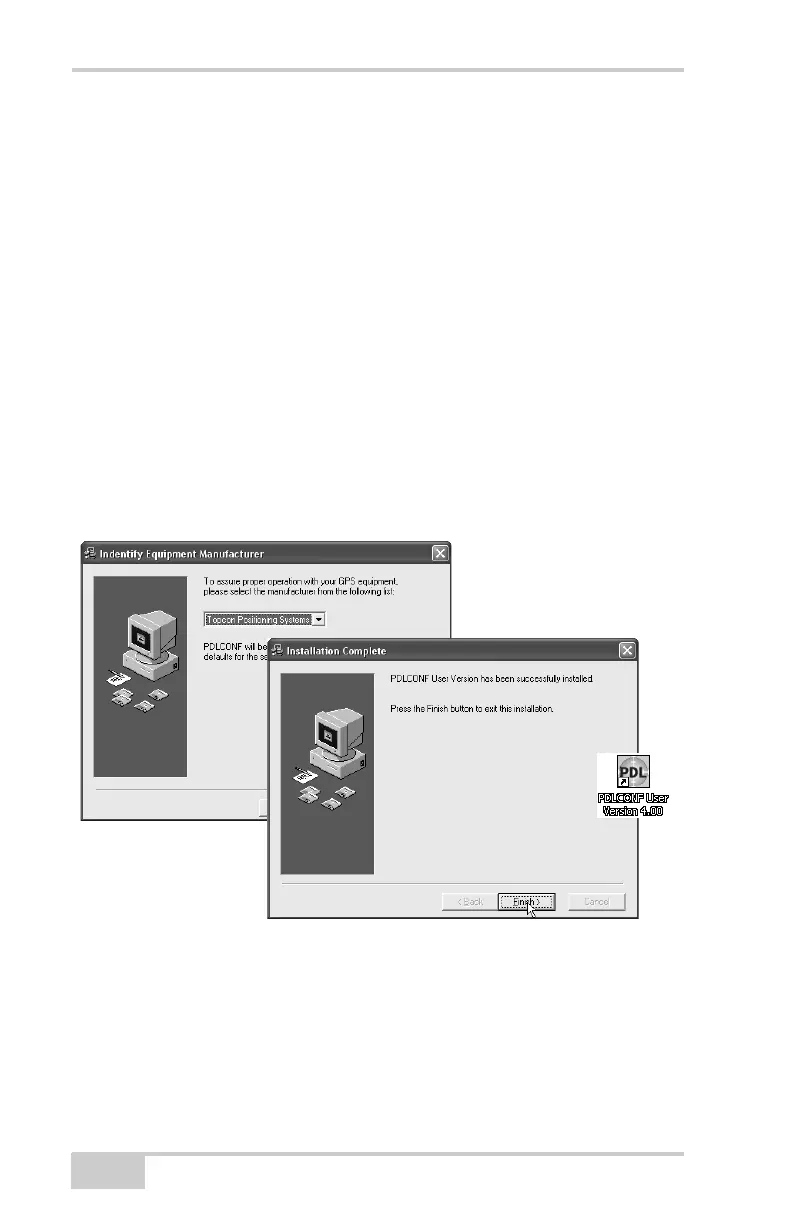
2. On the Identify Equipment Manufacturer dialog box, select
Topcon Positioning Systems and click Next (Figure 2-2).
3. Follow the remaining on-screen installation instructions and click
Finish when done (Figure 2-2). If selected, a shortcut is added to
the computer’s desktop.
Figure 2-2. Select Equipment Manufacturer and Complete Install
Installing BTCONF
BTCONF is configuration program for the optional Bluetooth
wireless technology module inside the receiver. BTCONF is available
from the TPS website or on the GPS+ CD.



 To Next Page