Configuring the Receiver
P/N 7010-0935
3-5
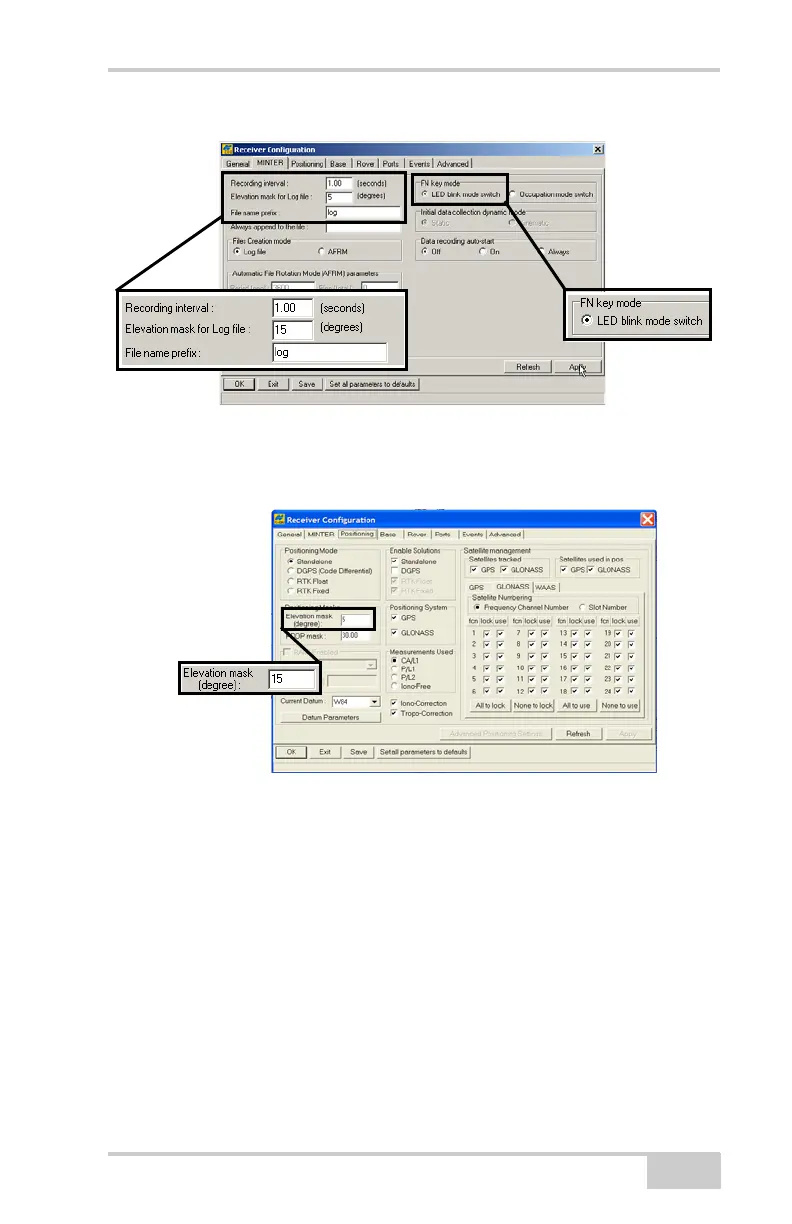
Figure 3-3. Configure MINTER for Static Data Recording
6. Click the Positioning tab, make sure the Elevation mask is set to
5 (default value), and then click Apply.
Figure 3-4. Configure Receiver Positioning – Elevation Mask
7. Click the Base tab, set the following parameters (Figure 3-5 on
page 3-6), and then click Apply.
• Base Station Coordinates – Select the point to which the
entered coordinates are referred: Phase Center L1 or Antenna
Reference Point.
• Antenna Type – select the desired antenna type from the list
of NGS standard antenna names.
• Antenna position – enter Lat, Lon, and Alt values using one
of the following methods:
– If known, type in the values.
Net-G3A_OM_Book.book Page 5 Thursday, May 14, 2009 8:49 AM



 To Next Page