34
BASIC OPERATIONS
BASIC OPERATIONS
PREPARATION BEFORE MEASUREMENT
AIR CHECK
Before TONO/PACHO measurement, an air check is required.
This instrument is equipped with a function for checking correct operations of the measurement sys-
tem inside the instrument.
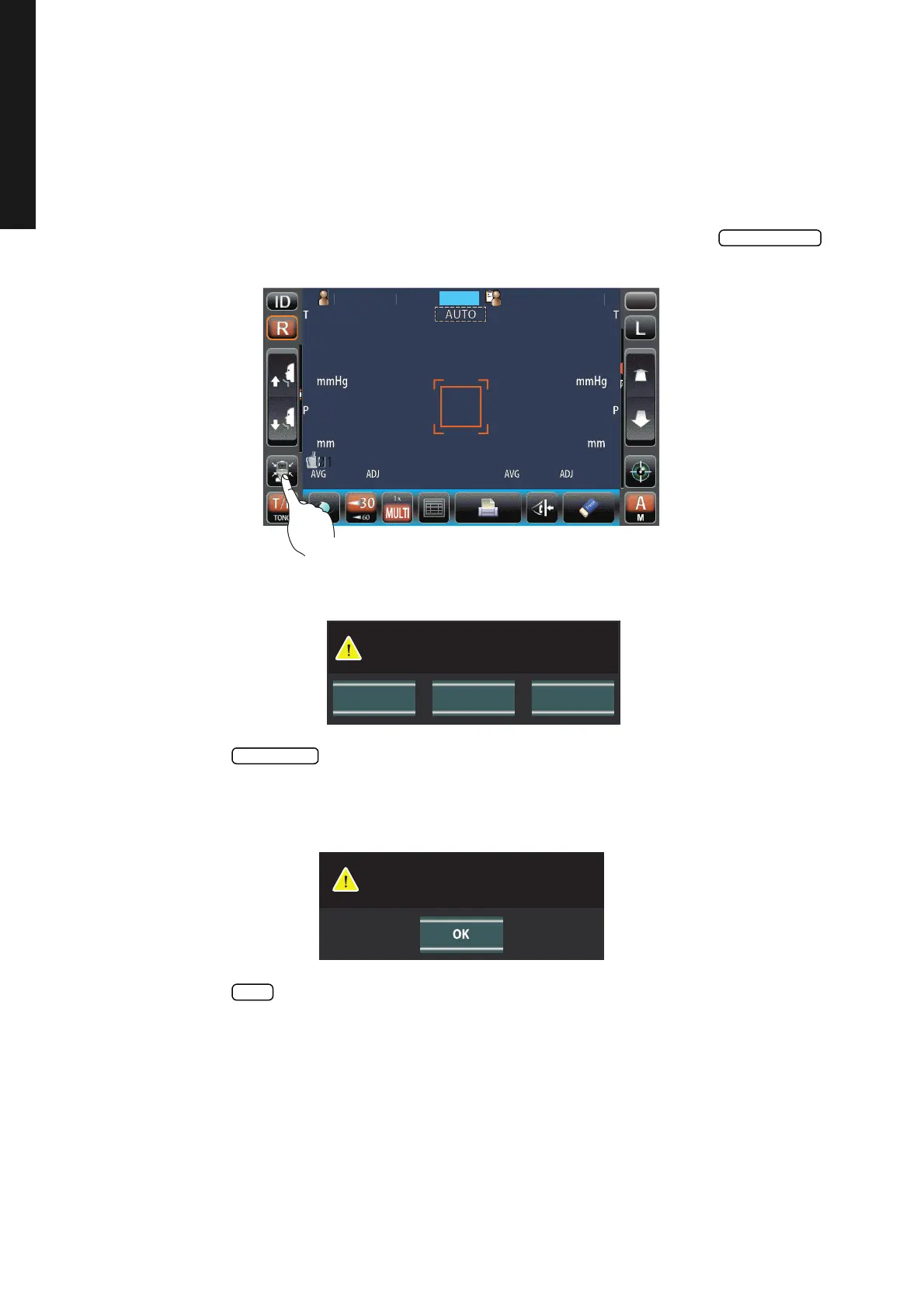
1 On the measurement standby screen of Auto mode in T/P mode, tap the but-
ton.
2 Then, the confirming message of Air check/End operation is displayed.
3 Press the button. Then, air is blown out from the measuring nozzle automatically.
4 Make sure the message box of "Air check. Press OK to continue." is displayed on the control
panel.
5 Press the button, return to Measurement screen.
PatientID
PatientID
/3
/3
/3
/3
/3
/3
/3
/3
OPCONTARO
MODE
T/P
Pleasetouch
pupilonthescreen.
CANCELAir Check Turn off
Perform air check
or Turn off the unit?
Air check. Press OK to continue.



 To Next Page