Removing or Installing the
Battery
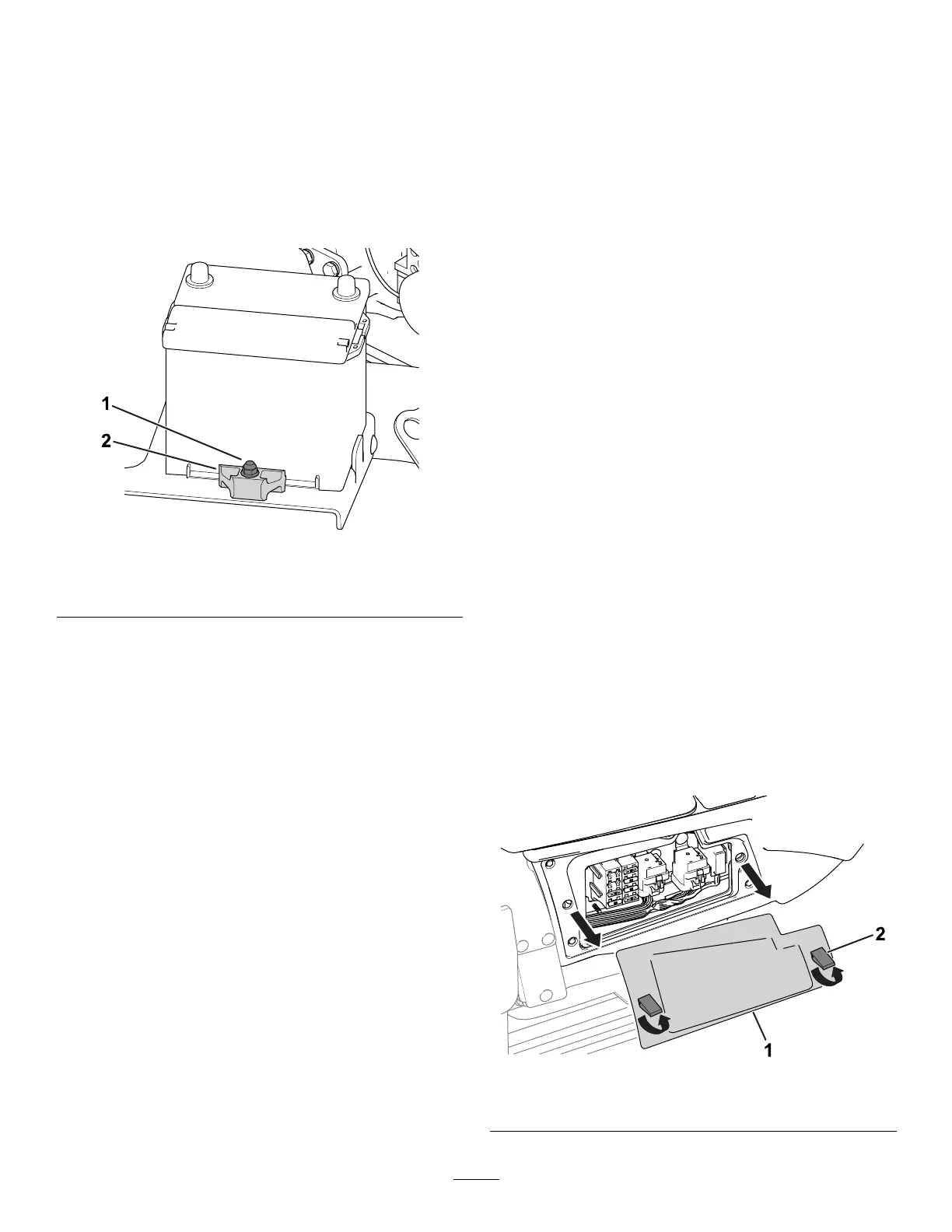
A retainer ( Figure 64 ) holds the battery in the tray .
Loosen the retainer hardware to remove the battery;
tighten it when installing the battery .
Note: T o access the battery , refer to Accessing the
Battery ( page 58 ) . Replace the cover when you install
the battery .
g285614
Figure 64
1. Retainer hardware 2. Retainer
Checking the Battery
Condition
Important: Before welding on the machine,
disconnect the negative cable from the battery to
prevent damage to the electrical system.
Check the battery condition weekly or after every 50
hours of operation. Keep the terminals and the entire
battery case clean, as a dirty battery will discharge
slowly .
1. Access the battery; refer to Accessing the
Battery ( page 58 ) .
2. Remove the rubber insulator from the positive
terminal and inspect the battery . If the battery is
dirty , do the following steps:
A. W ash the entire case with a solution of
baking soda and water .
B. Coat both battery posts and cable
connectors with Grafo 1 12X (skin-over)
grease (T oro Part Number 505-47) to
prevent corrosion.
C. Slide the rubber insulator over the positive
terminal.
D. Close the battery cover .
Locating the Fuses
Locating the T raction-Unit Fuses
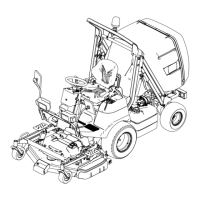
Remove the console cover to access the traction-unit
fuses ( Figure 65 ).
Note: The traction-unit fuse decal is located on the
other side of the console cover .
g289514
Figure 65
1. Console cover
2. Latch
60


 To Next Page