28
The S-4 Sculpting Sampler - Ofcial Manual
29
The S-4 Sculpting Sampler - Ofcial Manual
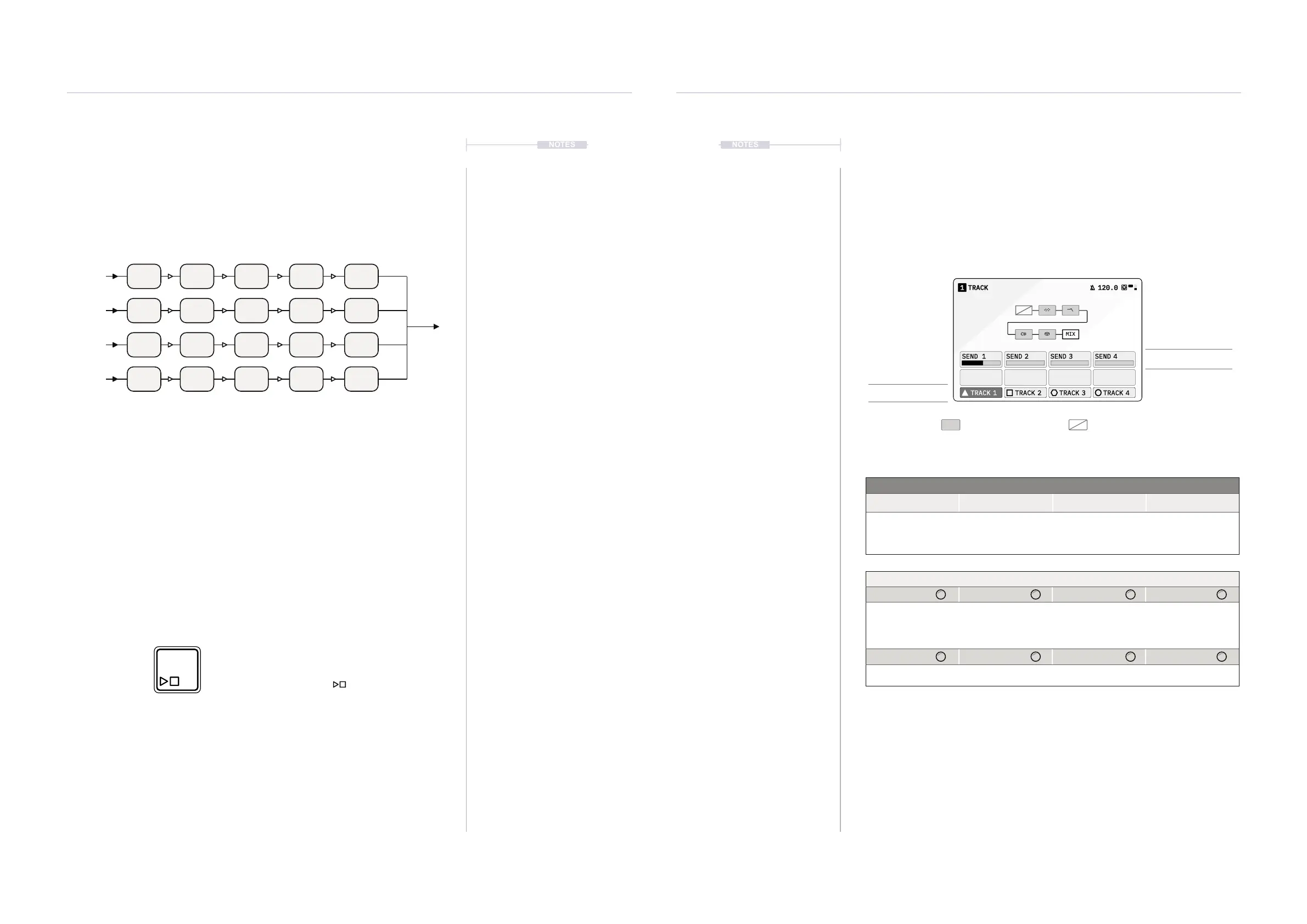
Tracks are an ideal way to layer and stack audio sounds, building textures
and depth to the audio created. Each tracks audio engine and device chain
is identical in scope but can be congured and set up independently for
example with unique samples and modulation mapping. Each track audio
output can also be sent into any track.
▌ PLAYING TRACKS
1. Play tracks simultaneously. Press [PLAY/STOP] ► to start playback
of all four tracks in sync. Playback will reset and commence from the
start position.
2. Button ashes white in time with Global BPM Tempo.
3. Stop tracks simultaneously. Press [PLAY/STOP] ►again to stop the
currently playing tracks.
Track 1
Track 3
Track 2
Track 4
Press [PLAY/STOP]
to start and stop the track playback
Flashes white when playing
NOTES
Projects & Tracks
2
Projects & Tracks
2
NOTES
2.3 Track View
The track page view allows selection of tracks as well as management of
the current audio. Audio output from the currently selected track can also
be sent into any other track including back into itself. A dynamic view of the
audio chain is also presented which represents the device states.
TRACK11
MIX
120.0
SEND 1 SEND 2 SEND 3 SEND 4
TRACK 1 TRACK 2 TRACK 3 TRACK 4
Track Mixer Press [TRACK] to open track page
Active audio device
Bypass device
Track Select
Action Buttons
Track 1 Track 2 Track 3 Track 4
Selection of Track 1. Selection of Track 2. Selection of Track 3. Selection of Track 4.
This will select the working track, the one that will be congured or edited.
Sends: Routing of this
track into other tracks
Parameter Knobs
Send 1 Send 2 Send 3 Send 4
Adjusts the amount of
this track’s processed
audio sent to the input
of Track 1
Adjusts the amount of
this track’s processed
audio sent to the input
of Track 2
Adjusts the amount of
this track’s processed
audio sent to the input
of Track 3
Adjusts the amount of
this track’s processed
audio sent to the input
of Track 4
If ‘Sends Only’ is set to ON in the Track Cong settings the Mic and Line in audio is
disconnected from the track input stage. If this is the default of OFF, audio is routed to the track
along with the external audio coming in.



 To Next Page