4.3 ExpressCard & PC card / Bridge media 4 Replacement Procedures
4.3.2 Bridge media (SD Card/Memory Stick/xDPicture Card/MultiMedia card)
Removing a Bridge media
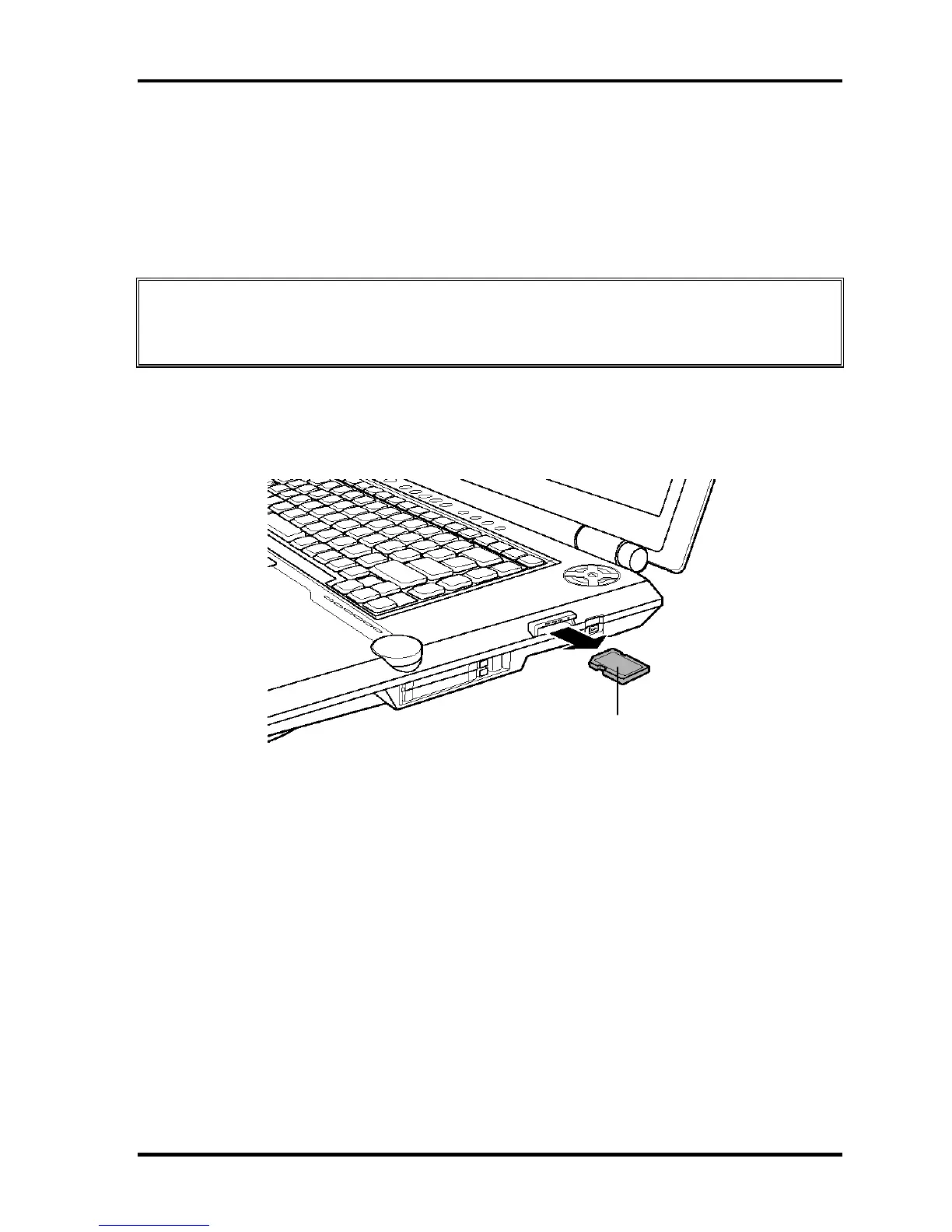
The following describes the procedure for removing a Bridge Media (See Figure 4-3).
CAUTION: Insert or remove a Bridge Media in accordance with any instructions in the
each Bridge Media manual or the manuals of the computer system you are
using.
1. Push a Bridge media. It will pop out partly when you release, so pull out the card.
(For an instance, SD card is described in the figure 4-3.)
Bridge media
SD card
Figure 4-3 Removing a bridge media
Installing a Bridge media
The following describes the procedure for inserting a Bridge Media (See Figure 4-3).
1. Insert a Bridge media and press it until it is securely connected.
4-12 [CONFIDENTIAL] QOSMIO G20 Maintenance Manual (960-511)


 To Next Page
 Loading...