E6582233
E-18
5
[Setting V/F control mode selection to 3 (sensorless vector control)]
Operation panel
action
LED display Operation
.
Displays the operation frequency. (Perform during operation stopped.)
(When standard monitor display selection is set to
[Operation frequenc
]
The first basic parameter “” (history function) is displayed.
Rotate the setting dial to the right, and change the parameter to
control selection
.
Parameter values can be read by pressing the center of the setting
dial (the default setting is :V/F constant).
Rotate the setting dial to the right, and change the parameter to
vector control
.
Press the center of the setting dial to save the changed parameter.
and parameter set value “” are displayed alternately.
Caution:
When the V/F control mode selection is set to : Automatic torque boost control, : Vector control,
or : Energy-saving, be sure to set the following parameters according to the motor's name plate.
: Base frequency 1 (rated frequency)
: Base frequency voltage 1 (rated voltage)
: Motor rated capacity
: Motor rated current
: Motor rated speed
Set the other motor constants as necessary
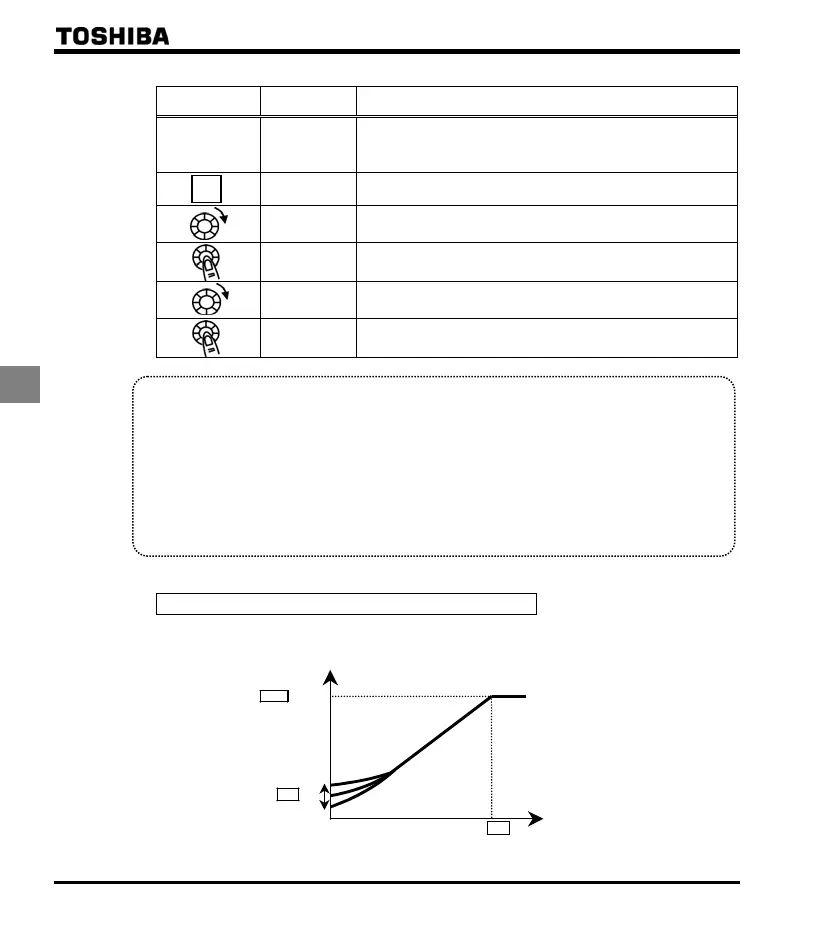
1) Constant torque characteristics
Setting of V/F control mode selection to (V/F constant)
This is applied to loads with equipment like conveyors and cranes that require the same torque at low
speeds as at rated speeds.
Output voltage(%)
Base frequency voltage
Output frequency (Hz)
Base frequency
0
* To increase the torque further, increase the setting value of the manual torque boost .
Refer to section 5.12 for details.
MODE



 To Next Page
 Loading...







