E6582233
F-14
6
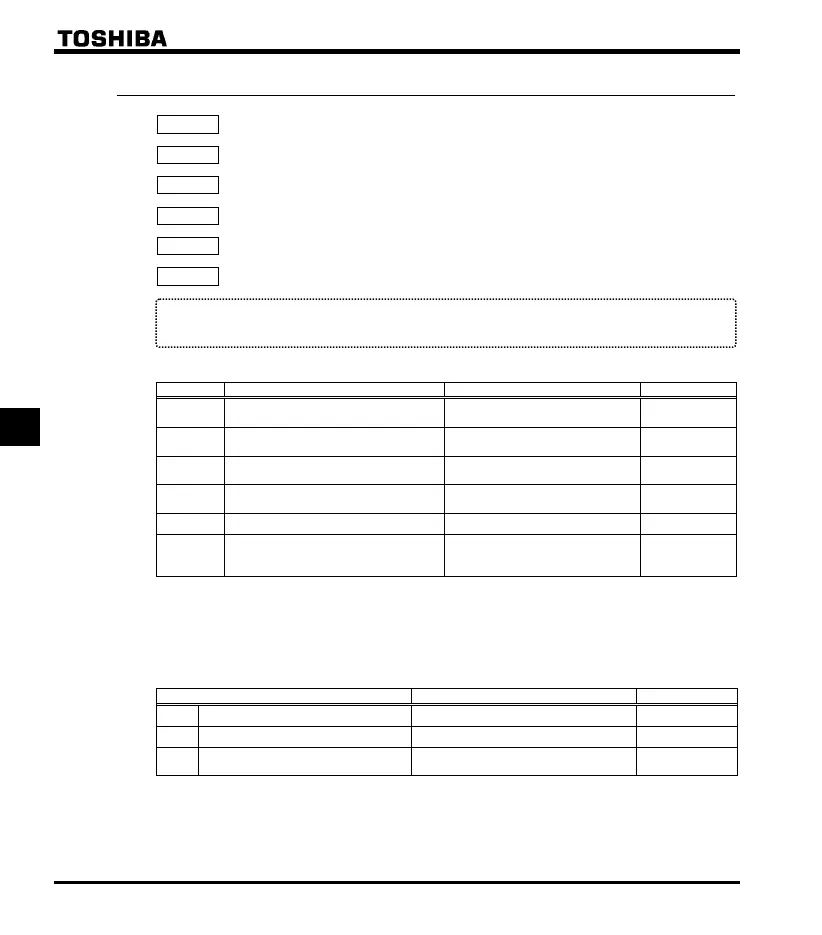
6.6.3 Setting of frequency with the input from an external logic
: External logic input - UP response time
: External logic input - UP frequency steps
: External logic input - DOWN response time
: External logic input - DOWN frequency steps
: Initial value of UP/DOWN frequency
: Change of the initial value of UP/DOWN frequency
Function
These parameters are used to set an output frequency by means of a signal from an external device.
[Parameter setting]
Title Function Ad
ustment ran
e Default settin
External logic input - UP response
time
0.0 - 10.0 (S) 0.1
External logic input - UP frequency
steps
0.0 -
(Hz) 0.1
External logic input - DOWN response
time
0.0 - 10.0 (S) 0.1
External logic input - DOWN frequency
steps
0.0 -
(Hz) 0.1
Initial value of UP/DOWN frequency - (Hz) 0.0
Change of the initial value of
UP/DOWN frequency
0: Not changed
1: Setting of
changed
when power is turned off
1
★ This function is valid when the parameter (frequency setting mode selection) = is set.
■ Input terminal settings
Assign the following functions to the input terminal, you can change (up/down) or clear the output frequency
by using the terminal's ON/OFF.
Input terminal function ON OFF
88 Frequency UP Frequency setting increase Clear
90 Frequency DOWN Frequency setting decrease Clear
92 Clear frequency UP/DOWN
OFF
→ ON: External logic up/down
frequenc
Clear settin
s
settings
Each of the following numbers (89, 91, 93) are reverse signals.



 To Next Page
 Loading...







