123
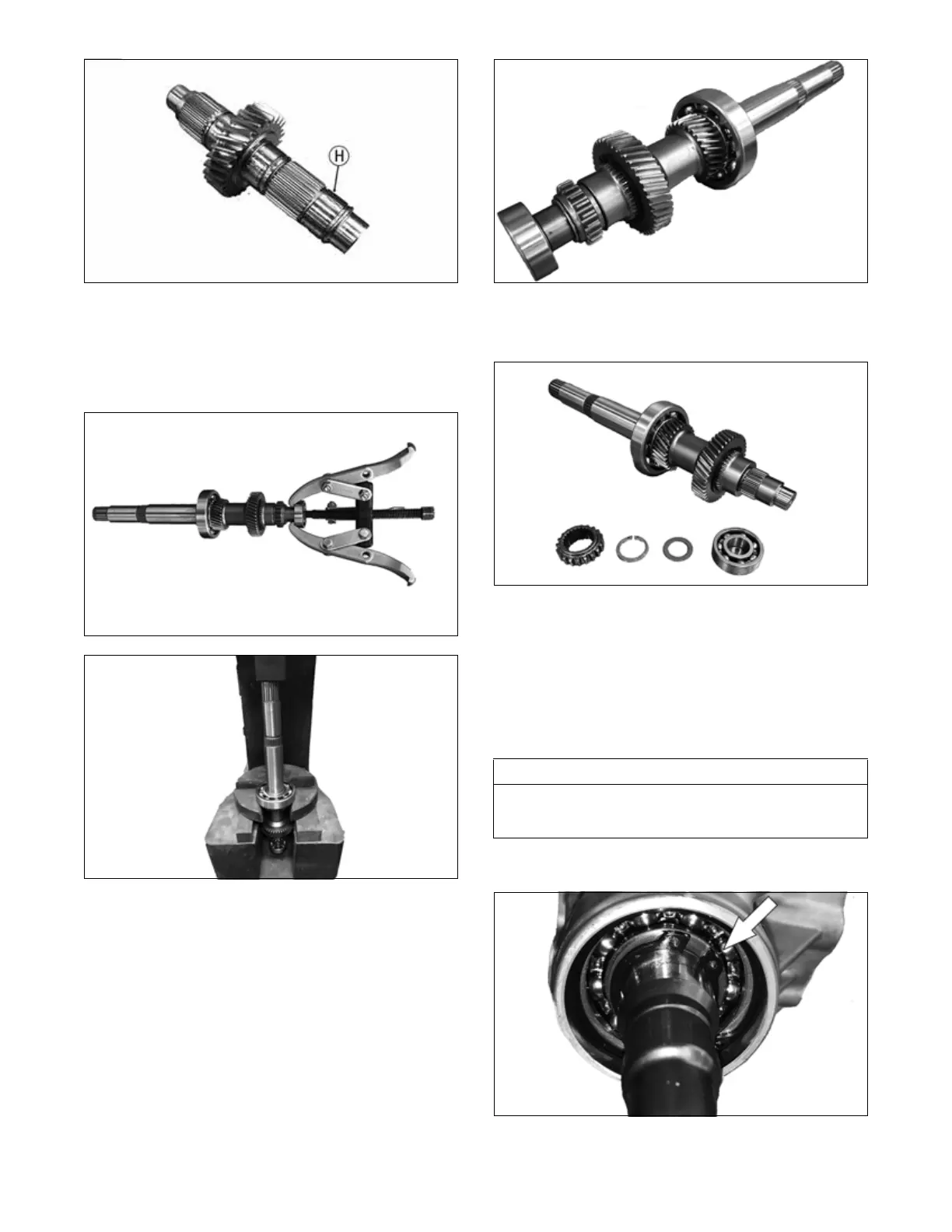
NKL038
8. Assemble in reverse order of steps 7 to 1.
H. Input Shaft
1. Inspect the bearings for free and smooth turning. If
either bearing does not turn freely, it must be
replaced.
NKL008
NKL009
2. Inspect the sprocket teeth for nicks, cracks, chips, or
signs of wear. If any are present, the sprocket must
be replaced.
NKL010
3. Inspect the shaft gear teeth for nicks, cracks, chips,
or signs of wear. If any are present, the shaft must be
replaced.
NKL011
I. Pinion Assembly
Inspect the teeth of the pinion gear and front output shaft.
If any chipping, nicks, wear, or damage are observed, the
pinion assembly must be replaced.
Turn the pinion gear by hand. If any sticking or binding is
observed, the pinion assembly must be replaced.
BACKLASH
1. Install the pinion shaft into the case. With the appro-
priate shim in place, secure with a new snap ring.
NKL023
AT THIS POINT
If the pinion shaft or gear were replaced or serviced,
backlash must be checked. If not, proceed to ASSEM-
BLING HALVES.


 To Next Page