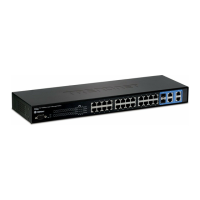
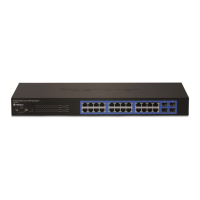
24-Port Gigabit Layer 2 Switch w/ 4 Shared Mini-GBIC Slots
33-3
mac-address-table static unicast
To create a static unicast entry in L2 FBD.
mac-address-table static unicast
<vlan-id(1-4094)> [recv-port <interface-type> <interface-id>
interface ([<interface-type> <0/a-b,0/c,...>]
[<interface-type> <0/a-b,0/c,...>] [port-channel <a,b,c-d>])
[status { permanent | deleteOnReset | deleteOnTimeout }]
no mac-address-table static unicast <aa:aa:aa:aa:aa:aa> vlan
<vlan-id(1-4094)> [recv-port <interface-type>
<interface-id>
aa:aa:aa:aa:aa:aa MAC address of the static unicast.
vlan-id(1-4094) VLAN of the static unicast.
interface-type
interface-id
The reveived port of the static unicast.
Interface-type including Fa (Fast Ethernet) or Gi
(Gigabit Ethernet).
Interface-id is slot/port number.
The interface to forward the static unicast.
interface-type
0/a,0/b,...
Specify the port type and ID to forward.
Interface-type including Fa (Fast Ethernet) or Gi
(Gigabit Ethernet).
Interface-id is slot/port number.
Specify the port channel ID to forward.
Specify the status of this static unicast.
The static multicast will keep alive.
The static multicast will be deleted after switch
The static multicast will be deleted when aging time
Global Configuration Mode
Using no form to delete a configured entry.
switch(config)# mac-address-table static unicast
aa:bb:cc:dd:ee:ff vlan 1 int fa 0/1 status deleteonreset
This command was introduced


 To Next Page