24-Port Gigabit Layer 2 Switch w/ 4 Shared Mini-GBIC Slots
6-12
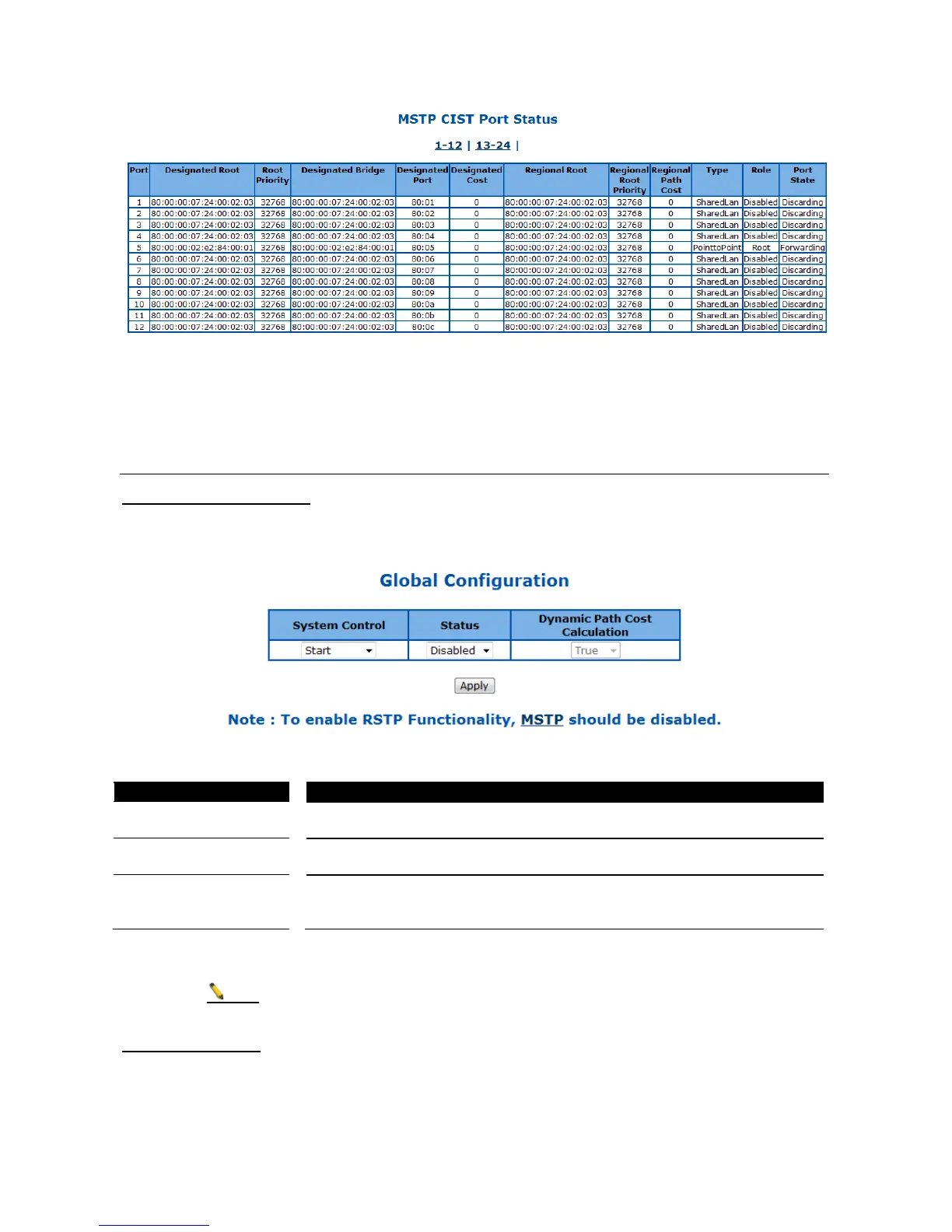
Figure 43 – Layer2 Management > MSTP > CIST Port Status
Click 1-12, 13-24 to display the statistics for corresponding ports.
RSTP
RSTP Global Configuration
This page is to configure the RSTP global settings.
Figure 44 – Layer2 Management > RSTP > Global Settings
To activate or shutdown the RSTP function. Select
function, Shutdown to shutdown MSTP function.
To enable or disable the MSTP. Select
to enable the MSTP function,
Disabled to disable it. Default is disabled.
Calculation
Select the path cost calculation mode of spanning tree. Select
to enable
dynamic path cost according to the port speed, False to disable it. Default if
Click Apply to submit the changes.
Note
1. MSTP function must be shutdown before activate RSTP.
2. RSTP status must be enabled before configure other RSTP details.
RSTP Configuration
This page is to configure the timers and other details of RSTP functions.



 To Next Page