24-Port Gigabit Layer 2 Switch w/ 4 Shared Mini-GBIC Slots
9-6
Click Add to create a new statistics entry, Reset to clear the value.
Select a RMON statistics entry to apply the
The index of the RMON statistics collection.
The port of the RMON statistics collection.
The number of events was dropped due to lack of resources.
The total number of octets received from this port.
The total number of packets received from this port.
The total number of broadcast packets received from this port.
The total number of multicast packets received from this port.
Specify the owner of the statistics.
Status Specify the status of this statistics entry. The options are:
Valid - The statistics entry is valid.
Under Creation -
Invalid - The statistics entry is invalid and will be deleted.
Click Apply to submit the changes.
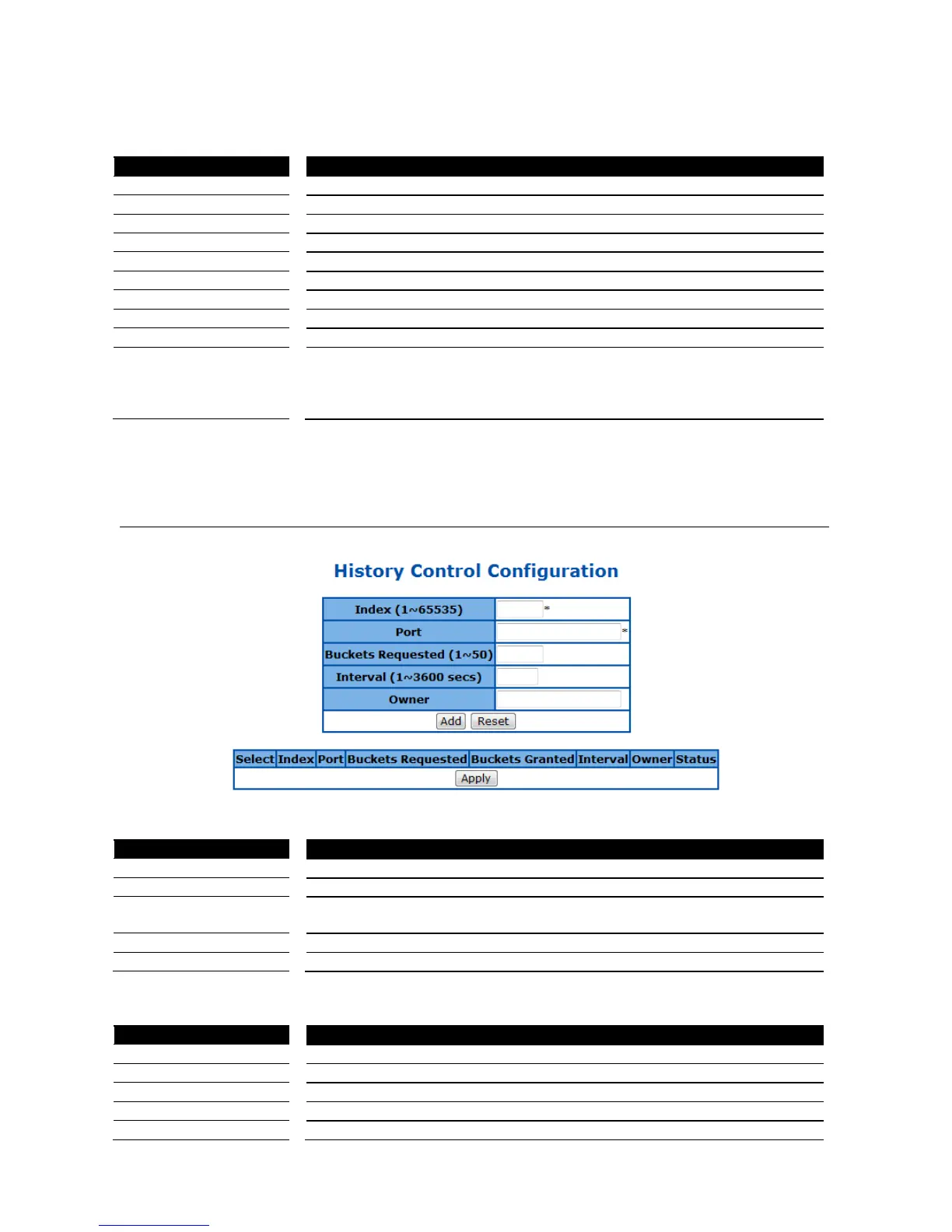
RMON History Configuration
This page is to configure the RMON history settings on ports.
Figure 80 – RMON > History
Specify the index of the RMON history collection.
Specify which port to enable the RMON history collection.
Specify the maximum number of RMON history collection.
Specify the time interval for the history collection.
Specify the owner of the history entry.
Click Add to create a new history entry, Reset to clear the value.
Select a RMON history entry to apply the
The index of the RMON history collection.
The port of the RMON history collection.
Specify the maximum number of RMON history collection.
The number of bucket granted for collecting the RMON history.



 To Next Page