24-Port Gigabit Layer 2 Switch w/ 4 Shared Mini-GBIC Slots
5-10
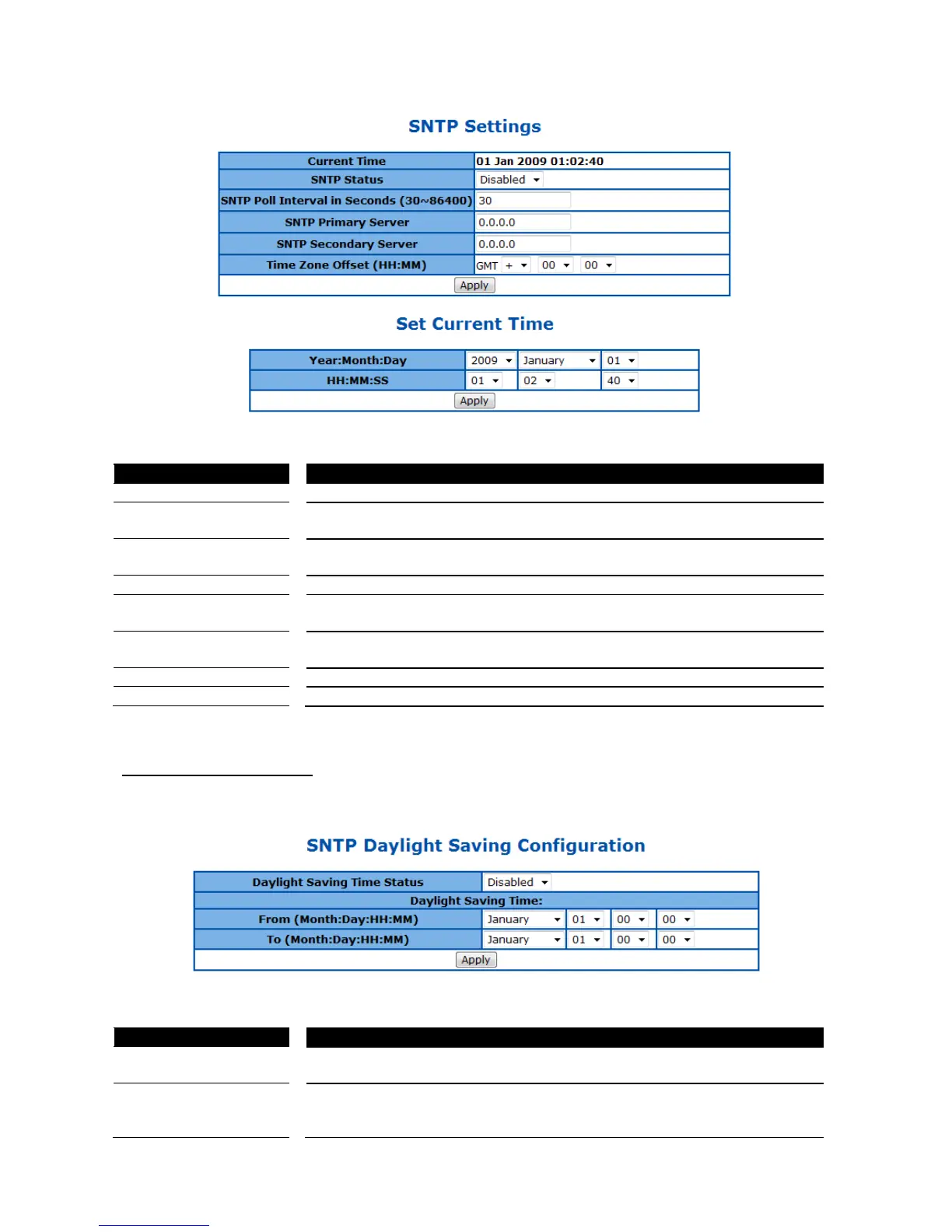
Figure 23 – System > SNTP > Time Settings
To enable/disable the Simple Network Time Protocol (SNTP) function. Default
is disabled.
SNTP Poll Interval in
Seconds (30-86400)
To set the time interval that SNTP synchronizes the time on SNTP server, and
the range is from 30 to 86400 seconds. Default is 30.
To set the primary SNTP server IP address.
To set the secondary SNTP server IP address.
To specify the difference of current time zone relative to GMT.
Specify current system time.
Click Apply to submit the changes.
SNTP Daylight Saving Time
This page is to configure the daylight saving time function of system time setting.
Figure 24 – System > SNTP > Daylight Saving Time
Daylight Saving Time
Status
To enable/disable the DST function. Default is disabled.
Daylight Saving Time:
From
Specify the DST period in month:day:hour:minute.



 To Next Page