24-Port Gigabit Layer 2 Switch w/ 4 Shared Mini-GBIC Slots
6-23
Figure 60 – Layer2 Management > IGMP Snooping > Timer Configuration
Router Port Purge
Interval (60~600 Secs)
To set the time-out period that an IGMP multicast router port hasn’t received
IGMP router control packet, it will be deleted. Default is 125 seconds.
Group-Member Port
Purge Interval
(130~2335 Secs)
To set the purge interval that an IGMP member port hasn’t’ received IGMP
report packet, it will be deleted. Default is 260 seconds.
Report Forward
Interval (1~25 Secs)
To set the time interval that IGMPv2 report of the same group will not be
forwarded to the router ports. Default is 5 seconds.
To set up the time interval to send the group specific query. Default is 2
Querier Query Interval
(60~600 Secs)
To set up the time interval to send the IGMP general query. Default is 125
seconds.
Click Apply to submit the changes, Reset to clear the values.
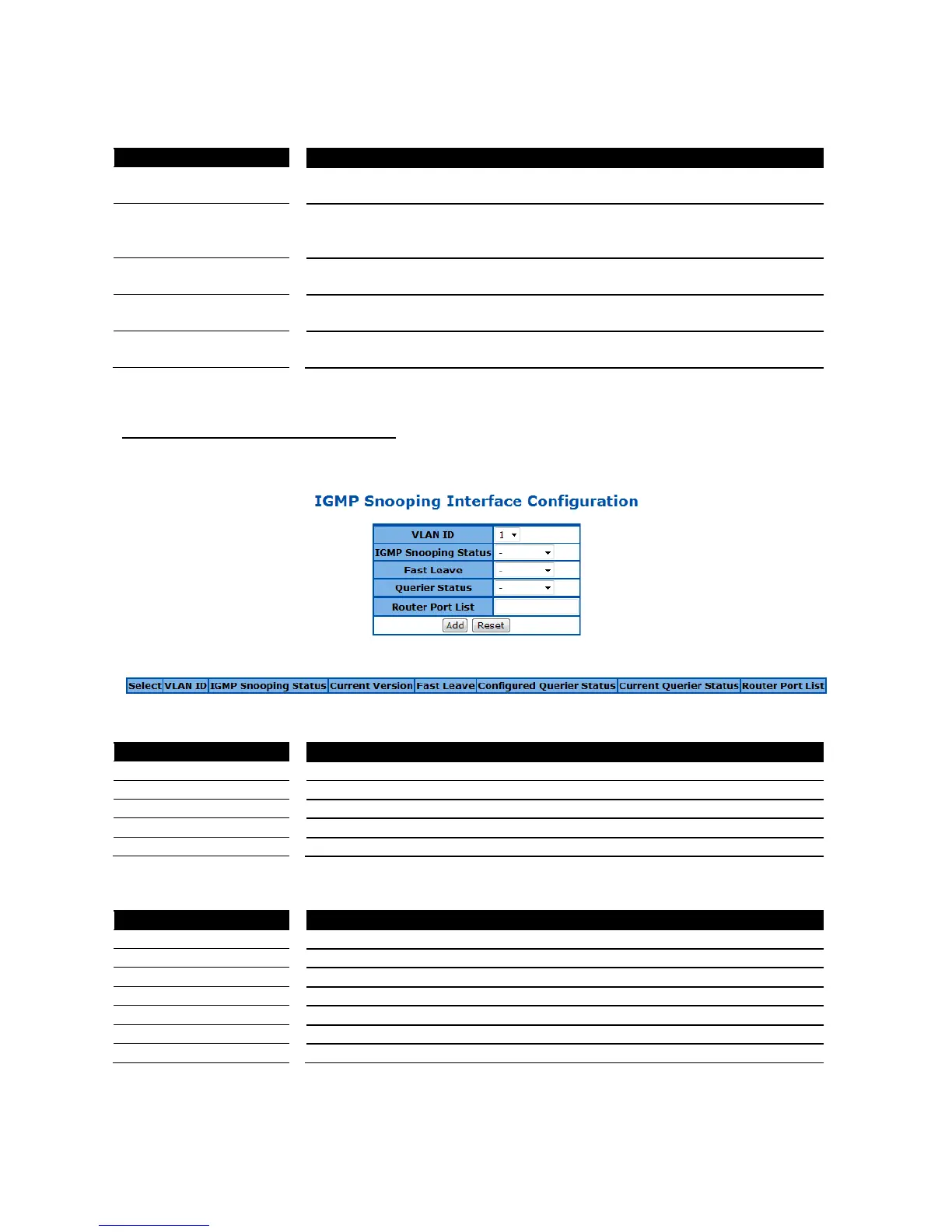
IGMP Snooping Interface Configuration
This page is used to configure the VLAN basis IGMP snooping settings.
Figure 61 – Layer2 Management > IGMP Snooping > Interface Configuration
Specify which VLAN to add to the IGMP snooping interface list below.
Enable or disable the IGMP Snooping on this VLAN.
Enable or disable the fast leave function on this VLAN.
Enable or disable the IGMP querier function on this VLAN.
Specify the IGMP router ports of this VLAN.
Click Add to add a new VLAN to the list, Reset to clear the value.
Select which VLAN to apply the configuration changes.
Enable or disable the IGMP Snooping on this VLAN.
Specify the IGMP version of this VLAN.
Enable or disable the fast leave function on this VLAN.
Enable or disable the IGMP querier function on this VLAN.
Specify the IGMP router ports of this VLAN.
Click Apply to submit the changes the IGMP snooping setting of an existing VLAN, Delete to delete one
VLAN from the list.



 To Next Page