4 Software
2. Define a scan area:
a.
Tap on a vertical line to drag it into position. When selected, the vertical line turns green.
Drag the vertical lines to position the boundaries of the scan.
Tip – To return to Full scan mode for the current station, tap again to remove the vertical lines.
o
o
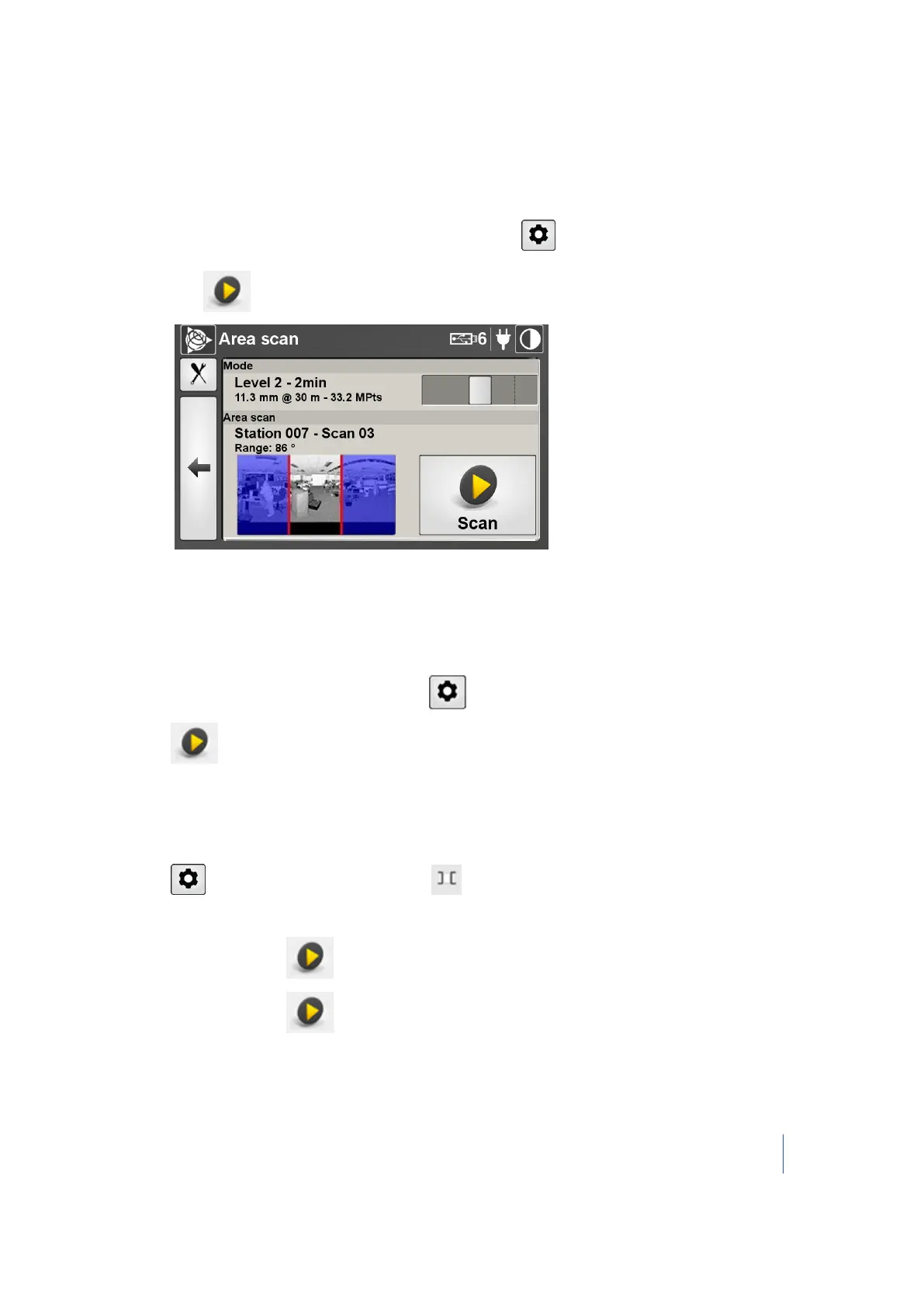
Tap . The Area scan dialog appears:
3. Set the mode of the scan. See page 73.
The Mode parameter in this dialog may differ from the Mode parameter in the Scan
Parameters dialog. For this reason, the number of scans that the USB flash drive can store may
change.
4.
Set the parameter of the scan by tapping . See Scan parameters, page 72
5.
Tap .
Performing an additional area scan
Do one of the following:
l
Tap and then tap the Area Scan icon .
l Redefine the area to be scanned using the vertical bars.
l
Tap the Scan button to view the Area scan dialog.
l
Tap the Scan button .
Trimble TX8 3D Laser Scanner User Guide 64



 To Next Page