EasyManua.ls Logo

uAvionix AV-30-E - User Manual

uAvionix AV-30-E
139 pages
Print Icon
To Next Page IconTo Next Page
Loading...
UAV-1004234-001
Rev H
AV-30-E
Installation Manual

Table of Contents

Other manuals for uAvionix AV-30-E

Questions and Answers

  • A
    adam08Sep 23, 2025
    Why does the DG drift more than 30 degrees per hour on uAvionix AV-30-E?
    • D
      Denise BooneSep 23, 2025
      If the DG drifts more than 30 degrees per hour on the uAvionix Avionics Display, ensure you are running the latest available software and perform a Vibration Check. You can also perform Gyro Calibration and enable magnetometer aiding if an internal or AV-Mag external magnetometer is available.
  • E
    Edward MeyersAug 25, 2025
    What to do if uAvionix Avionics Display shows “NO AP” flag on startup?
    • C
      Catherine NobleAug 25, 2025
      If the uAvionix Avionics Display shows “NO AP” flag on startup, check the interface cables and pinout between AV-APA and AV-30-E.
  • M
    Melissa Porter MDAug 25, 2025
    Why is my uAvionix AV-30-E not powering on?
    • D
      Dr. Jessica Moss DDSAug 26, 2025
      If your uAvionix Avionics Display is not powering on, you should first check the associated breakers and ensure that the aircraft battery is greater than 10 VDC. Also, check the wiring and pinouts.
  • S
    Sarah JonesAug 27, 2025
    What to do if my uAvionix AV-30-E Avionics Display shows 'NO DATA'?
    • J
      Jordan HughesAug 27, 2025
      If your uAvionix Avionics Display shows 'NO DATA', check the interface cables and pinouts.
  • R
    Ryan FordSep 23, 2025
    What to do if uAvionix AV-30-E Avionics Display will not stabilize?
    • L
      Larry TerrySep 23, 2025
      If the uAvionix Avionics Display unit will not stabilize and the aligning annunciator remains on, return to the factory for service if the unit does not align within 3 minutes of power-on.
  • D
    Donald McgrathSep 13, 2025
    Why is GPS information not showing up on uAvionix AV-30-E?
    • A
      Alexander JacksonSep 13, 2025
      If GPS information is expected but does not show up in data overlays on the uAvionix Avionics Display, check that the GPS input is configured to match the connected GPS serial data type and speed. You may also need to set the direction indication to GPS TRK.
  • D
    Daniel CunninghamSep 12, 2025
    How to stop nuisance alerts on uAvionix Avionics Display?
    • A
      awashingtonSep 12, 2025
      If the uAvionix Avionics Display is generating nuisance alerts, ensure the alerting limits are configured as desired in the Setup menu.
  • M
    Melissa RobinsonSep 12, 2025
    What to do if uAvionix Avionics Display will not shut off?
    • T
      tylermarshallSep 12, 2025
      If the uAvionix Avionics Display unit will not shut off, even if power is removed, ensure no pitot or static blockage or line kinks are present, locking pressure and airspeed indication over 40 knots. The pitot and static sensors may also need to be zeroed.
  • M
    monica67Sep 4, 2025
    How to correct small but constant error in airspeed or altitude on uAvionix AV-30-E Avionics Display?
    • J
      Jordan MontgomerySep 4, 2025
      To correct a small but constant error in airspeed or altitude on your uAvionix Avionics Display, set the trim adjustment in the Installation menu. See the Installation Manual for instructions.
  • R
    Renee FigueroaSep 1, 2025
    Why does uAvionix Avionics Display generate nuisance alerts?
    • S
      Stephanie SantosSep 2, 2025
      If your uAvionix Avionics Display generates nuisance alerts, ensure alerting limits are configured as desired in the Setup menu.

Summary

1 Revision History

2 Warnings; Disclaimers

3 Limited Warranty

5 Introduction

5.1 Purpose

This installation manual applies to the AV-30-E (non-certified) and other product variants.

5.2 Definition of Acronyms & Terms

Provides definitions for acronyms and terms used throughout the AV-30-E installation manual.

6 AV-30 System Information

6.1 System Description

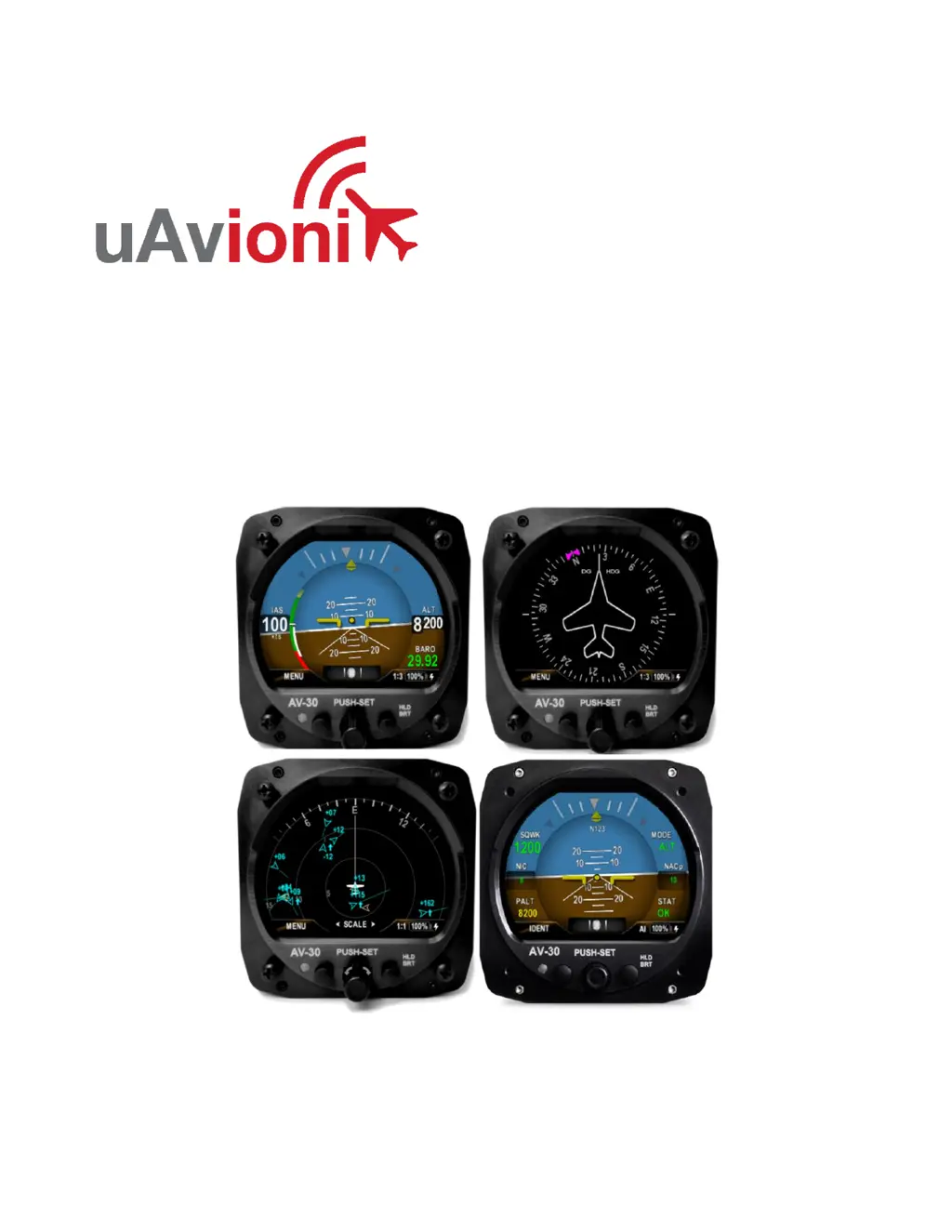
Details the uAvionix AV-30 as a digital multi-mode instrument for aircraft cockpits.

6.2 System Functions

Outlines the primary, supplemental, and audio/visual alerting functions of the AV-30 system.

7 Design Standards

7.1 Applicable Performance Standards

Lists the design standards and MOPS the AV-30 satisfies for performance.

8 Installation Locations & Operating Modes

8.1 Installation Locations

Shows typical six-pack instrument arrangement and AV-30 placement.

8.2 Operating Mode Configuration

Explains how to set the AV-30's operating mode (AI, DG, MFD) during installation.

9 Functionality and Required Interfaces

9.1 Aircraft Systems Connections

Details the electrical and pneumatic connections required for AV-30 system integration.

9.2 Feature Matrix

Tabulates features supported by the AV-30 in AI and DG modes and their required interfaces.

9.2.3 Outside Air Temp Input (Optional)

Describes the optional connection for an Outside Air Temperature (OAT) probe.

9.2.4 Audio Output (Optional)

Details the optional audio panel connection for low-voltage analog output.

9.2.5 Navigation Interface (Optional)

Covers the optional RS-232 serial interface for connecting GPS units or AV-HSI.

9.2.6 Internal Magnetometer (Optional)

Describes the optional internal magnetometer and its calibration requirements.

9.2.1 AV-Mag External Magnetometer (Optional)

Details the optional AV-Mag external magnetometer, its sensitivity, and calibration needs.

9.2.2 Transponder Control (Optional)

Explains how the AV-30 can control uAvionix transponders like BeaconX.

9.2.3 AV-Link Interface (Optional)

Covers the AV-Link accessory for traffic display via Wi-Fi with ADS-B receivers.

9.2.4 Autopilot Interfaces (Optional)

Details AV-30's capability to control analog and digital autopilots, often via AV-APA.

9.3 Internal Battery Operation

Explains the AV-30's internal battery, its capacity, and behavior during power loss.

10 Equipment Installation

10.1 Overview

Outlines the general steps involved in installing the AV-30 unit and related components.

10.2 Supplied Components

Lists the components included in the AV-30-E Installation Kit and the AV-30-E units.

10.3 Non-Supplied Components

Lists components that are not supplied with the AV-30-E installation kit but are required.

10.4 Installation Records

Specifies what information needs to be recorded in the aircraft's logbook after installation.

10.5 Mechanical Drawing

Provides dimensional drawings of the AV-30 unit for installation planning.

10.6 Mounting the AV-30

Details the procedure for physically mounting the AV-30 unit to the aircraft instrument panel.

10.7 Wiring Diagrams

Explains how wiring varies based on installation configuration and refers to figures for diagrams.

10.8 Bonding Requirements

Details the grounding requirements for electrical connections, including shield and strap use.

10.9 Unit Pinout

Provides a table detailing the function of each pin on the AV-30 connector.

11 Optional Equipment Installation

11.1 AV-Link

Details the AV-Link accessory for traffic display, firmware updates, and connectivity.

11.2 Transponder (tailBeaconX)

Introduces the tailBeaconX transponder and its integration with the AV-30.

11.3 AV-Mag External Magnetometer

Details the AV-Mag external magnetometer for heading measurement and installation.

11.4 AV-APA Analog Port Adapter

Introduces the AV-APA for emulating analog heading signals for legacy autopilots.

11.5 Digital Autopilots

Details operation and control of AeroCruze/TruTrak and Trio Pro Pilot autopilots with the AV-30.

11.6 AV-HSI Horizontal Situation Indicator

Introduces the AV-HSI for course and glideslope guidance, and its role as a hub for navigation data.

11.7 Electronic Flight Instrument System (EFIS)

Explains AV-30's role as a backup to EFIS and user variable synchronization.

12 Setup & Configuration

12.1 Startup and Common Controls

Describes the initial splash screen and common user interface controls for AI and DG modes.

12.2 Available Menus

Categorizes menus into Edit Fields, Setup, and Install menus for configuration and setup.

13 Installation Menu

13.1 Mandatory Settings

Covers essential settings required for every AV-30 installation, like Unit Function and Function Lock.

13.2 System Checkout

Details procedures for system checkout before returning the aircraft to service.

14 Troubleshooting

15 Serial Interface Specification

16 Field Update Capability

17 Appendix A: Example Wiring Schematics

uAvionix AV-30-E Specifications

General IconGeneral
BranduAvionix
ModelAV-30-E
CategoryAvionics Display
LanguageEnglish

Related product manuals