APX 525/625 Generator Revision C Pre-Installation
©
2005 Del Medical Imaging Corporation
7/5/2005 Page 57
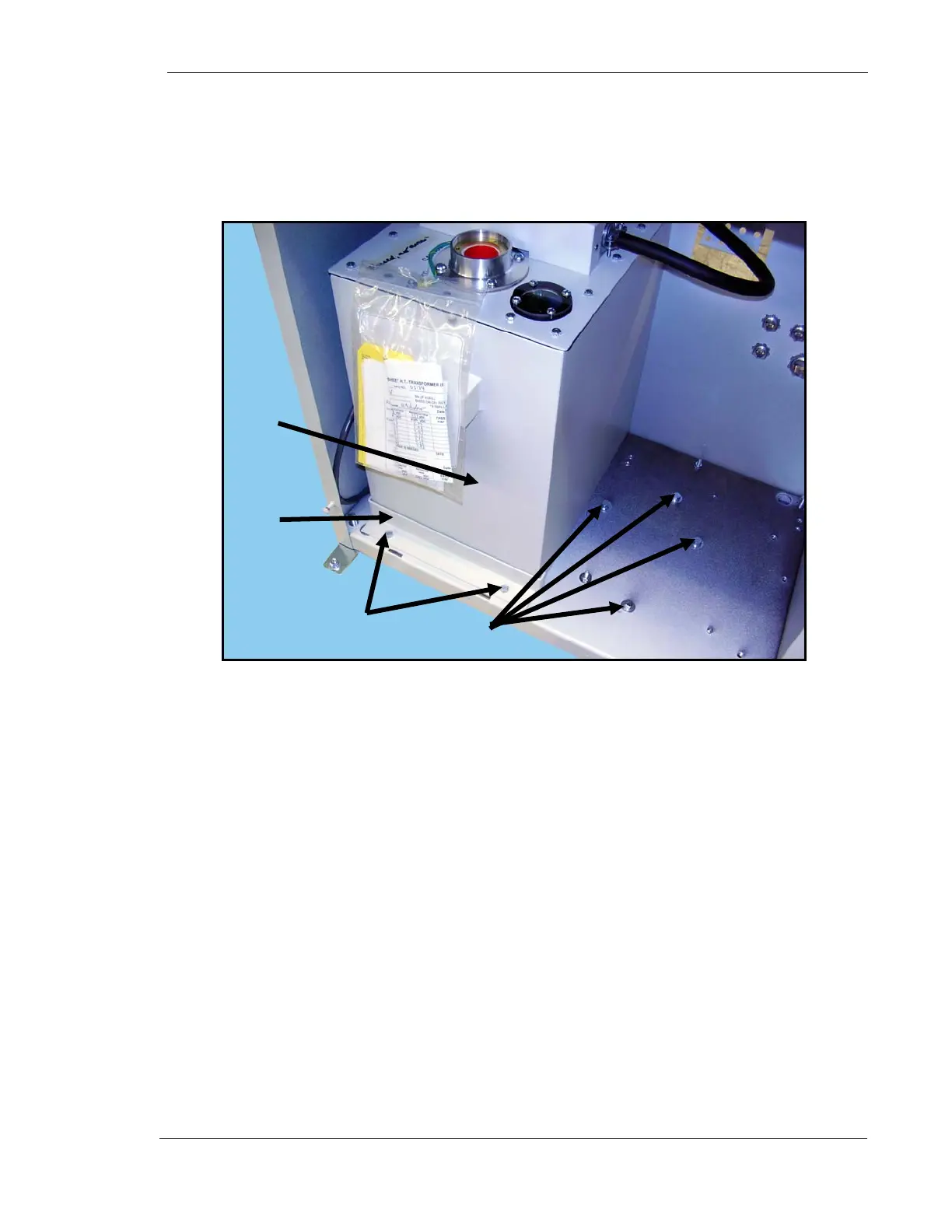
3. Unscrew two high-tension transformer bracket nuts (1 in Fig. 2) and remove
bracket (2).
4. Slide transformer (3) all the way to the left.
5. Unscrew four inline-transformer mounting bolts and washers (4) and save for
later use.
Figure 2. High-Tension Transformer Bracket and Screws
1
3
2
4



 To Next Page