APX 525/625 Generator Revision C Pre-Installation
©
2005 Del Medical Imaging Corporation
7/5/2005 Page 87
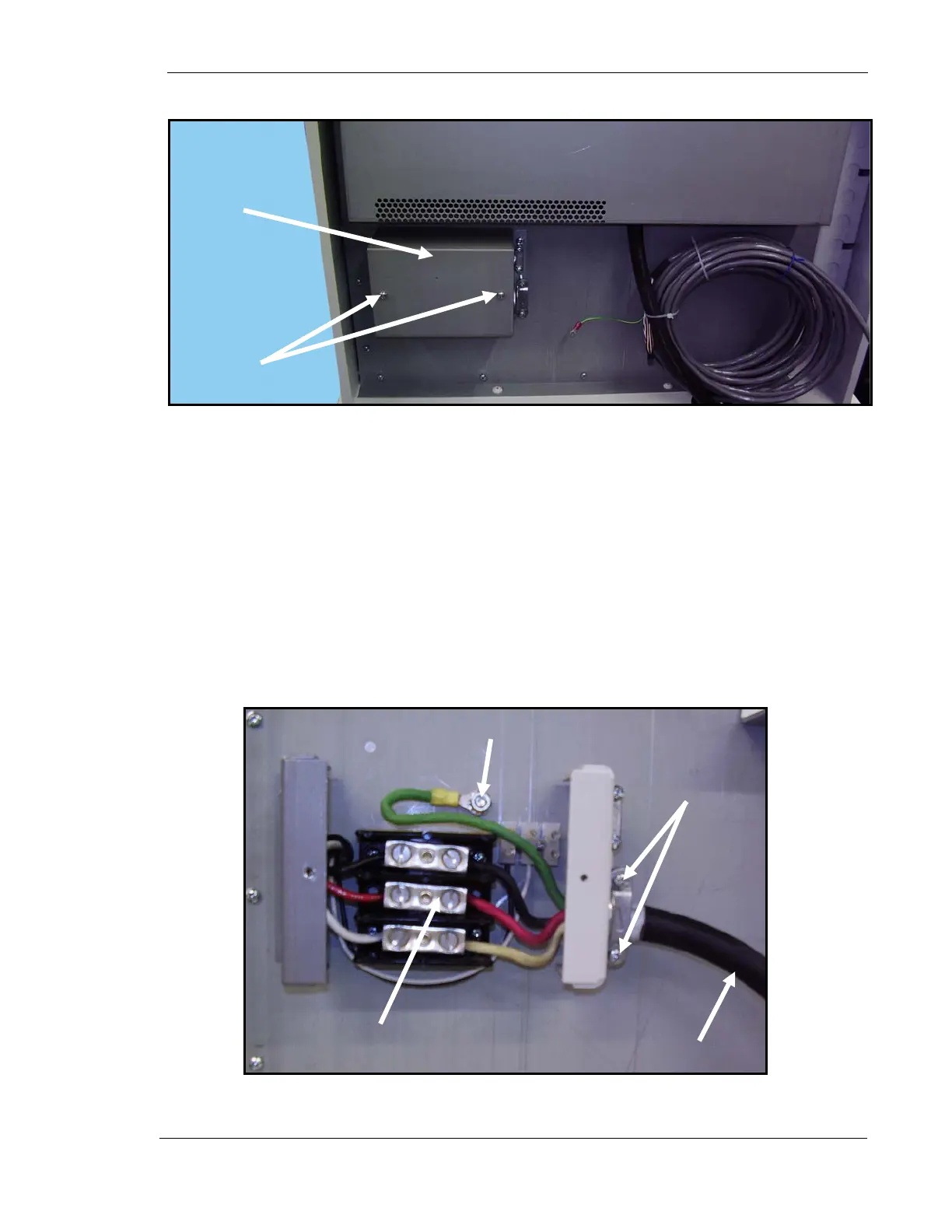
13. Unscrew two rear cover screws (1 in Fig. 9) and remove rear cover (2).
Figure 9. Rear Cover
14. Loosen two stress relief clamp screws (1 Fig. 10).
15. Insert the end of the main cable (2) (P/N 126-0208G1) into the stress relief
clamp until the black insulation on the cable is within the stress relief clamp as
shown in Figure 10.
16. Tighten stress relief clamp screws.
17. Connect red, white and black wires to corresponding red, black and white
terminals on TB1 as shown below.
18. Connect ground wire to lug (3 in Fig. 10).
Figure 10. Main Cable Upper Connections
1
2
TB1
3
2
1



 To Next Page