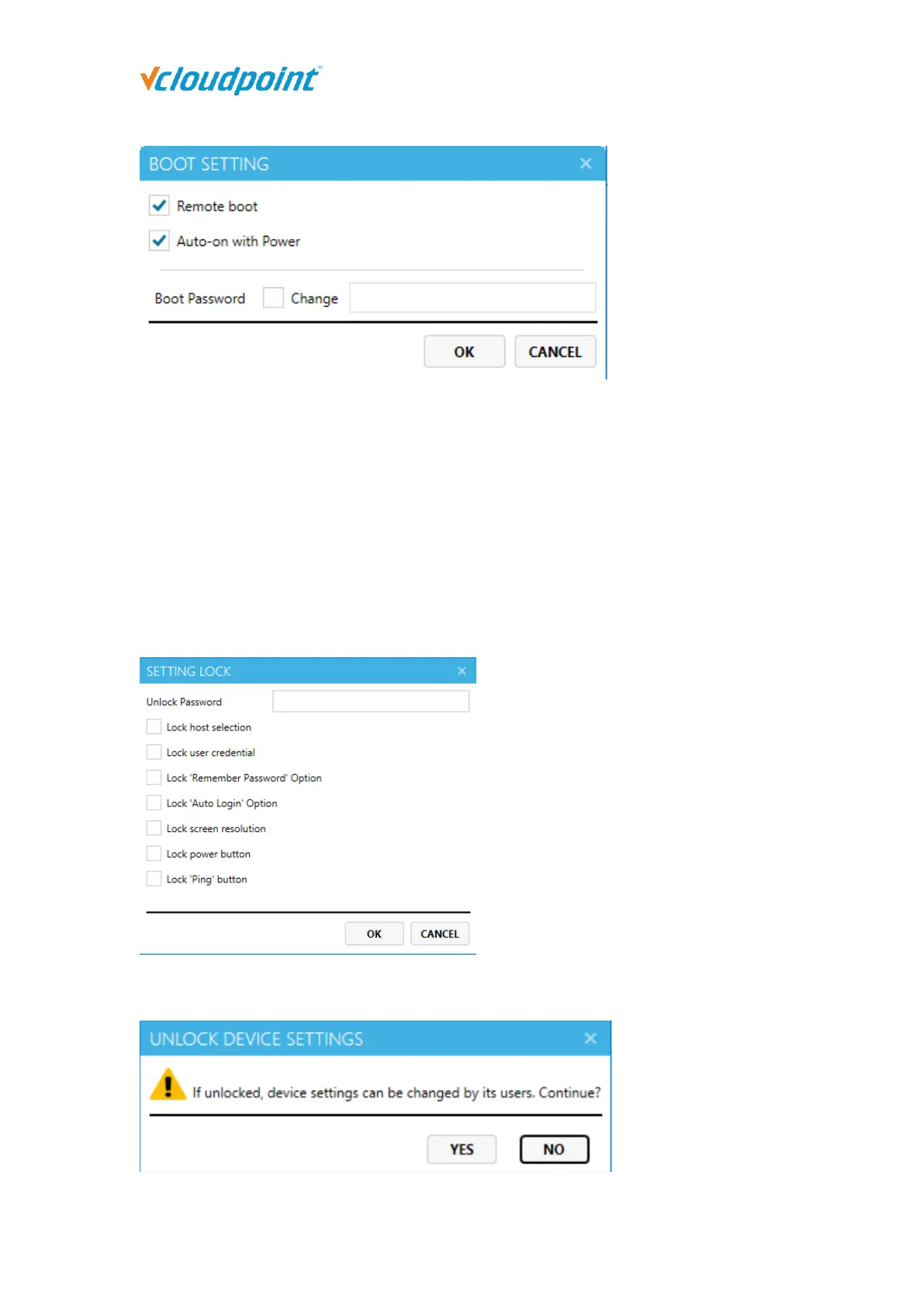
Setting Lock: "SETTING LOCK" is to lock some feature of the terminal login interface.
After checking "Lock host selection" and "Lock user credential", users will not be able
to modify the login host, login user name and password, please allocate as needed in
advance. After checking "Lock remember password" and "Lock auto-login", the option
of "remember password" and "auto-login" of the terminal login interface will be locked.
After checking "Lock screen resolution", users will not be able to change screen
resolution of terminal. After checking the "Lock power button", the "power button" in
the upper right corner of the terminal login interface will be locked. After checking the
"Lock ‘Ping’ button", the terminal will not be able to enter the ping page.
Unlock Device Settings:To unlock the device settings.



 To Next Page