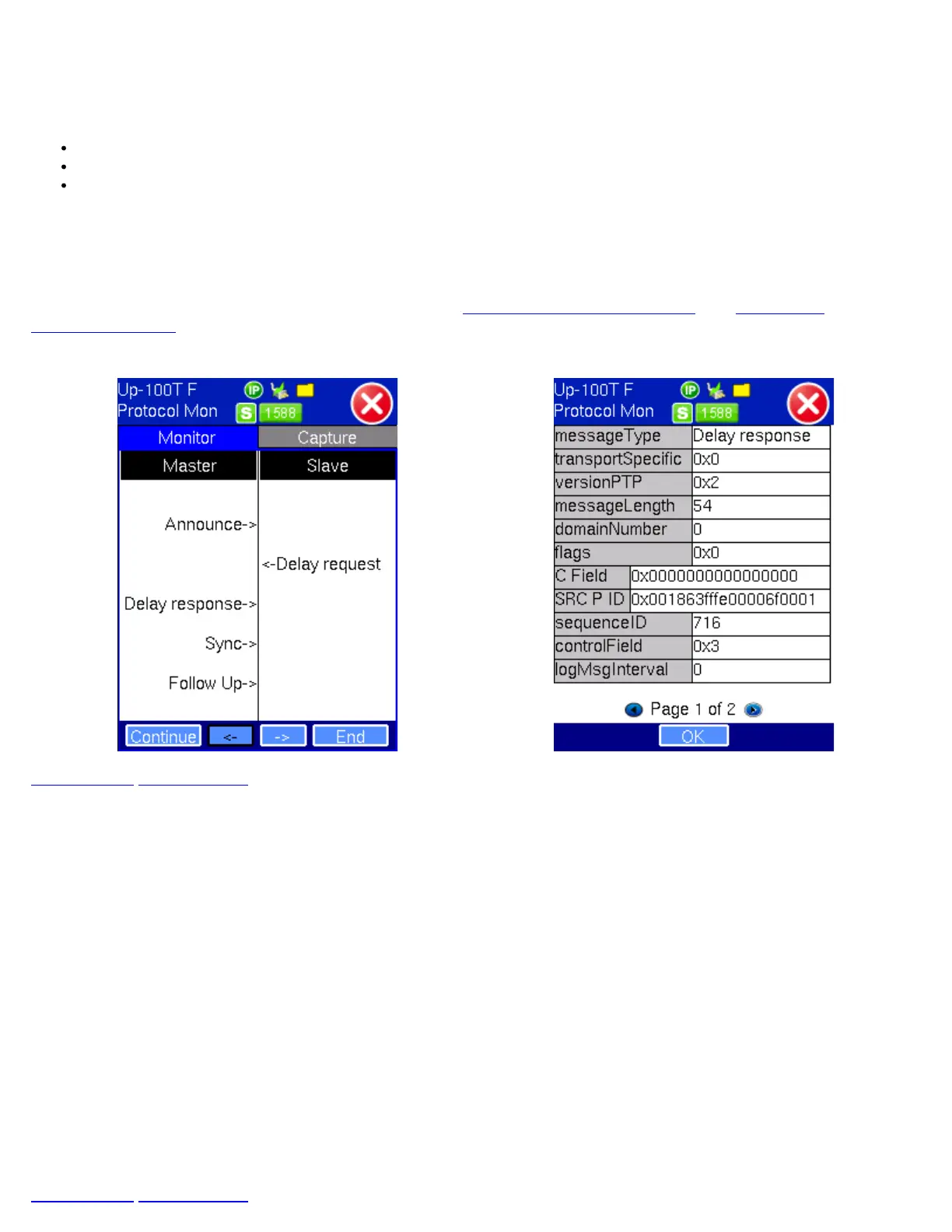
The Tracer shows the 1588v2 messages from both Master and Slave clock devices. The TX130M+ stores up to 2000 messages.
There are four function keys:
Pause/Continue - to pause or continue the tracer.
-> & <- - in Pause mode, use the key to page up or page down.
End - in Pause mode, use End key to jump to the end of the trace.
To view decoded messages, press Pause to pause the protocol tracer and tap on the desired message to view decoded
message details.
Tap on the Capture tab then hit Start to capture packets. The Capture function can store up to 20,000 messages. The messages
are saved in pcap format and can be viewed on wire shark for future analysis.
For Clock and Wander Measurement Results, please refer to
12.2 Clock Measurements (SyncE) and 12.3 Wander
Measurements Setup.
Protocol Monitor - Monitor Mode Protocol Monitor - Message Details
Go back to top Go back to ToC
13.4 1588v2 Wander Measurements
The wander measurements in the IEEE 1588v2 section are specific to 1588v2 Slave modes. Make sure that a PTP sync has
been established and enough "warm up" time is given to the protocol to provide an accurate and stable recovered clock (test
signal). The Sync PDV graph could be used to establish the level of readiness required for a wander test (when the graph has
converged to a low and stable PDV value).
13.4.1 Setup
Clock Port: Select the appropriate connector or port required to match reference clock interface. Available options depend on
test port configuration and rate. Converter cables may be required in certain cases.
Clock External: Select the type of signal that matches reference clock signal to be used.
Save TIE to USB: OFF presents the current real time TIE measurements on screen only. ON sends real time TIE measurements
to an attached USB memory, for further post analysis (refer to the MTIE and TDEV Analysis section). This feature requires the
MTIE and TDEV Post Analysis option.
Sampling Rate: When Save TIE to USB is ON, this selection indicates how many samples per second are recorded and stored
in the USB memory stick.
Press the Start button to run the test. If Save TIE to USB is set to ON, the test set asks for a file name (keep this into account
when running time-sensitive tests). Do not remove the USB memory stick while the wander test is running.
Go back to top Go back to ToC
TX130M+_e-manual_D07-00-051P_RevD00


 To Next Page