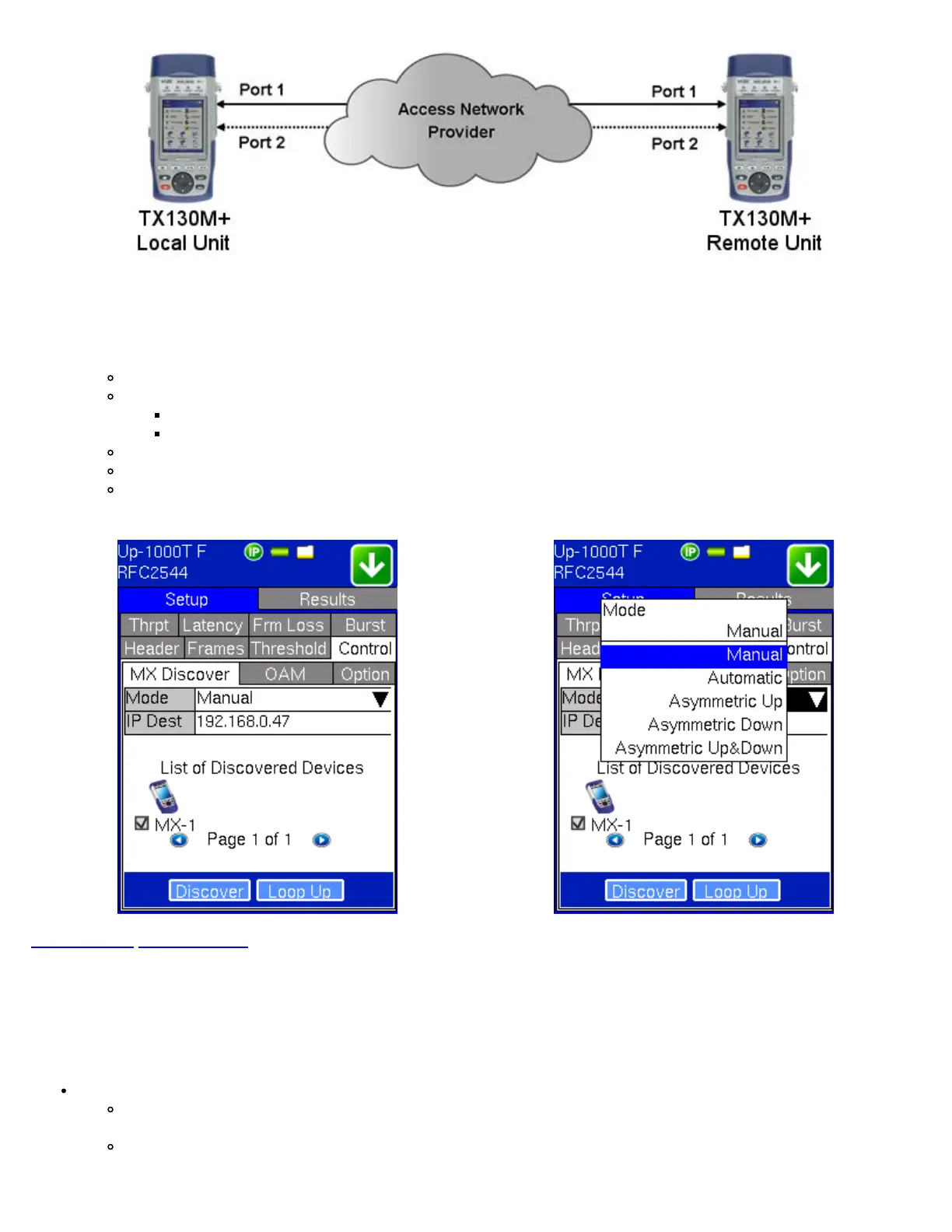
Control button:
Configures the loop-up and loop-down commands necessary to control the remote unit or the test profile in the case of
Asymmetric testing. The user is allowed to configure the commands manually or automatically.
Manual selection: user must input the destination IP address of the far-end device
Automatic selection:
No configuration is necessary - user only has to select the "discovered" far-end device to control.
Select from a list of discovered devices to loop-up/down.
Asymmetric Up
Asymmetric Down
Asymmetric Up/Down
RFC 2544 Setup - Control Manual RFC 2544 Setup - Control Modes
Go back to top Go back to ToC
8.1.6 Starting/Stopping a RFC 2544 Test
Once all configurations have been made, the user can start the RFC 2544 test. The following are three scenarios of how to
prepare and start the unit for RFC 2544 testing.
Note: If the testing on the fiber ports, make sure the LASER is turned On before starting the test.
Far-End Unit in Manual Loopback Mode:
If the far-end unit (another TX) is already in a manual loopback mode, the user must make sure that the control
settings mode are set to manual. Do not send a loop up command, since it is not necessary.
Once the correct control settings are configured, the user can start the test
The selected tests will run automatically. When all the tests are complete the test will stop automatically. If the RFC 2544 test
TX130M+_e-manual_D07-00-051P_RevD00



 To Next Page