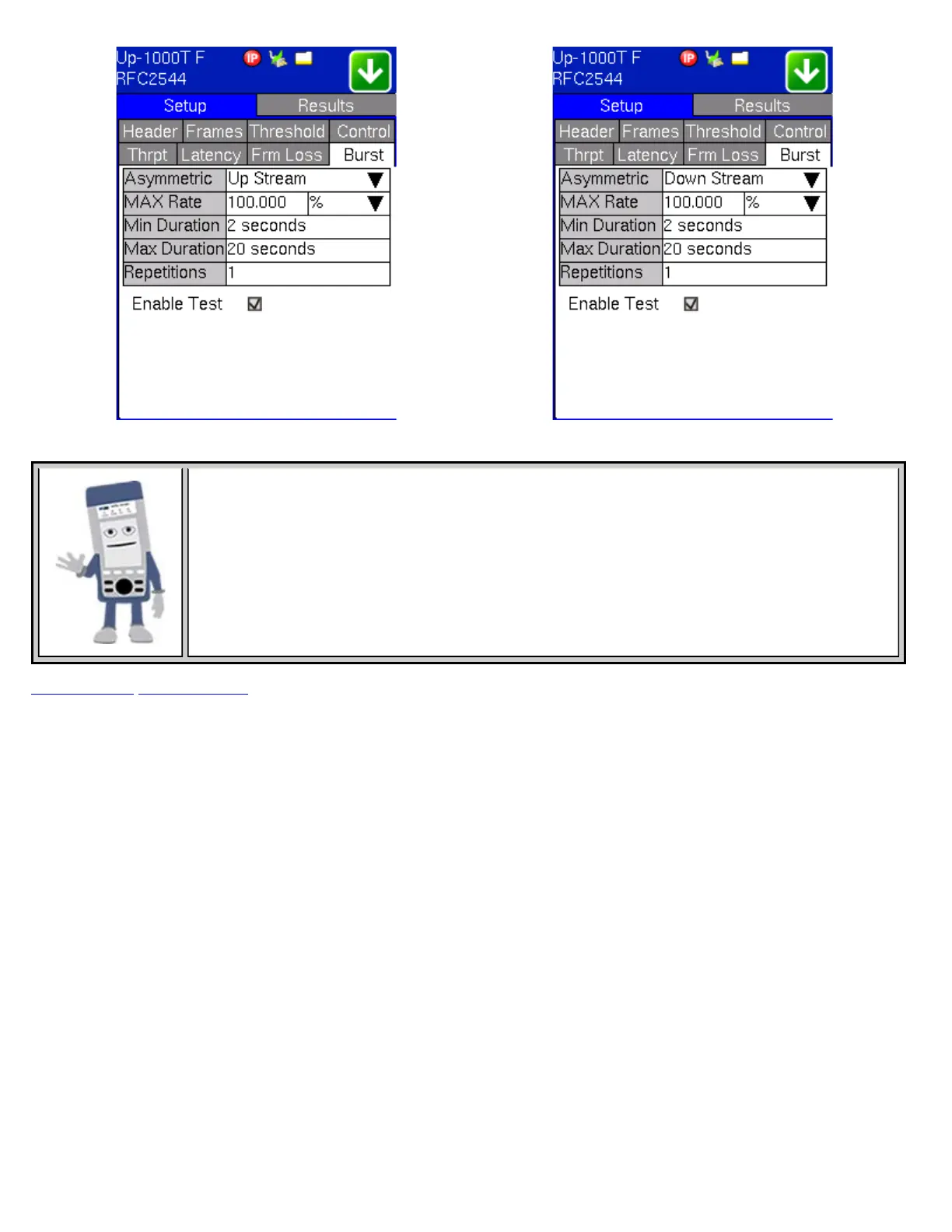
Accessing Upstream and Downstream Settings
Depending on the Control Mode selected (e.g. Asymmetric mode), test settings for upstream and
downstream are also displayed
Go back to top Go back to ToC
8.1.5 Control Settings
Overview:
Asymmetrical links like ADSL and VDSL2 provide different line rates in the two directions - normally the downlink line rate is
significantly higher than the uplink line rate. To verify the information for both the low and the high rates of the link, the user
needs to send a test signal from one instrument located at one end of the link to an instrument at the other end of the link and
vice versa to test traffic capacity. The two test instruments have to be synchronized, because the tests defined in RFC 2544
require the receiver to know the contents of the test signal to be transmitted in detail.
The TX130M+ offers an automated RFC 2544 test application to perform throughput, frame loss and burstability tests in a local-
remote unit setup. The user first configures the test setup in the local TX130M+ - once initiated, the local TX130M+ transfers the
setup information to the remote TX130M+ via the line under test. Upon completion, the remote TX130M+ transfers the test
results back to the local TX130M+, enabling the user to read the results for both directions of the link on the local unit. The dual-
port capability of the TX130M+ allows the user to test two links simultaneously.
RFC 2544 End-to-End Testing
TX130M+_e-manual_D07-00-051P_RevD00



 To Next Page