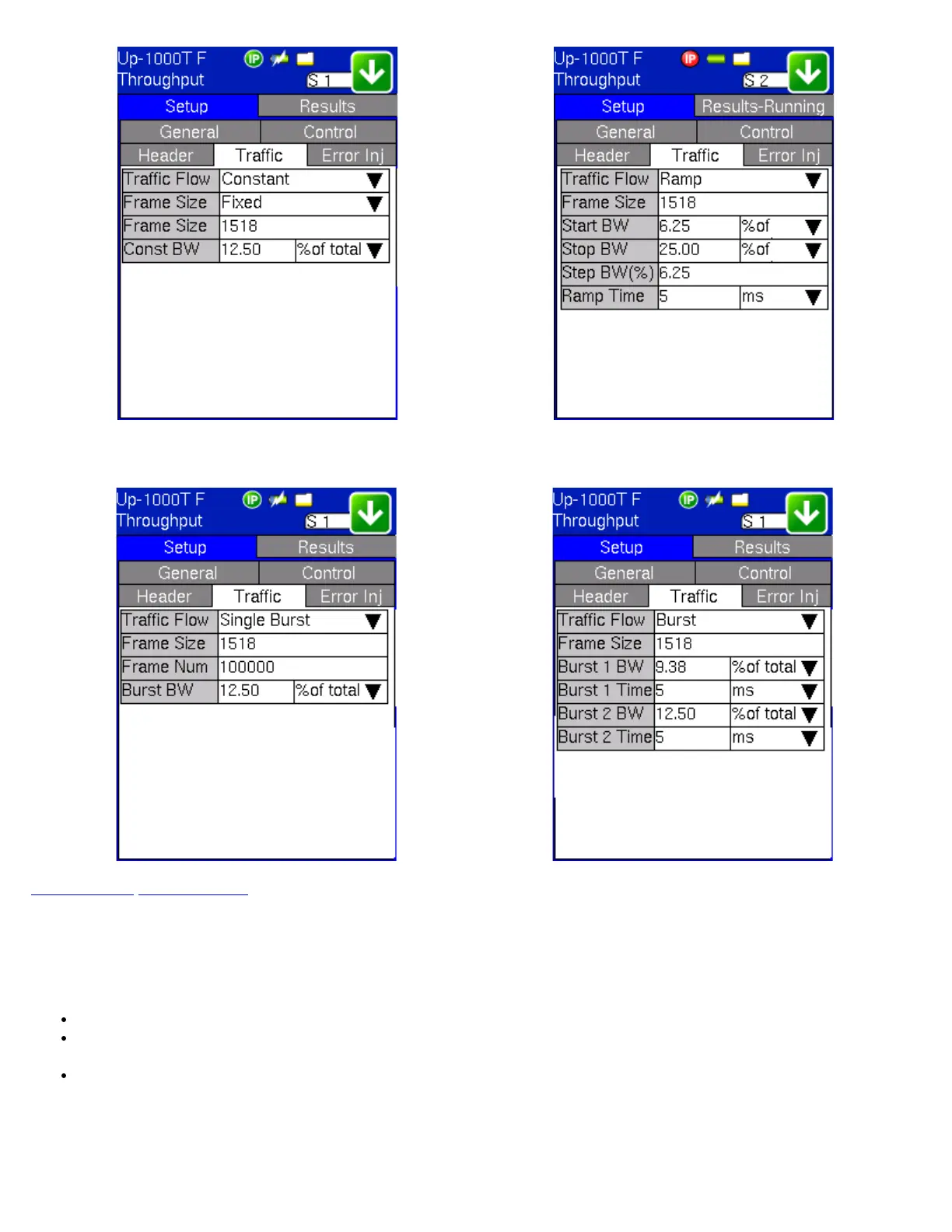
Throughput - Traffic Setup - Single Burst Throughput - Traffic Setup - Burst
Go back to top Go back to ToC
9.1.5 Error Injection Settings (Individual Stream Configuration)
Error injection can be performed during test. The type of errors and error injection are configured in the Error Injection tab. Once
the test is running, error injection can be performed by pressing the Error Inject button on the right side of the screen.
Error type: Select from Bit, CRC, Bit and CRC, OOS/IPR, TCP/UDP Checksum (Layer 4 only), or Pause.
Injection Flow: The error injection flow determines how the selected errors will be injected. The user can select a single
error or a specific count.
Count: The user will be able to configure the error count via numeric keypad.
Throughput - Error Inject Setup - CRC Throughput - Error Inject Setup - Pause
TX130M+_e-manual_D07-00-051P_RevD00


 To Next Page