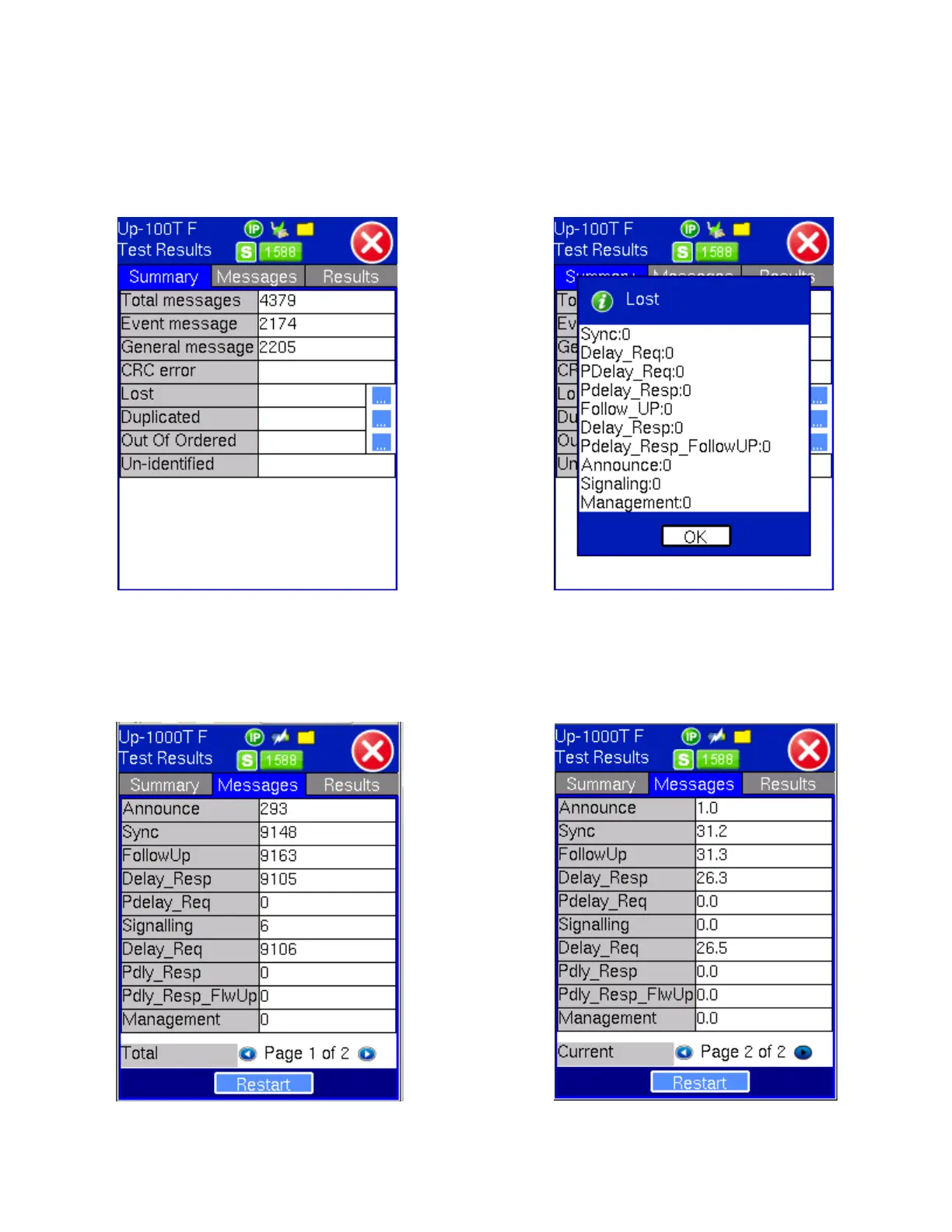
The Test Results are only available in 1588v2 PTP slave emulation mode.
The Summary screen displays the 1588v2 message statistics including the number of Total messages, Event messages, and
General messages along with information on Lost, Duplicated and Out of Ordered messages. Tap on the "..." tab to see more
detailed message error information.
Test Results - Summary Test Results - Summary - Details
Additional message information is displayed on the Messages screen.
The Messages screen gives a further breakdown by message type. The total and per second average message rates are
displayed.
Test Results - Messages Page 1 Test Results - Messages Page 2
Restart tab at the bottom of the Messages screen clears the counter and restarts the test.
Tap on the Results tab to access histogram and PDV, RTD and IPG statistics. Tap on the NEXT tab to view additional Data
statistics. Pressing the "-t" or "+t" respectively decreases or increases the time frame on the histogram, as shown in the PDV
TX130M+_e-manual_D07-00-051P_RevD00



 To Next Page