7.0 BERT
Overview
Setup
Header
MAC Header
VLAN
MPLS
IP
Data
Layer 2 & 3
RX Filter
Traffic
Error Injection
Control Settings
Start/ Stop BERT
Results
Summary
Errors
Events
Alarms
Traffic
Rates
Delay
Saving Results
Go back to top Go back to ToC
Overview:
BERT can be accessed under the Additional Tests menu on the home screen.
BER testing at layer 1, 2, 3, and 4 is supported. The test can be configured to use either regular PRBS patterns, stress patterns
or user-defined test patterns to simulate various conditions. All patterns are encapsulated into an Ethernet frame to verify bit-per-
bit performance of the circuit under test.
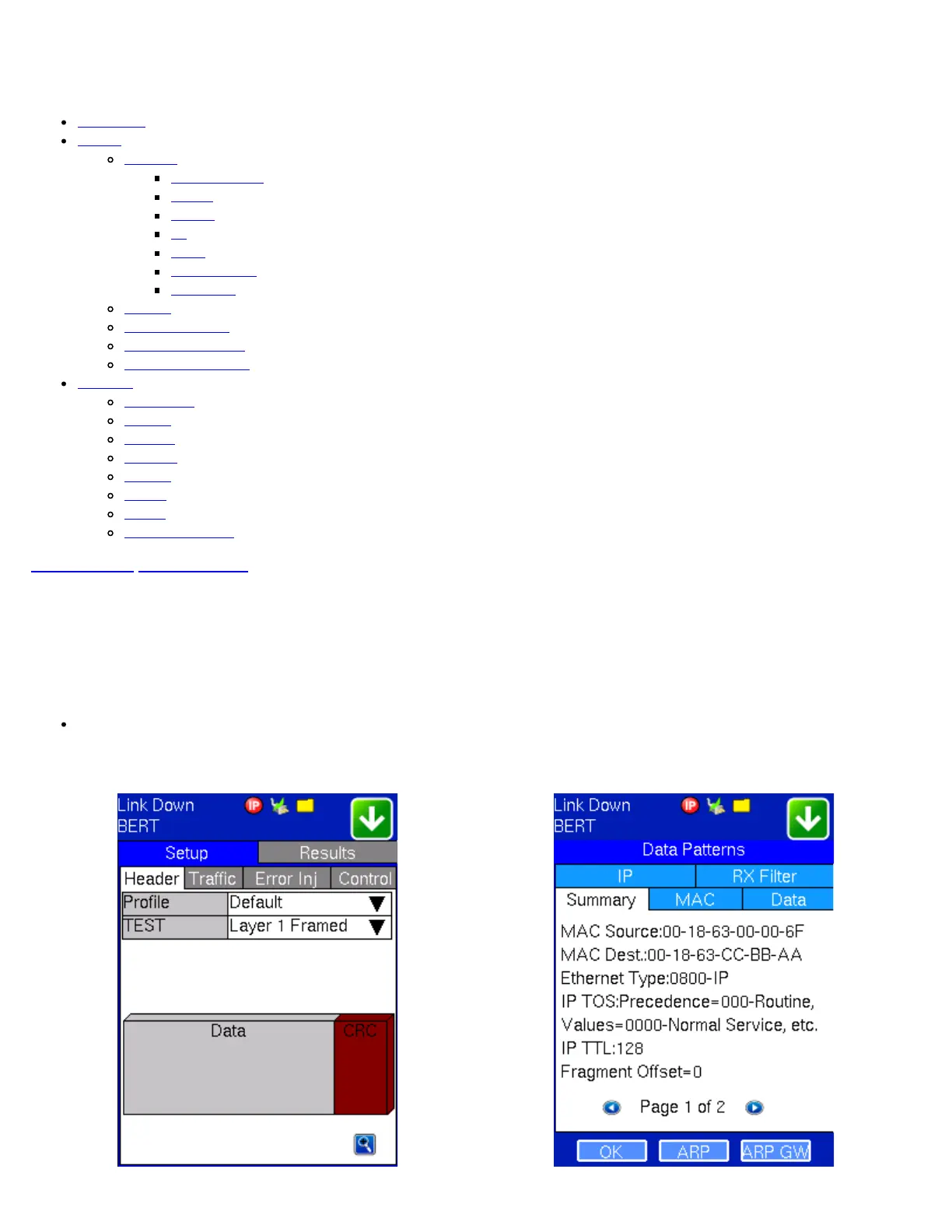
Layer 1: Framed mode - Test pattern is encapsulated into a valid Ethernet frame with SOF, Preamble and CRC field.
Unframed mode is available on the optical port.
BERT Setup - Header (Layer 1 Framed) Data Patterns
TX130M+_e-manual_D07-00-051P_RevD00


 To Next Page