Go back to top Go back to ToC
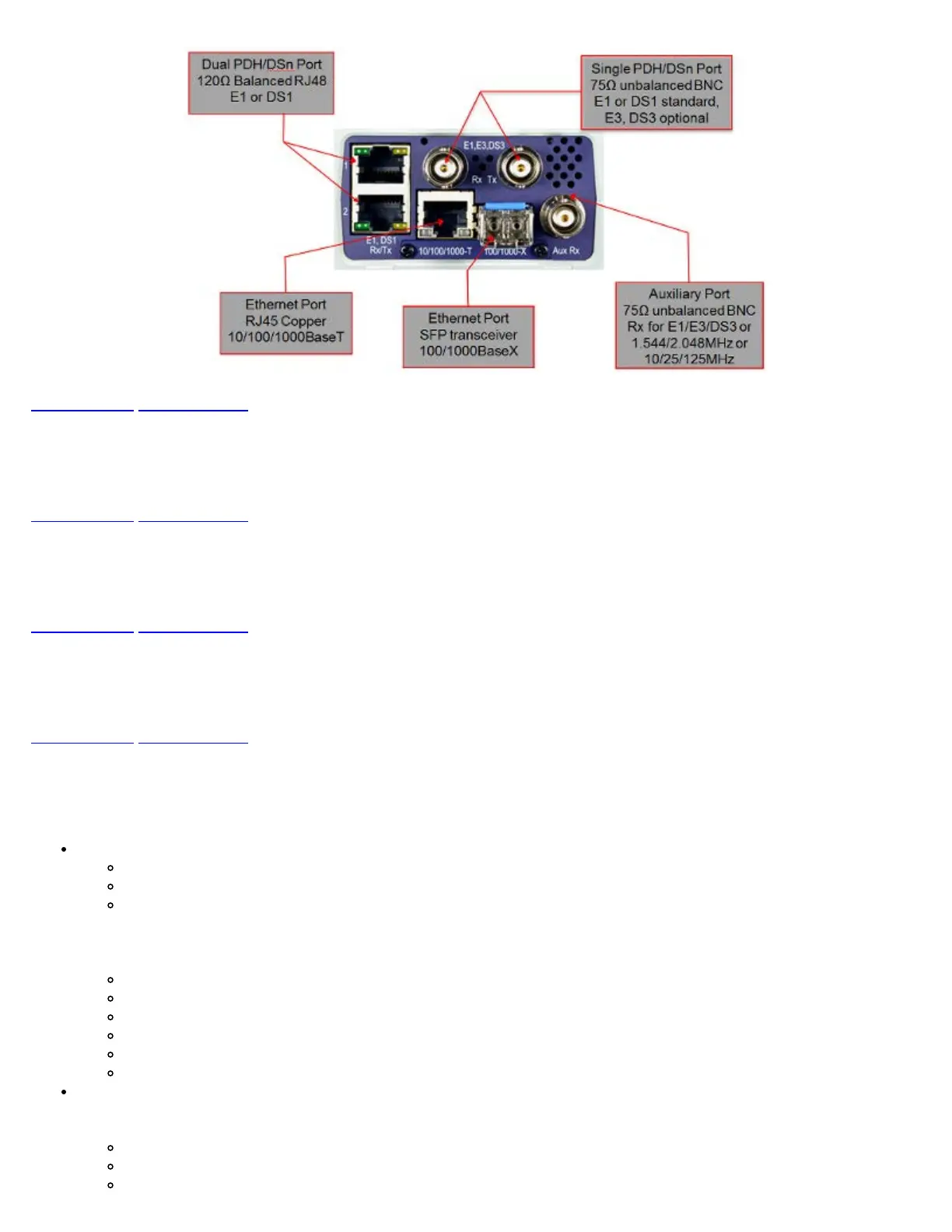
4.4.1 BNC Interface
75 ohm unbalanced BNC for E1, DS1, E3, DS3.
Go back to top Go back to ToC
4.4.2 Ethernet Port
RJ45 Copper 10/100/1000BaseT and SFP 100/1000BaseX.
Go back to top Go back to ToC
4.4.3 Dual PDH/DSn Port
120 ohm Balanced RJ48 E1 and DS1.
Go back to top Go back to ToC
4.4.4 Utility Ports
The Ethernet and USB ports are located on the left and right side of the unit.
RJ45, 10/100Base-T port:
10/100Base-T Ports, RJ45 connector, IEEE 802.3 compliant
A green LED on the RJ45 connector flashes when there is activity on the network.
The green LED is On when there is a valid Ethernet link with the network and off when there is no link.
To access the Ethernet management port, remove the protective rubber cover on the right hand side of the unit to expose
the connector. Ethernet applications include:
IP connectivity testing
WiFi Wiz testing
Voice over IP (VoIP) testing
Transfer measurement results and test profiles between the instrument and a computer using ReVeal MTX software
Upgrade the instrument software using ReVeal MTX software
Remote control of the instrument using ReVeal MTX software (optional)
USB Port:
To access the USB port, remove the protective rubber cover on the right hand side of the unit to expose the connector.
The USB port supports:
Memory drives
WiFi adaptor for WiFi testing application
Headset connection for VoIP testing application
TX130M+_e-manual_D07-00-051P_RevD00


 To Next Page