802.3 LLC (IEEE 802.3 frame with LLC header)
802.3 SNAP (IEEE 802.3 frame with SNAP header)
Ethernet II (DIX) (named after DEC, Intel, and Xerox, this is the most common frame type today)
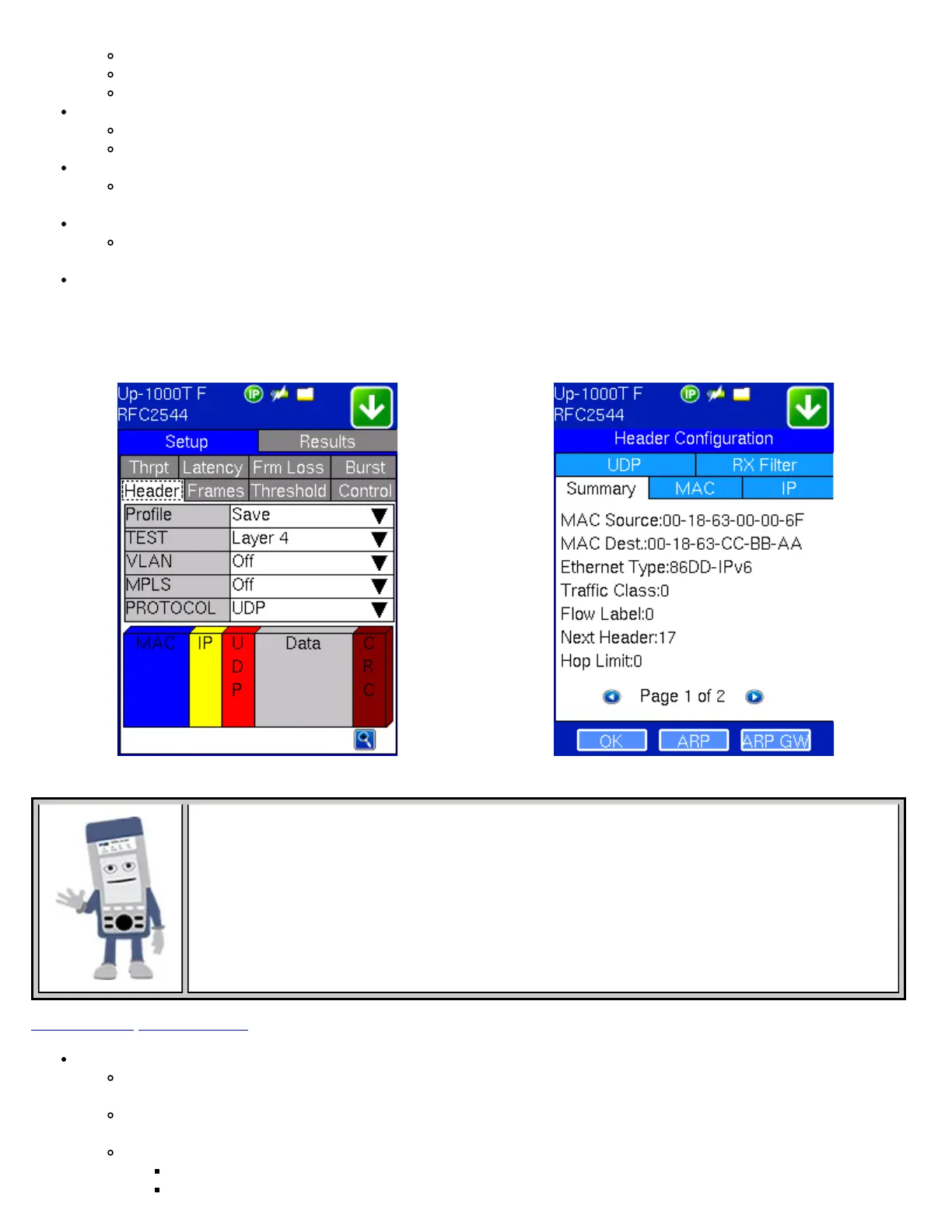
MAC/IP: Tap the MAC and IP blocks on the Frame image to access the setup menus
Set the Source and Destination MAC address for Layer 2
Set the Source and Destination MAC and IP addresses for Layer 3
VLAN: Off, 1 tag, 2 tags, 3 tags.
The user is able to configure up to 3 VLAN tags (VLAN stacking, for Q-in-Q applications)
Note: VLAN stacking is an option.
MPLS: Off, 1 tag, 2 tags, 3 tags.
The user is able to configure up to 3 MPLS tags.
Note: MPLS tag configuration is only available when the MPLS option is purchased.
MAC, VLAN, MPLS, IP, and Test Pattern Configurations:
Tap on the Frame image displayed on the screen to configure the MAC addresses, IP addresses, VLAN tags, MPLS tags,
and test pattern. This brings you to the configuration screens for all the header fields.
RFC Setup Overview RFC Setup Summary
RFC 2544 Parameter Summary
Once setup parameters are completed, tapping the zoom function at the bottom right hand side of
the screen displays a summary of all settings
Go back to top Go back to ToC
MAC Header Tab:
MAC Source: Use the default source address of the test set or configure a new or different address. See MAC
address editing screen shot below.
MAC Destination: Configure the destination MAC address of the far-end partner test set. See MAC address editing
screen shot below.
Ethernet Type: For Layer 3 testing, the user can also configure the Ethertype:
0800-IP (Internet Protocol Version 4, IPv4)
0600-Xerox
TX130M+_e-manual_D07-00-051P_RevD00


 To Next Page
 Loading...


