Organizational Specific Extensions (function not supported in current software release)
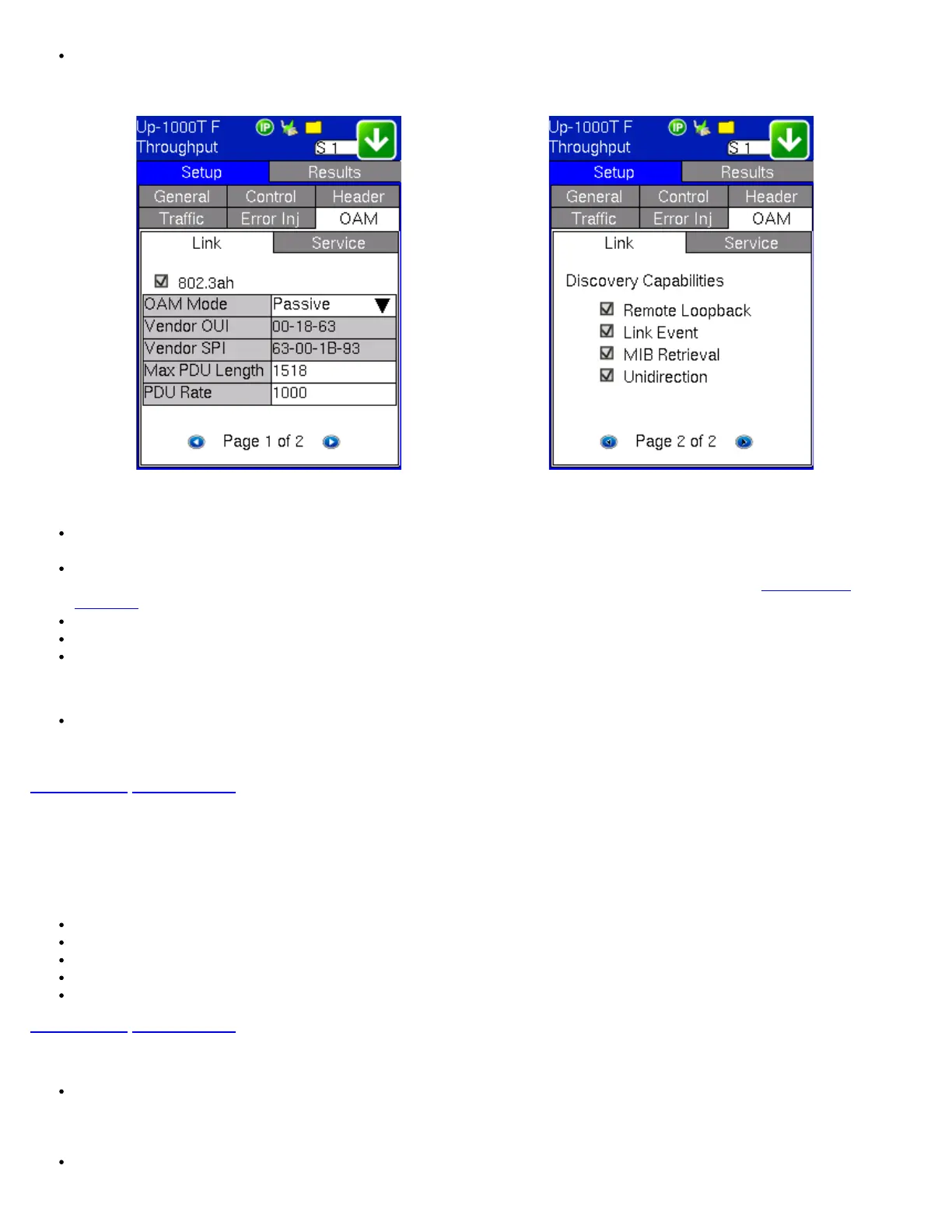
Link OAM Setup (Page 1) Link OAM Setup (Page 2)
Page 1
802.3ah OAM: Tap on the check box to start 802.3ah protocol testing. Transmission of OAM PDUs starts as soon as the box is
checked.
OAM Mode: Select Active or Passive mode from the drop-down menu. Active and passive mode determines the type of actions
the test set will take. For more on acceptable Active/Passive mode combinations and actions, see section
802.3ah OAM
Discovery.
Vendor OUI and SPI: Organization Unique identifier and Vendor specific information (similar to MAC address fields).
Max PDU Length: Advertised Max OAM PDU size (64 to 1518). After Discovery, the lowest of the local and remote will be used.
PDU Rate: 100 to 10000 ms between consecutive OAM PDUs.
Page 2
Discovery Capabilities: Enables OAM enabled devices to exchange their OAM capabilities, configuration, and identity to link
partners. Check on the boxes to advertise selected capabilities during Discovery - Remote Loopback, Link Event, MIB Retrieval,
Unidirection.
Go back to top Go back to ToC
10.1.2 Service Level OAM: 802.1ag/Y.1731 Setup
The user has the option of starting the 802.1ag or Y.1731 test.
The tests listed include:
Continuity Check (CCM)
Loopback (LBM/LBR)
Link Trace (LTM/LTR)
Loss Measurement (LMM/LMR) (Y.1731 only)
Delay Measurement (DMM/DMR) (Y.1731 only)
Go back to top Go back to ToC
General Setup Process:
Fill out the given parameters:
Note: MD Name, MA Name, VLAN, and MD Level input values must match for both connected OAM devices in order for the
tests to work. The Remote MEPID and MEP ID must also be inverted for the tests to work.
Tap the box next to 802.1ag or Y.1731 to start the selected test. The transmission of OAM PDUs become active as soon as the
check mark is added to the test.
Note: The different test options become available only when either 802.1ag or Y.1731 is selected. Once either is selected Page 3
TX130M+_e-manual_D07-00-051P_RevD00



 To Next Page