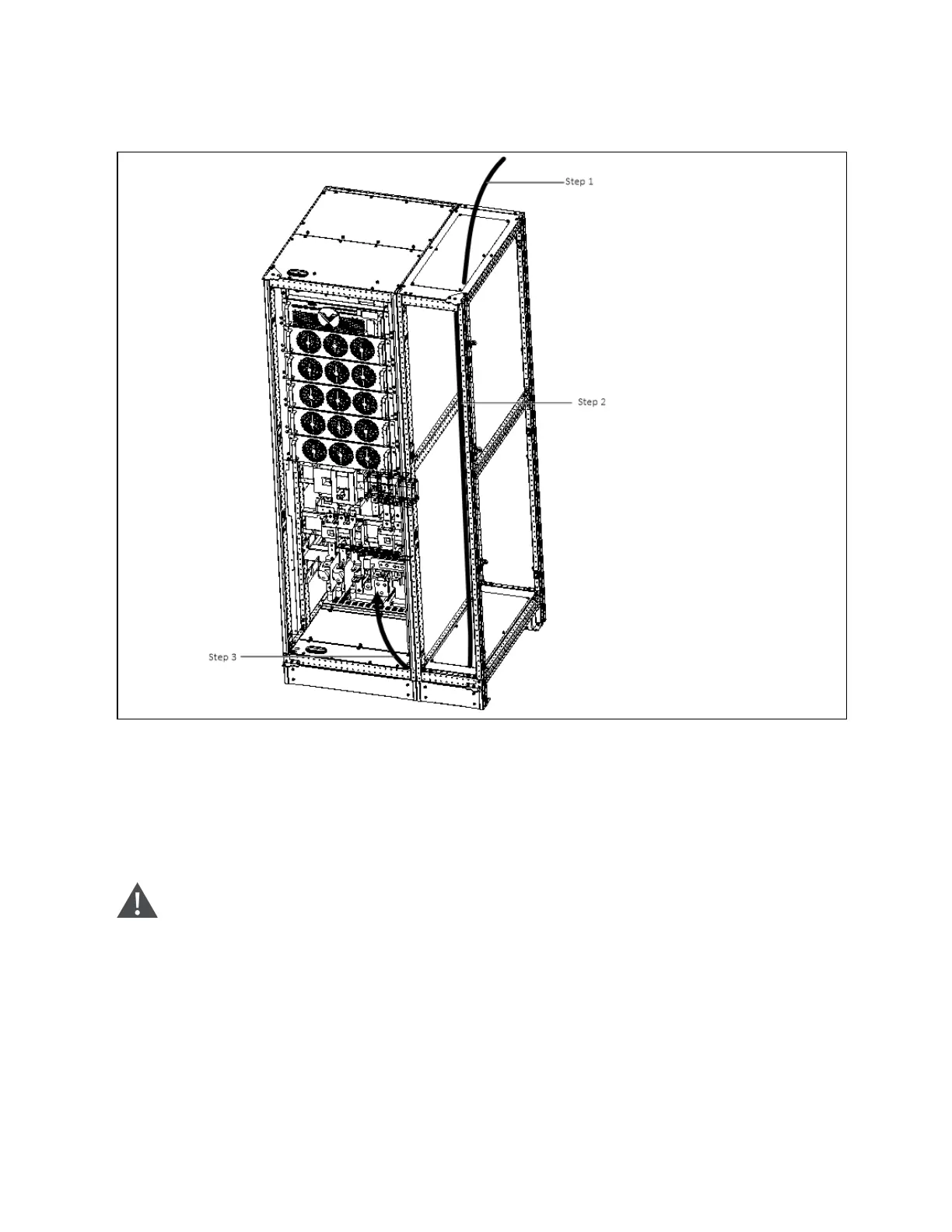
Figure 9.3 M atching optional sid e cab inet electrical connection (200VA ~ 250kV A)
N O T E:
Step 1: R em ove the top plate. lead cables into the cabinet.
Step 2: Rout cables along the cabinet inside, an d use cable ties to bind them .
Step 3: Rem ove the bottom plate, connect cables to corresponding term inals.
W A RN IN G! Before cables connection, m ake sure that all external and internal power switches
of the U PS are off, and post necessary warning sig n s to p reven t inadvertent operation of the
switches. M eanwhile, m easure the voltages between the U P S term inals and the voltages
betw een the term inals and the earth.
N O T E: A fter connection, take appropriate m easures to seal the cable entry h oles.
9 Options
156
Vertiv™ Liebert® EXM2 UPS User Manual











 To Next Page