VI.BE.MAC.S.p.A.
pag.11
11. CHANGING THE FORM ON THE EQUIPMENT BETWEEN TWO DIFFERENT
SEWINGS
The unit allows for a quick change of forms (in about TWO minutes). These forms are supplied together with
a floppy disk, containing the personalised programmes requested by the client.
Changing the form does not require the intervention of a technician, but its simple design, together with the
use of special materials, mean that it can be carried out by the operator.
11.1.FROM ONE DESIGN TO ANOTHER OF DIFFERENT SHAPE.
First, with the material blocking jig opened, STOP the machine with the EMERGENCY button.
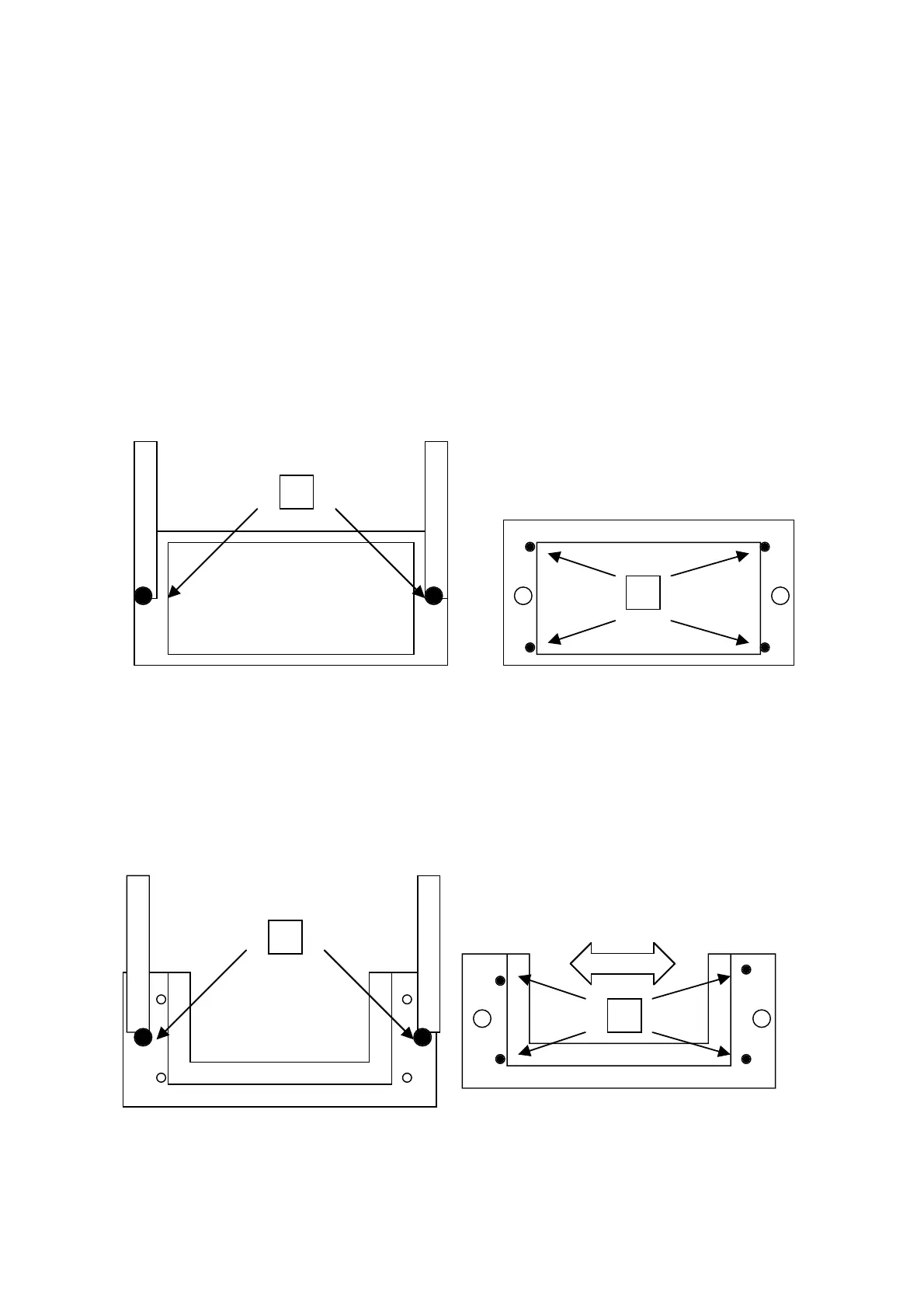
Loosen the TWO clamping knobs (n°1) to loosen the support plate of the LEXAN form from the equipment
bracket.
Loosen the four clamping screws (n°2) of the LEXAN form.
Take out the form from the frame and insert in its place the form required.
Tighten the four clamping screws (n°2) of the LEXAN form.
Tighten the TWO clamping knobs (n°1) to block the LEXAN form to the equipment brackets.
Unblock the EMERGENCY button by turning it gently, to free the machine.
11.2.FROM ONE LABEL TO ANOTHER OF A DIFFERENT SHAPE.
First, with the material blocking jig opened, STOP the machine with the EMERGENCY button.
Loosen the TWO clamping knobs (n°1) to loosen the LABEL from the equipment bracket.
Take out the form from the frame and insert in its place the form required.
Loosen the four clamping screws (n°2) and move the two rods of the adjustable form to the new size
Tighten the four clamping screws (n°2) of the form adjustable to the new size
Tighten the TWO clamping knobs (n°1) to block the LABEL form to the equipment brackets.
Unblock the EMERGENCY button by turning it gently, to free the machine.
1
2
1
2



 To Next Page