VI.BE.MAC.S.p.A.
pag.54
23.10.ENLARGING OR REDUCING A PROGRAMME (varying the X AXIS% and the Y AXIS% values)
Lower the plates
Press the CONVERT key
The display changes to:
PUSH HOME KEY
Press the HOME key
The machine resets to its ORIGINAL POINT
The display changes to:
1 HOME 2 ENLARGE
3 MIRROR 4 ROTATE
Press the 2 key and ENTER
The display changes to:
1 FIX ST.LENGTH = Fixes the stitch length (Only type B programmes)
2 FIX ST.NUMBER = Fixes the number of stitches
Press 2 and ENTER
The following appears on the display:
X PROPORTION
100.0 100.0 = BASE Value
Insert the required value using the numerical keys. Range = 99.0 - 101.0
Increase the value to move seams outwards.
Decrease the value to move the seams inwards.
Press ENTER
The following appears on the display:
Y PROPORTION
100.0 100.0 = BASE Value
Insert the required value using the numerical keys. Range = 99.0 - 101.0
Increase the value to move seams outwards.
Decrease the value to move the seams inwards.
Press ENTER
The following appears on the display:
CENTER (JOG KEY) FEED
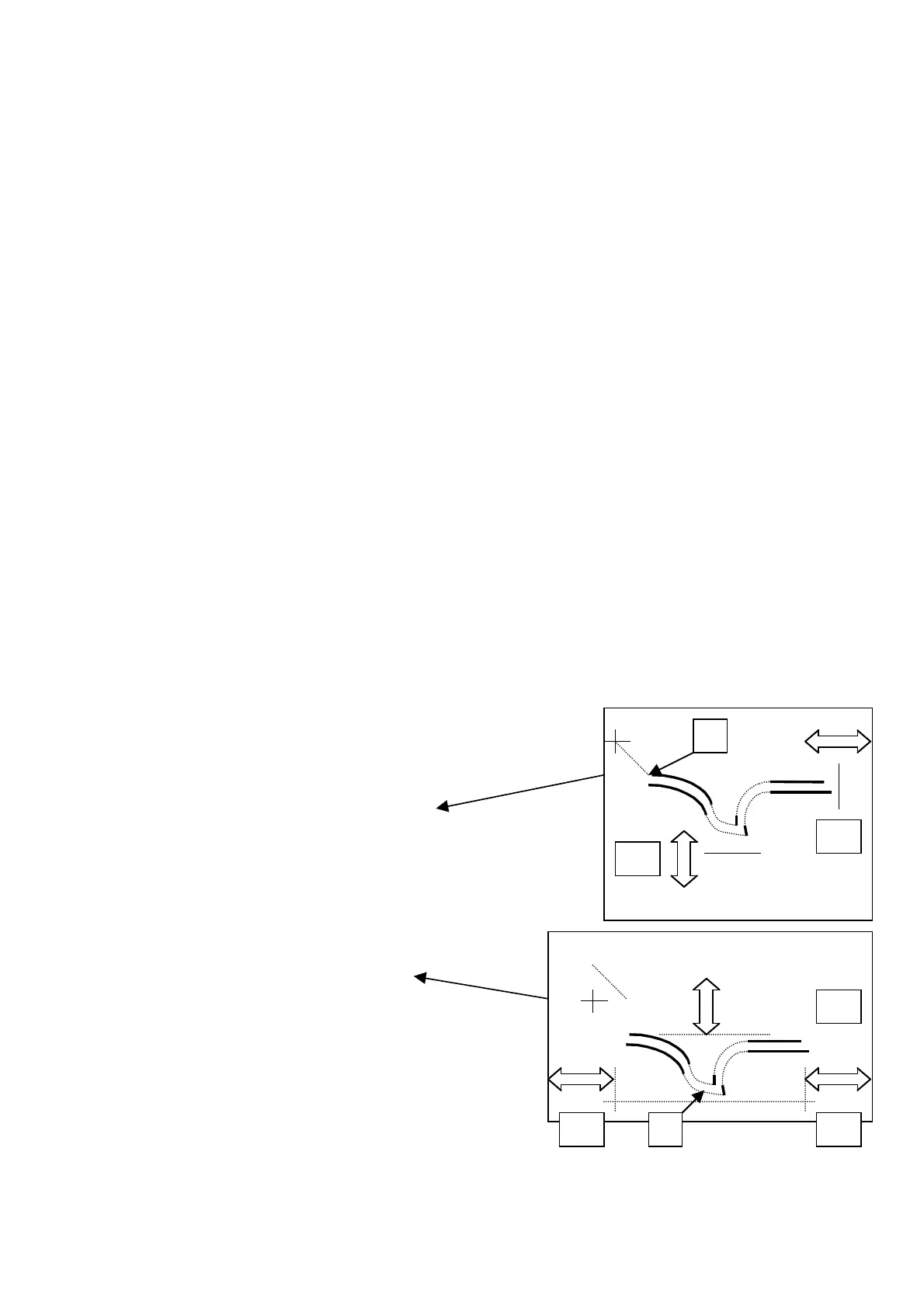
Use JOG+ to go to point A where the modification is to be made
Selecting point
A = Upper corner of the programme
VARYING THE "X" AXIS VALUE
Only the seams on the right are moved
VARYING THE "Y" AXIS VALUE
Only the seams at the tip of the pocket are moved
A = Central Point of the programme
VARYING THE "X" AXIS VALUE
The seams on the right and left are moved
VARYING THE "Y" AXIS VALUE
The position of both tacks is moved
Press ENTER
The following appears on the display::
CENTER (ARROW KEY) FEED
X000.0 Y000.0 E
Press ENTER
X
Y
X
Y
X



 To Next Page