VI.BE.MAC.S.p.A.
pag.42
23.3.MODIFYING AN ANGLE INSERTED IN THE PROGRAMME
Lower the plates
Press the MODIFY key
The display changes to:
PRESS HOME KEY
Press the HOME key
The machine resets to its ORIGINAL POINT
Press the FUNCTION key
The display changes to:
CHANGE RETURN 1Y
FEED 2N
Press the 1 key and ENTER
The display changes to:
1 STITCH 2 SPEED 3 CODE 4MOVE (B)
Press 1 and ENTER
The display changes to:
1 BLOCK 2 FEED 3 DEL 4ADD 5MOD
Press 1 and ENTER to select BLOCK
The display changes to:
START POINT JOG
Use JOG+ to go to the start of the modification (point A)
Press ENTER
The display changes to:
END POINT JOG
Use JOG+ to go to the end of the modification (point B)
Press ENTER
The machine automatically returns to point (A)
The display changes to:
1 BREAK 2 ARC 3 CURVE 4 LINE 5 ZIG
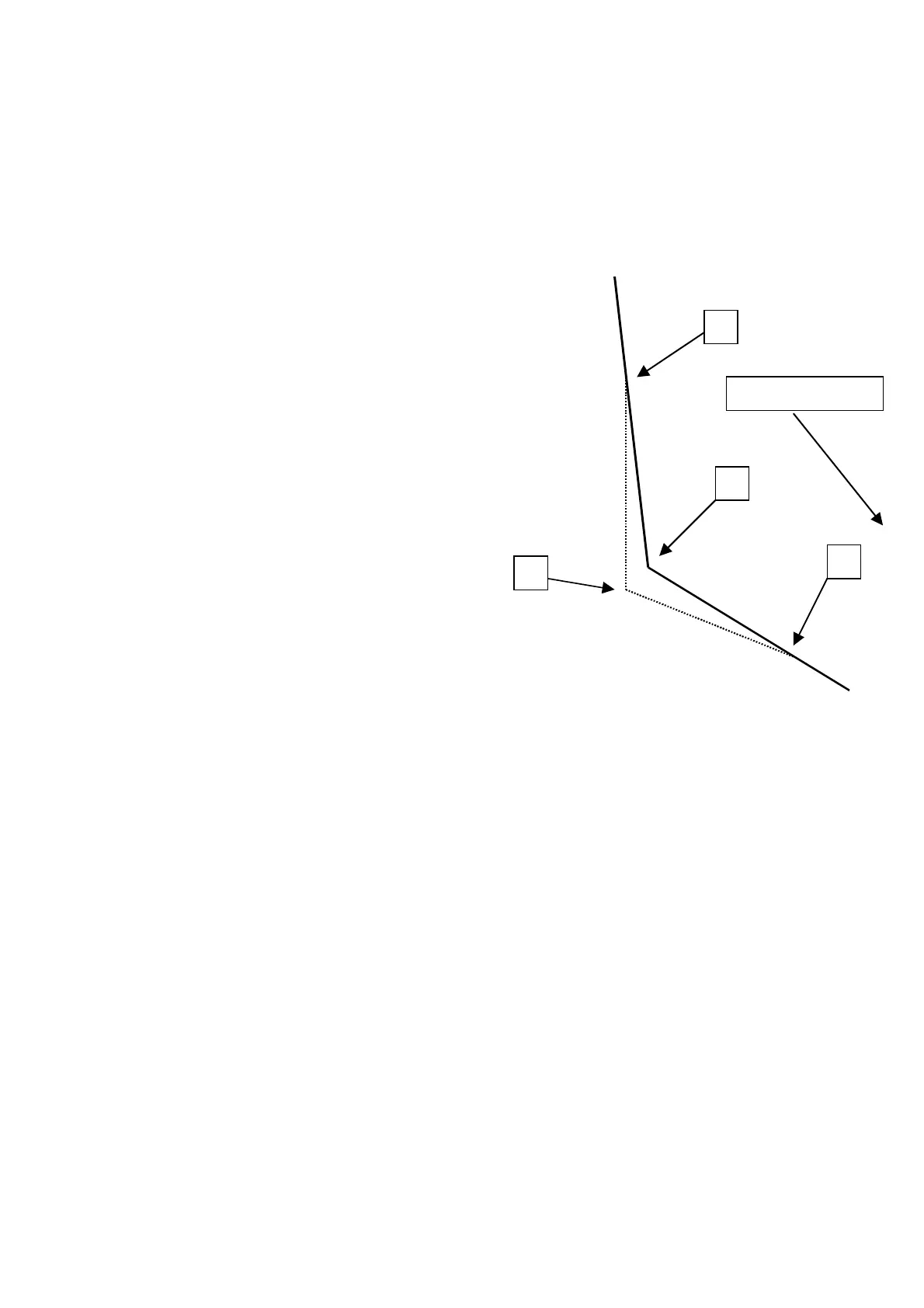
1 BREAK = Joins starting point A to end point B, with two straight seams
through a NEW point D selected by the operator
Press 1 and ENTER
The display changes to:
BREAK LINE
STITCH LENGTH 3.0mm
Insert the required stitch length. E.g. 3.1mm insert 3 and 1
Press ENTER
The display changes to:
SPECIFY JOG 1Y
2N
Press 1 and ENTER
The display changes to:
START POINT JOG SEW
X xxxx Y yyyy E
Use JOG+ key to go to the central point C of the pocket.
Press ENTER
The display changes to:
BREAK INPUT POINT
X +000.0 Y +000.0 E
Use the directional arrows to go to the new central point D of the new corner.
Press ENTER
B
Sewing direction



 To Next Page