VI.BE.MAC.S.p.A.
pag.37
22.4.PROGRAMMING A LABEL
Lower the jigs
Press PEN IN
Press 1
Press ENTER
Press HOME
The display changes to:
TYPE DATA
1.B DATA 2.BA DATA
Press 1
Press ENTER
The display changes to:
SPEED HIGH
ST.LENGTH 3.0mm
With the SPEED key select the type HIGH
With the numerical keys set the required stitch length
E.g. 2.5mm press the 2 and 5 keys
3.1mm press the 3 and 1 keys
Press ENTER
ATTENTION - Check whether the word FEED appears at the bottom right of the display
• X) If not press FEED
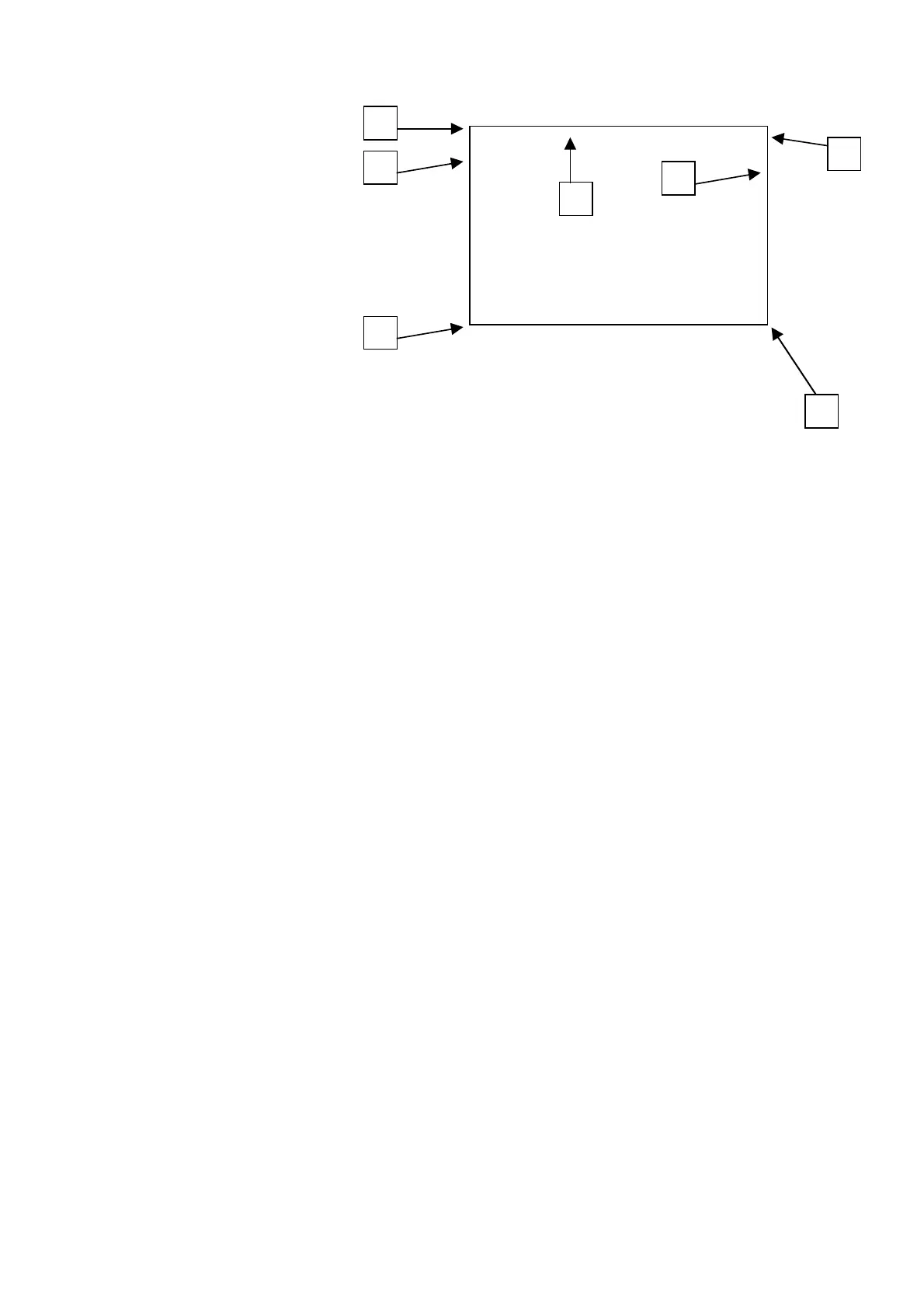
Move to the first stitch (point 1) of the seam, using the directional arrows.
Press ENTER
Check the type of seam required at the beginning of each tract:
STRAIGHT SEAM
Press the TEACHING METHOD key and select P-P of the upper right display
Move to the end of the FIRST seam (point 2) with the directional arrows
Press ENTER
Move to the end of the SECOND seam (point 3) with the directional arrows
Press ENTER
Move to the end of the THIRD seam (point 4) with the directional arrows
Press ENTER
Move to 1Cm before the end of the FOURTH seam (point 5) with the directional arrows
Press ENTER
Press the SPEED key until the following appears on the display
SPEED MD2
ST.LEN. xxxxx
Press ENTER
Press the CODE key
Insert the number 1 and ENTER
Insert the number 3 and ENTER to select FUN1
Move to the end of the FOURTH seam (point 6) with the directional arrows
Press ENTER
Press the SPEED key until the following appears on the display
SPEED HIGH
ST.LEN. xxxxx
Press ENTER
Move to the end of the FIFTH seam (point 7) with the directional arrows
Press ENTER
End of the seam
Press CODE
Press 1 and ENTER
Press CODE
Press 1 to select TRIM
2
7
3
4
5
6
1



 To Next Page