DISASSEMBLY PROCEDURE CUTMASTER 10MM, 12MM
Manual 0-5230 7-3 Disassembly Procedure
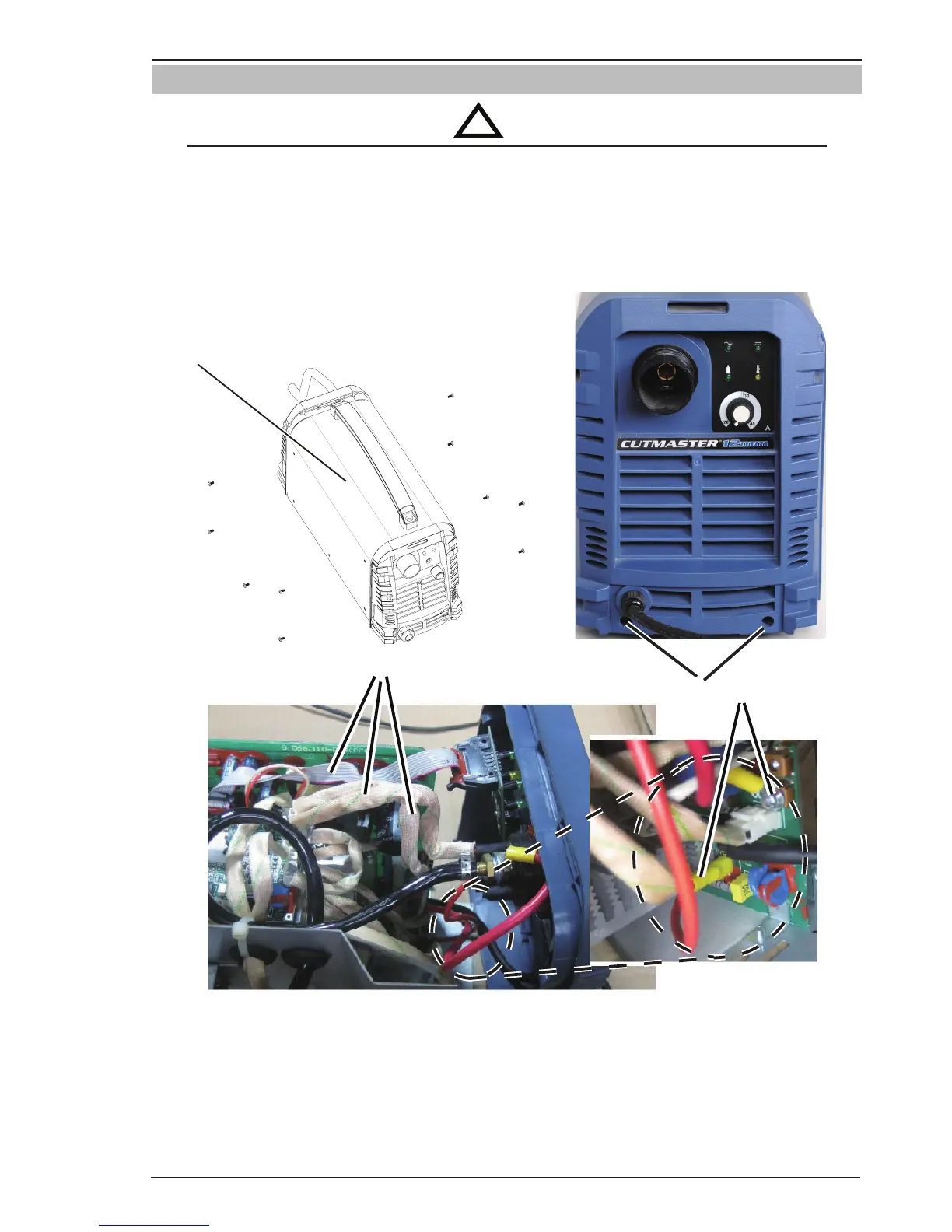
7.03 Front Panel Assembly Removal
WARNING
Read and follow safety information in Section 6.02 before proceeding the disassembly.
1. Unscrew the ten screws from the case panel and remove it.
2. Unscrew the two screws on front panel
3. Unplug the three harnesses from control PCB as shown in photo on following page.
4. Remove the two screws fixing the harnesses connecting front PCB with main power PCB.
1
2
3
4
Art # A-11084
Figure 7-2 Removing Front Panel Assembly



 To Next Page