Assembly Procedures 8-4 Manual 0-5230
CUTMASTER 10MM, 12MM ASSEMBLY PROCEDURES
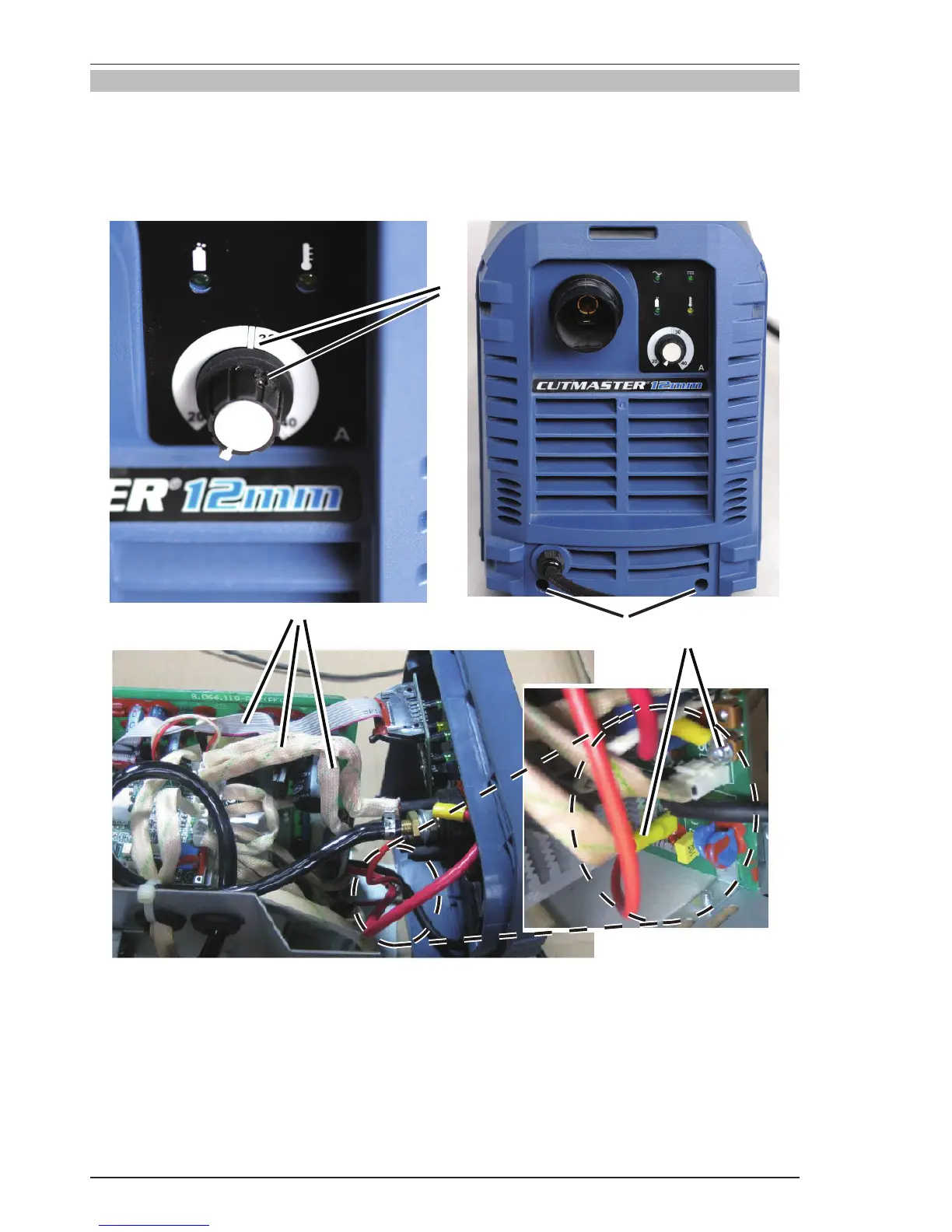
8.03 Installing Front Panel
1. Place front panel PCB assembly into front panel. Install the nut and screw.
2. Reconnect three harnesses to control PCB.
3. Reconnect two red wires and install the screws.
4. Install the front panel screws.
4
2
3
1
Art # A-11088
Figure 8-3 Installing Front Panel





 To Next Page