PAGE 12 VIDEONICS TITLEMAKER 3000
What You’ll Need
A Videosource (optional). Any standard video sourcewith composite(RCA-
style) or S-video (Y/C) outputs can be used, including VCRs, camcorders,
cameras, videodisc players, video production equipment (such asa mixer,
processor, or another titler), and computers with television outputs. If no
source is used, TitleMaker 3000 will create titles on its own backgrounds.
B OUTPUT monitor. The monitor will be connected to a recording VCR in
most cases. Required connections depend on the VCR. You can use any
arrangement that will allow you to view tapes played on the VCR.
C Record VCR. In a live setup, in which the results will be displayed without
being recorded, the VCR is optional, but most setups will include the VCR.
• Preview monitor (optional). If used, this monitor must have a composite
(RCA-style)video input. Useof thePREVIEW monitoris described inChap-
ter 22, “Preview.”
• Video Cables. You will need one video cable to connect the TM-3000 out-
put to the Record VCRand one to connectthe Record VCR tothe OUTPUT
monitor. You may also need a cable for the input, if a video source is used,
and for the PREVIEW monitor, if used.The next sectiondescribes the types
ofcables.
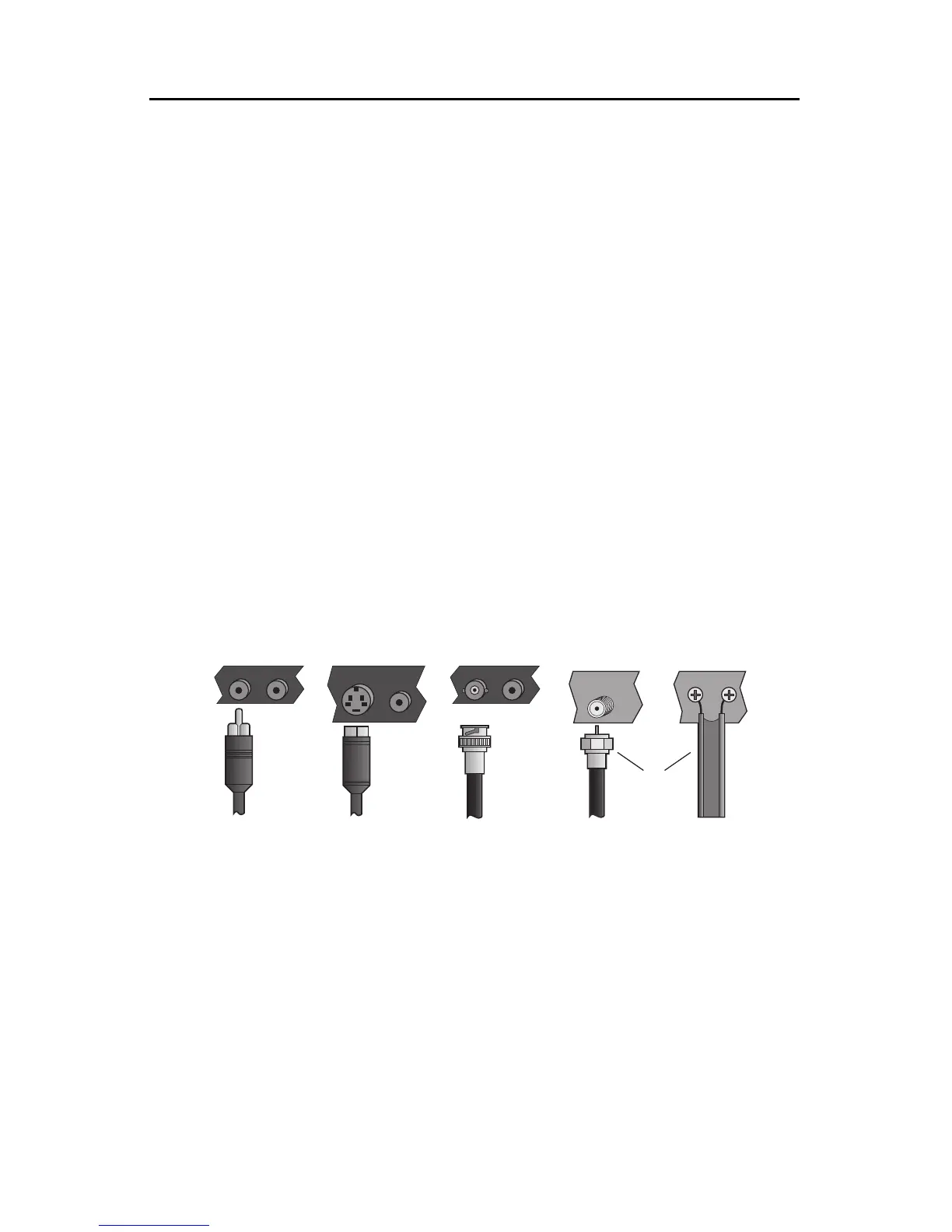
Typesof InputandOutputJacks
1 Composite (RCA-style) video and audio
2 S-video (Y/C)
3 BNC video, used in some professional equipment
4 RF cables(Coaxial cable and twin-leadantenna cable)
Note: European video equipment often has SCART plugs. Adapters are
commonly available to connect SCART-equipped units to the RCA jacks
provided on the TitleMaker.
Audio
RF cables carry the audio signal along with the video. All the others re-
quire a separate RCA-style audio cable.
S-VIDEO AUDIO
AUDIOVIDEO
ANTENNA
ANT
INPUT
AUDIOVIDEO
❶
❷
❸
❹



 To Next Page