VIDEONICS TITLEMAKER 3000 PAGE 25
Chapter 6 • Typing Titles
Creatingtitles issimple usingTitleMaker 3000’sfull keyboardto typeupperand
lowercase,plusspecialandaccentedcharacters.
TheEditingScreenandCursor
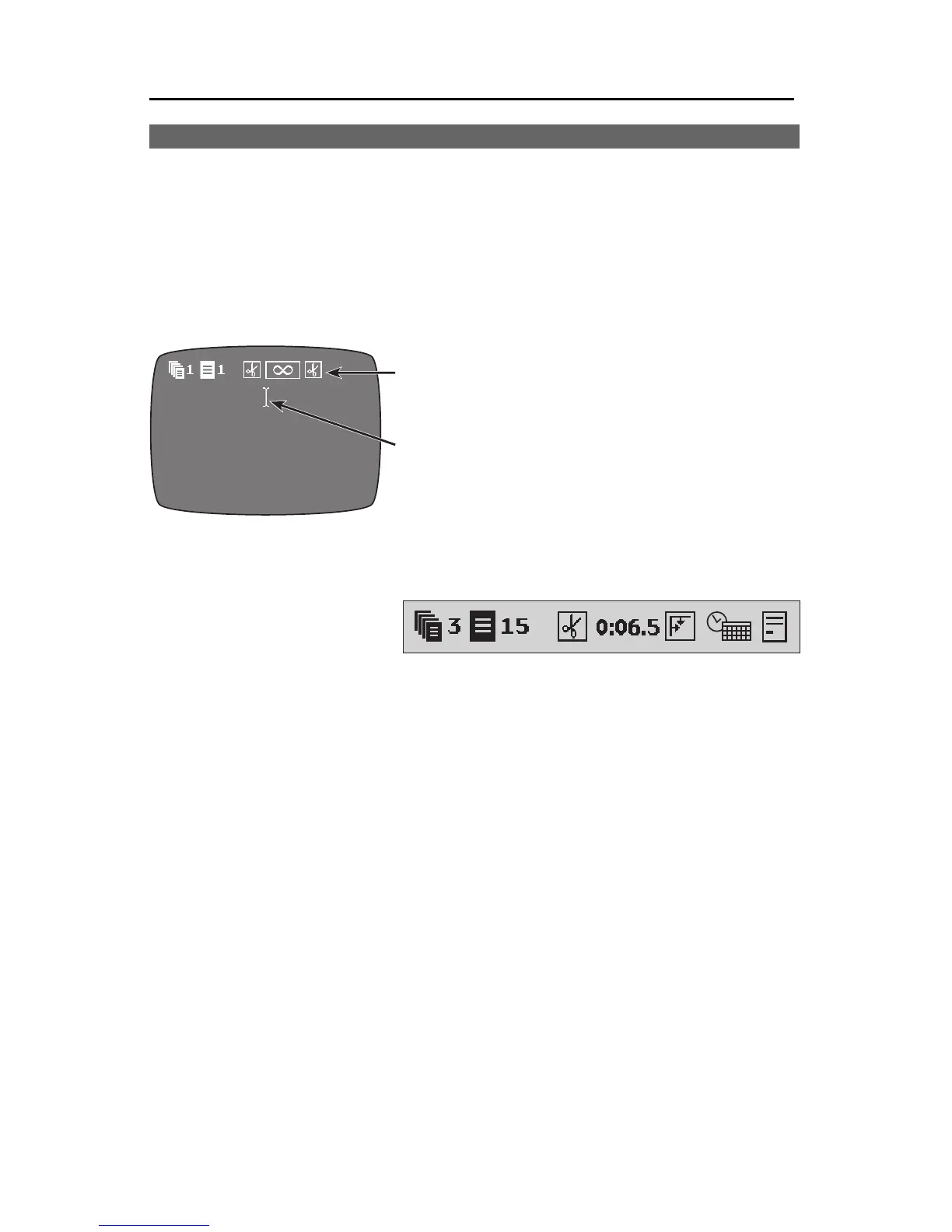
The Editing Screen is used whenever
you are typing or editing text.
New text always appears at the blink-
ing cursor (1). New letters are always in-
serted— theydon’treplace lettersalready
onthe screen.
Thepage symbols (2) indicatewhere a
newpage oftextbegins. Theyalso tellyou
the number of the page (B), the number of the project to which the page be-
longs ( A), the effects that will be used to start and end the page ( C and E),
how long the page will be displayed (D), and whether time and/or date will
display on the page (F).
These items are described
in detail in Chapter 7,
“Pages.”
MovingAround theScreen
Use thearrow keys toposition the cursor.
Note:Youcannotmovethecursorpasttheendofthetext.Ifyouwanttoaddsome
newtextatthebottomofthepage,pastthelastcharacter,usetheNEWLINE/OKkey
toaddsomeblanklinesandmovethecursortothebottomofthepage.Orpositionall
ofthetextatthebottomofthepageusingthePOSN(Position)key(Chapter10.)
If there is more than one full page of text, you can move to the next or
previous page by pressing PAGE UP or PAGE DOWN, or by using the UP or
DOWN arrows to go beyond the top or bottom line on the page — the pages
will scroll to keep the cursor in view. The cursor will stop when it reaches the
top of the first page or the bottom of the last page.
ShortcutsforMovingtheCursor
Hold SHIFT while you press the RIGHT or LEFT arrow key and the cursor
will jump all the way across the screen, in the direction of the arrow you
press. Pressing PAGE UP or PAGE DOWN or holding SHIFT while pressing
the UP or DOWN arrow key will move you forward or back a page at a time.
❶
❷
DCBA E
F



 To Next Page