VIDEONICS TITLEMAKER 3000 PAGE 67
1
2
3
5
0:06:5
4
12 3
7
12 3
9
12 3
10
0:06:6
0:06:6
0:06:6
8
8
8
E
F
G
D
6
InternalT imedTriggerNotes
• When setting the time for the internal timed trigger, the format is always
entered in 24-hour time and the date is always entered in MMDDYY for-
mat, regardless of which format you use for the displayed clock.
• The internal timed trigger always plays from the first page of the project.
The rest of the pages will play exactly as they would if you played the
project manually. If a timed duration has been set, the pages will play in
sequence; if a page has infinite duration, it will display indefinitely, wait-
ing for someone to press PLAY or for an external GPI trigger.
• TitleMaker 3000 supports one internal timed trigger. The internal timed
trigger can be programmed to play only one project at a time.
DisplayingtheRealTimeClockandDate
You can display a running clock, date, or both on a page in your project.
When time is selected, the clock will continue to run in real time, meaning it
will always display the current time. Likewise, when the date option is se-
lected, the date will change from one day to the next. Both will stay current
regardless of whether the unit is powered on.
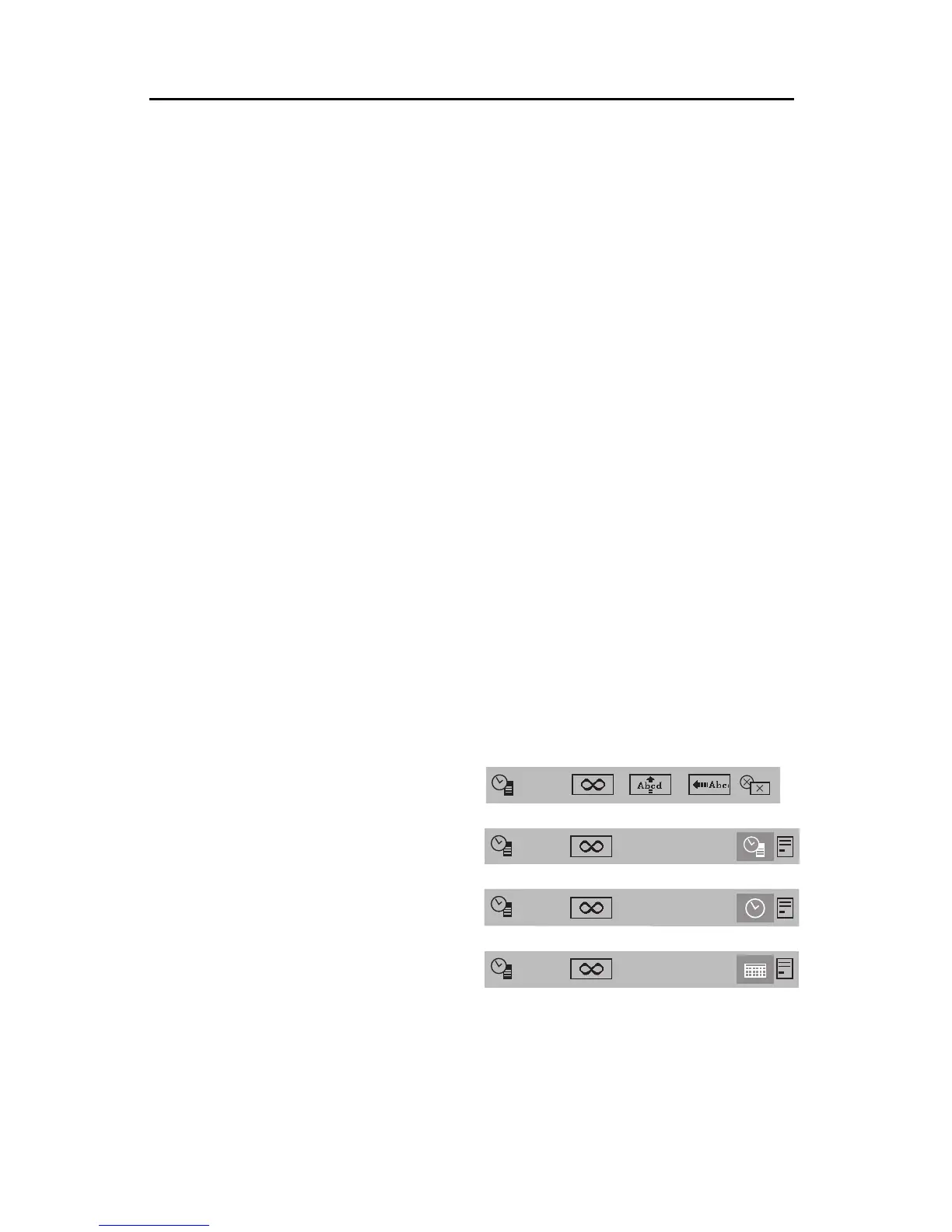
To display both a running clock and date on a page, press EFFECTS IN.
Position the highlight at the bottom sub-menu (D) and use the up or down
arrows to choose the combination clock/date symbol (E7). Next, use the left
or right arrow keys to move the highlight from the clock/date symbol to the
position symbol (E8). Change the horizontal position of the clock with the up
or down arrow keys. Press NEW LINE/OK or PLAY.
To display only a running clock in a page, press EFFECTS IN. Position the
highlight at the bottom sub-menu
(D) and use the up or down ar-
rows to choose clock (F9). Next,
usethe the leftor right arrowkeys
to move the highlight from the
clock symbol to the position sym-
bol ( F8 ). Change the horizontal
position of the clock with the up
or down arrow keys. Press NEW
LINE/OK or PLAY.
To display only a running date
inapage, press EFFECTSIN.Po-
sition the highlight at the bottom
sub-menu (D)and use the up or down arrows to choose date ( G10). Next, use
the left or right arrow keys to move the highlight from the date symbol to the
position symbol (G8). Change the horizontal position of the date with the up
or down arrow keys. Press NEW LINE/OK or PLAY.



 To Next Page