VIDEONICS TITLEMAKER 3000 PAGE 43
Chapter 11 • How to Use Menus
Fonts,colors,andothercharacteristicsaredefinedusingmenus,which
showalltheavailablechoices.
Concept
Thekeys in the toprow are called menukeys because whenyou press one,
you seea menu onthe screen. Like the menuin a restaurant, TitleMaker3000
menus are simply lists of what’s available.
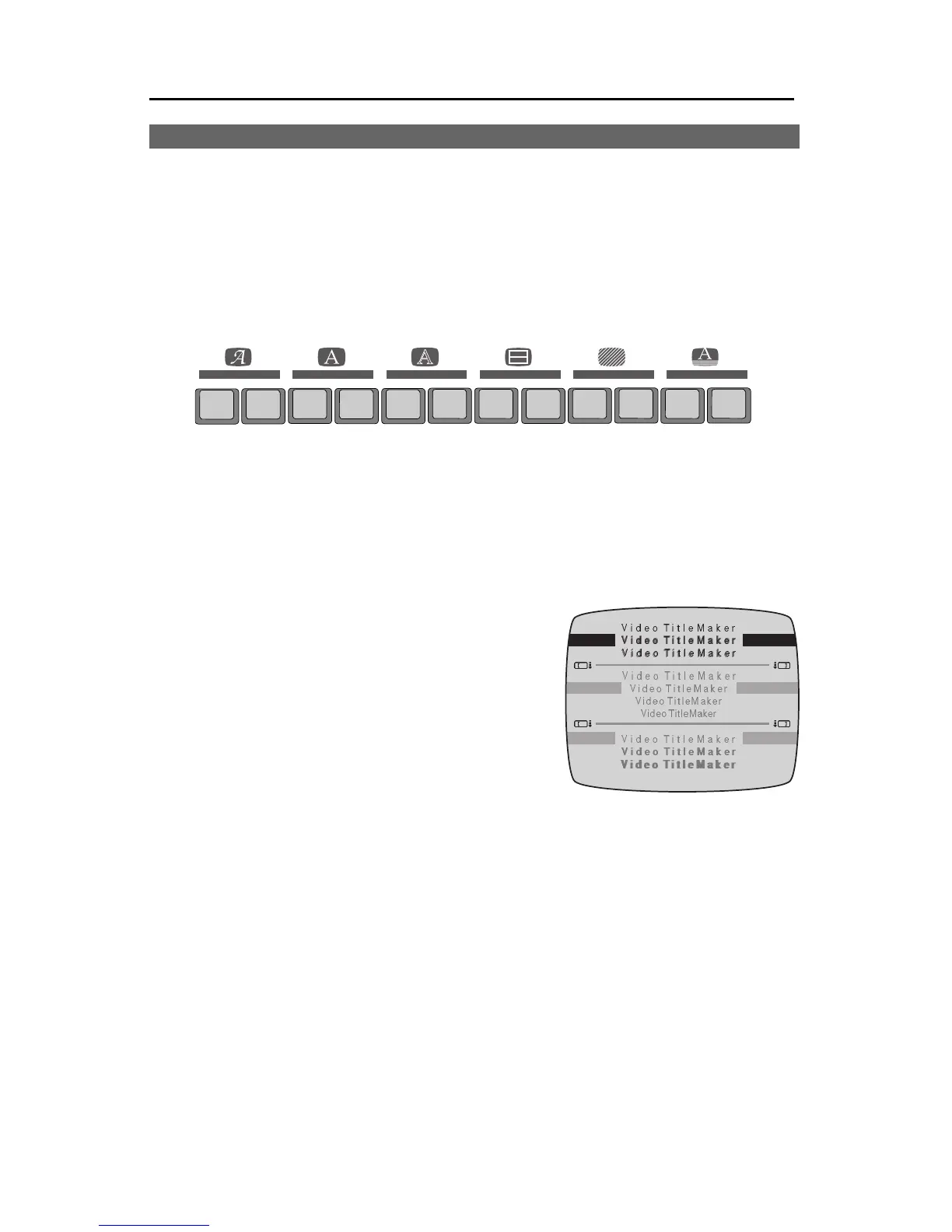
Inthis menu, forexample, youcan choosethe style ofyour titles— shadow,
outline, bold, and letter spacing. Note that you choose from actual examples
of the style, rather than abstract names.
Sub-menus
Menus may contain “sub-menus” which
show additional choices or alternate ways of
making a choice. In the menu shown in the il-
lustration, there are three sub-menus. The top
sub-menu is used to add outlines or shadows
to thetitles. The middle sub-menuchanges the
spacingbetween letters. Thebottom sub-menu
is used to make the titles bold.
The MARK START key is used to determine which sub-menu is active.
The TAB, MARK END, the left bracket ([) or the right bracket (]) keys can also
be used. The inactive menus are dimmed (changed to a subdued gray) to
show they’renot in use. In theexample, the top sub-menu is active(the others
are grayed).
The color menus are slightly different: the bottom sub-menu (which con-
tains a palette of colors) is not grayed. Instead, the triangle-shaped highlight
arrows tell you which sub-menu is active.
HighlightsandChoices
One item in the active sub-menu is highlighted to show the current choice.
The arrow keys are used to move the highlight to make a different choice.
IN OUTSTYLE
FONT &
SIZE
COLOR
PATTERN
COLOR PATTERN COLOR PATTERN COLOR STYLE
EFFECTSFONT BACKGROUNDLETTER OUTLINE BORDERS



 To Next Page