VIDEONICS TITLEMAKER 3000 PAGE 15
• When the power switch (rearpanel) is on and the keyboard poweris turned
off, video is routed from the video input to the video output and no titles
are added. This eliminates the need to disconnect the unit when titles are
not needed — you can simply turn the keyboard off and video is passed
straight through. Note, the keyboard must have been cycled on and off
since the last time the unit was powered on at the POWER SWITCH in
order for video pass-through to work.
• Toassure reliablestorageof titles,alwayspressthe POWERkeyand be
sure the power light is out before you turn off the POWER SWITCH or
unplugthepowersupply.
Here’s why: Titles are retained by the built-in lithium battery when you
turn the power off. Even when the unit is unplugged, all titles remain in-
tact, including all settings and formatting. When you turn the unit off,
TitleMaker 3000 reorganizes its memory to optimize storage. It is impor-
tant not to turn off the POWER SWITCH or unplug the unit until the light
turns off, telling you this operation is complete.
ConnectingOutputsandMonitors
ExampleOutputConnections
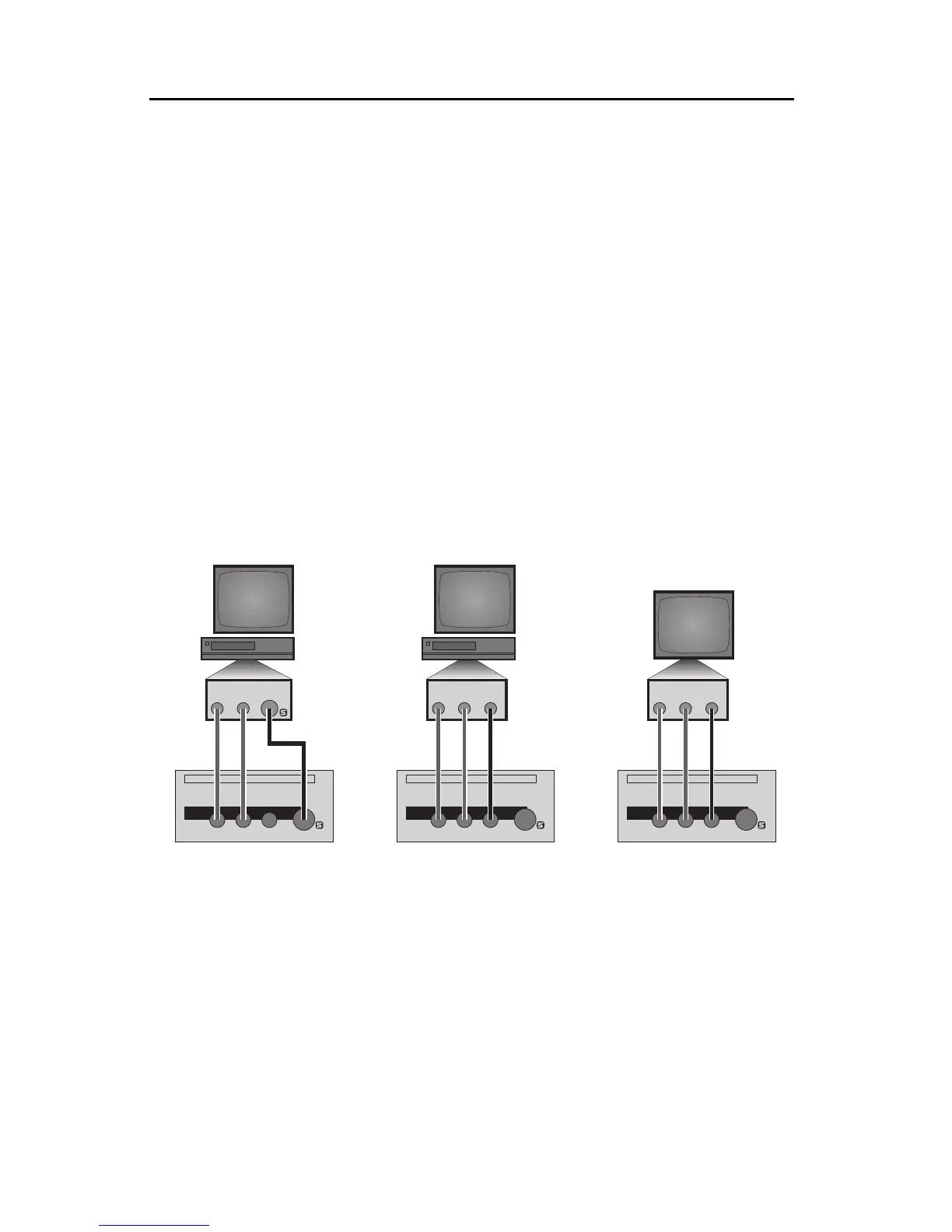
n Connect the OUTPUT monitor to TitleMaker 3000’s video OUT jack:
• 1A, 1B: If you will be recording the output (as in a video production
setup),connect TitleMaker3000’s video OUT to theVIDEO INof theRecord
VCR.Then connect atelevision ormonitor tothe Record VCR,as described
in the manual that came with the VCR.
You can use either S-video (Y/C) cables (1A) or composite (RCA-style)
cables (1B) to connect TitleMaker 3000 to the VCR. You can use S-video,
composite,or RF (cable/antenna)cables to connectthe VCR andthe televi-
sion/monitor.
In either case, connect TitleMaker 3000’s audio OUT jacks (marked L and
R) to the Record VCR’s AUDIO IN.
OUT
LRV
RLVS
OUT
VIDEO
IN
AUDIO
IN
OUT
LRV
RLVS
OUT
VIDEO
IN
AUDIO
IN
OUT
LRV
VIDEO
IN
AUDIO
IN
RLVS
OUT
1A 1B 2



 To Next Page