VIDEONICS TITLEMAKER 3000 PAGE 61
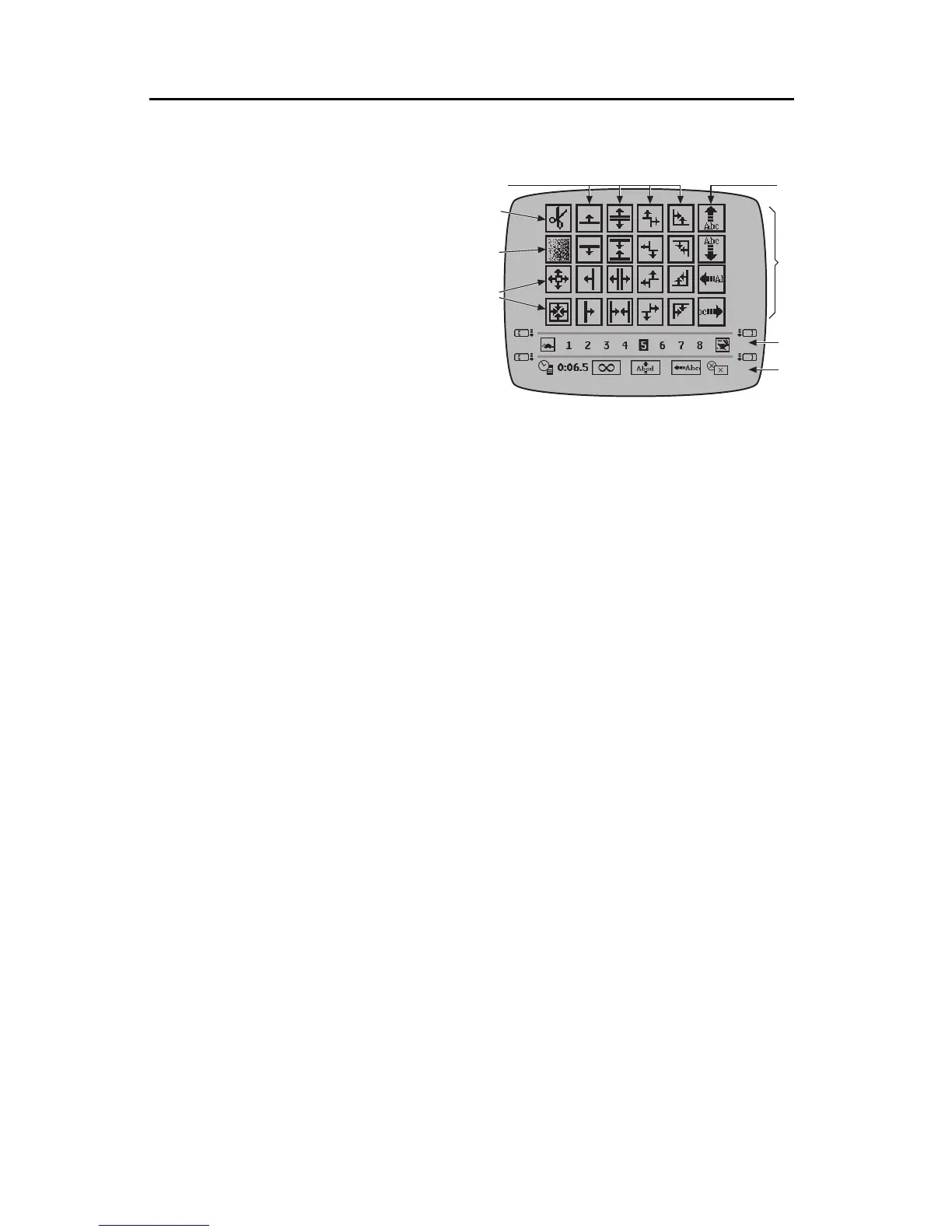
A
B
C
D
E
F
GF
TransitionEffects:Cuts,Fades,Slides,andWipes
•Acut (D) makes the page appear
or disappear instantly, without
any transition. The speed setting
(B) doesn’t affect a cut.
•Afade(E) causesthe pageto fade
in or out.
•Inawipe (F), a line or corner
sweeps across the screen. If the
wipe is an Effect In, the moving
boundary reveals the new pageof
titles in its wake. If it’s an Effect
Out, the wipe removes the titles. TitleMaker 3000 includes 18 wipes. Any
of them can be used as an Effect In or an Effect Out.
•Aslideor half-scroll(G) causes the entire page of titles to slide on or off the
page.
• The in- and out- transition effects can be different. For instance, you could
have titles fade in, then wipe away. Or, you could have them slide in from
the right, hold for a few seconds, then slide out the bottom.
SlideNotes
• If the text does not all fit on the page, text may be cut off depending on
slide direction and position of the text on the page. For instance, if a line
that iswider than the screen, ahorizontal slide stops when the textreaches
the edge. Characters that are past the trailing edge are not displayed. You
can display the missing characters by editing the page so all characters fit,
breaking the line into two or using a smaller font, size, or style.
• A slide can be in any of four directions and it is possible to make a page
slide in one direction and out another.
ChoosingaTransitionEffect
Start with the normal Editing Screen and place the cursor on the page you
wantto assigneffects. Press EFFECTS-INor EFFECTS-OUT.
Use MARK START to highlight the top sub-menu (A) and use the arrow
keys to highlight the desired effect. In the Effects In menu, the selected effect
will be used to introduce the titles; in the Effects Out menu, it will be used to
remove the page from the screen.



 To Next Page