VIDEONICS TITLEMAKER 3000 PAGE 17
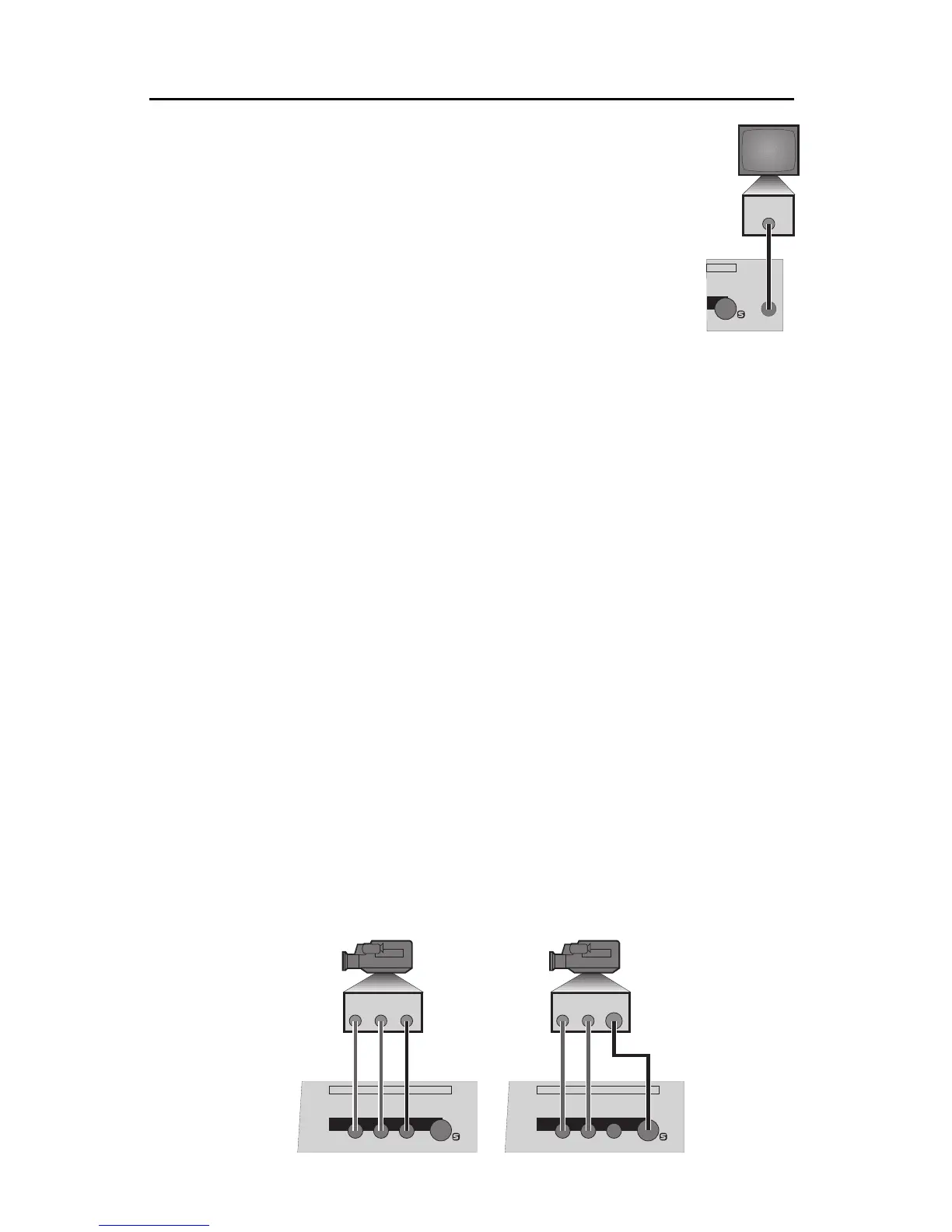
Connect TitleMaker 3000’s PREVIEW OUT to the VIDEO IN
jack ofthe PREVIEW monitor using acomposite (RCA-style)
cable. (If the monitor only has an RF (cable/antenna) jack,
you will need a spare VCR or an RF modulator to convert
the RCA-style output to RF.)
n Test the PREVIEW connection (if used).
Turn the PREVIEW monitor on. Activate DEMO by pressing
ACCENT and DEMO simultaneously. You should see a se-
ries of titles. Press any key to stop the demo.
n Align video output (optional).
Television screensdo not normally show theentire picture. A small amount
of each edge is normally cut off. The amount that each edge cuts off can
vary, making the image slightly off center. For normal television viewing,
this is not very important but titles tend to make any imbalance noticeable.
TitleMaker 3000 allows you to adjust the picture to center it on the screen.
To adjust the centering, pressSHIFT + POSN (Position).The indicator light
comes on the keyboard and a large rectangle is displayed on the screen.
Use the arrow keys to adjust the rectangle until it is centered and press
NEW LINE/OK. The new centering will be remembered even if you un-
plug the unit. To cancel any changes you have made, press UNDO.
You can bring centering back to the original factory setting by pressing
SHIFT + POSN (Position) again while the rectangle is displayed.
ConnectingaV ideoSource
Videosources includecamcorders, VCRs,laser discplayers, cameras,
video
productionequipment (suchas amixer oranother titler),satellite tuners,broad-
casttuners/receivers, video-equipped computers,etc. They mayhave S-video
(Y/C) or composite (RCA-style) output jacks. RF sources (cable TV, antenna,
“channel 3/4,” or other modulated sources) must be converted to S-video or
RCA-style format video using a tuner, television, VCR, etc.
n Connect the video source’s VIDEO OUT jack to the video IN jack on
TitleMaker 3000. Connect the source’s AUDIO OUT jacks to TitleMaker
3000’s AUDIO IN jacks.
InputConnectionExamples
VIDEO
IN
PREVIEW
OUT
PREVIEW S
IN
LRV
IN
LRV
RLVS
IN
RLVS
IN
VIDEO
IN
AUDIO
IN
VIDEO
IN
AUDIO
IN



 To Next Page