VIDEONICS TITLEMAKER 3000 PAGE 19
Chapter 4 •
Connecting Editing Equipment
TitleMaker3000iscompatiblewithawiderangeofeditingequip-
ment,suchaseditcontrollers,videoprocessors,andvideomixers.It
canbeconnectedinavarietyofways,dependingonwhatyouplan
todoandwhatequipmentyouhave.
A title generator is a common part of a video editing setup. This chapter
describes how to connect editing equipment to TitleMaker 3000. For informa-
tion onhow to edit using TitleMaker 3000, seeChapter 21, “Editing, Presenta-
tions, and Other Applications.”
Hint:Verify thatthebasic connections,described intheprevious chapter,are
workingproperlybeforeyouaddadvancedequipment.
Concept
There is no single, “correct” way to connect equipment in an editing stu-
dio. The setup varies, depending on what you want to accomplish. The most
important concept is that editing equipment is connected in a chain, with the
output of one device feeding the input of the next.
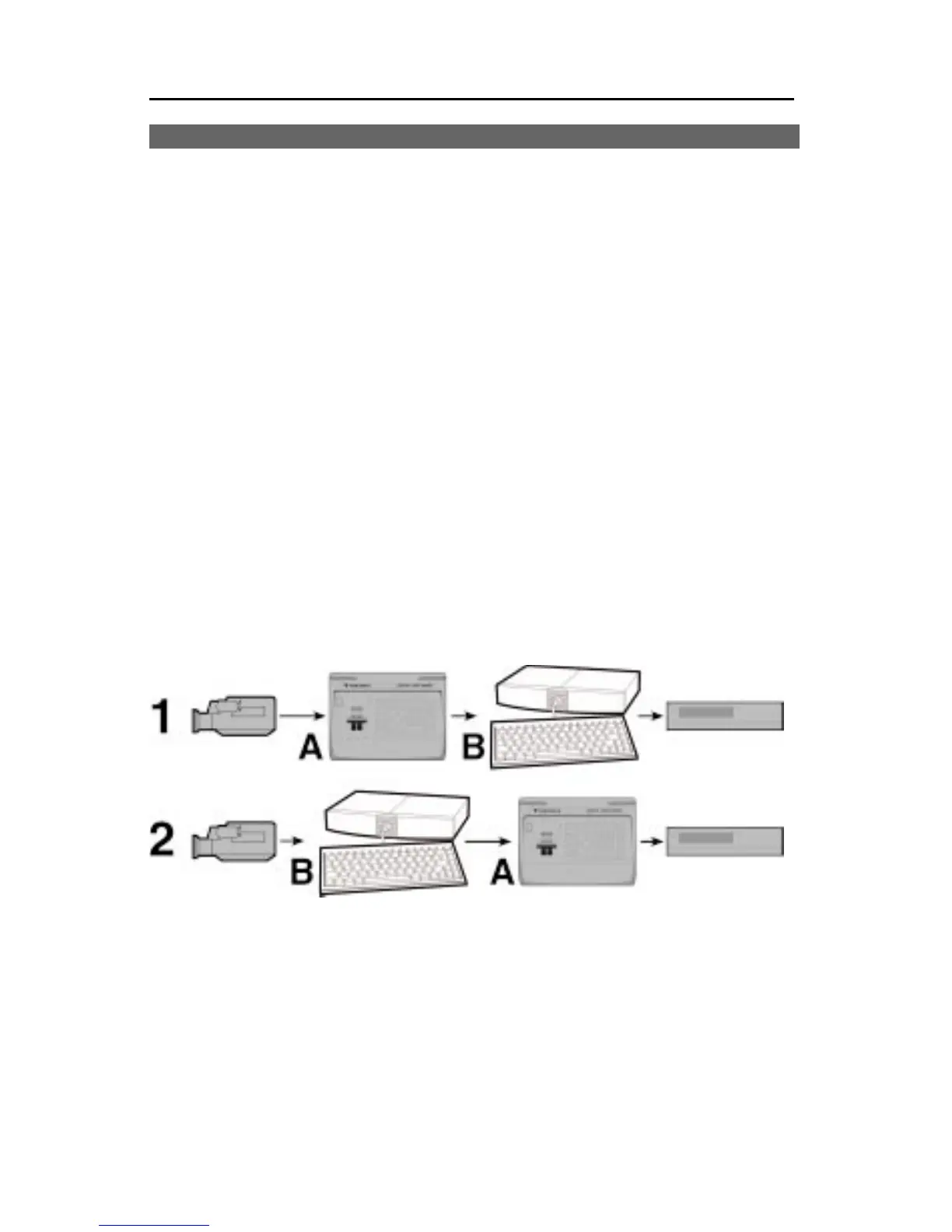
The order in which the pieces of equipment are connected matters since
each piece will act on the video generated by devices that are earlier in the
chain. For instance, if you wanted to add titles to video that has had special
effects added, you would use the setup labeled 1 in the illustration, connect-
ing the titler (B) after the special effects unit (A ). If you wanted to add effects
to the titles and the video, you would reverse the order, as in setup 2.
V ideonicsEquipmentArrangements
Here are some recommended setups using Videonics equipment.



 To Next Page